A customer should receive the same answer from the product page, return policy and support team. Start with the shipping, return, refund and contact processes the business can actually run, then turn them into clear pages. A generous template or a polished logo cannot repair a refund the team cannot process or an inbox nobody monitors.
9 parts · 5 checkpoints · Take away: 1 record · 1 note
Show all 9 parts
- 01Define the business and market before choosing terms
- 02Step 1: write the operating rules first
- 03Step 2: create and review Policies
- 04Step 3: align return, cancellation and refund execution
- 05Step 4: check Brand assets on each surface
- 06Step 5: make About, Contact and FAQ useful
- 07Step 6: connect Footer and compare every promise
- 08Decide how to handle a return-policy conflict, has a checkpoint
- 09Retain the version, decision and next action, has a checkpoint, has a work product
Key point Separate promises, legal rights and platform settings
A policy page, template or saved rule does not establish legal compliance, consent configuration or launch readiness. The course organizes facts and checks; it is not legal advice. Confirm applicable requirements and existing customer commitments before narrowing a promise to match limited operating capacity.
You can start here without earlier course records. Confirm the selected store and who can edit and approve public policies, Brand assets and pages. Gather the actual business entity and customer markets, product types, shipping, refund and payment capabilities, return address rules, data tools and support process. Name the people responsible for policies, Contact and FAQ. Prepare a monitored email address, working hours, a realistic response target, default and square logos, colors, typography rules and where each asset will be used. Keep originals and translations before replacing existing content.
Questions the public pages must answer
- Which promises can the team deliver, and which requirements still need qualified review?
- What decisions and evidence belong in the operating rules?
- How do automated and manually maintained Shopify policies differ?
- How should return, cancellation and refund paths be tested?
- Does saving Brand assets update every theme, email and checkout?
- Which inbox receives a contact form, and which details can policies expose?
- Where must customers be able to find the current policy version?
- What should happen when the template and actual return process disagree?
Define the business and market before choosing terms
The classroom store sells physical desk-organization products and plans a US launch with USD pricing and an English storefront. This sales plan does not establish a US entity, legal jurisdiction, payment eligibility or fulfillment coverage. Record where the merchant operates, where customers are located, what is sold and which data tools are used. Arrange consumer, privacy, tax and product-compliance review for the actual scope; unresolved applicability remains a named task.
A merchant can choose a voluntary return window and service promises, subject to applicable requirements and existing commitments. A Shopify return-rule field controls platform request eligibility; it does not decide every legal entitlement. A written policy tells customers the rules. The support SOP specifies who handles a case and how. Business decisions, platform rules, public wording and internal procedures need to agree. A dropdown or template is not legal approval.
For a specific US example, the FTC's Mail, Internet, or Telephone Order Merchandise Rule guide explains shipment promises for covered merchandise orders. When the Rule applies, a stated shipping time needs a reasonable basis; inability to ship on time requires the applicable delay-consent or prompt-refund process. That shipment rule is different from the classroom change-of-mind return window. It does not determine this store's complete consumer obligations or establish that a customer must accept a delay.
Treat a missing operating capability as a problem to fix, not permission to deny a required remedy. Do not assume digital, custom, hygiene or clearance labels permit every exclusion. Have the reviewer establish what exceptions and disclosures are valid for the actual product and market. Before altering an already published promise, preserve the earlier wording and assess existing orders separately.
Step 1: write the operating rules first
Start with the real refund, return, exchange, cancellation, damage, delay and lost-parcel processes. For each case, record the customer step, proportionate evidence, decision maker, possible outcome, approver and completion time. Include market, clock-start event, fees, exceptions, contact route and responsible person. Unconfirmed values should stay unresolved rather than becoming attractive public promises.
Give every promise an executable procedure
Write operating rules first
Build the rule sheet with fulfillment, payments/refunds and support. Check who can receive a return, inspect it, approve a remedy and carry out the actual payment action. Separate a support reply target, handling time, refund initiation and payment-provider settlement instead of calling all of them “refund time.”
How to confirm
Every intended promise has an action, time basis, owner and evidence location. Keep rule version, market scope, last review date and unresolved applicability or capacity questions.If it goes wrong
When the warehouse, payment method or support team cannot meet a condition, decide whether to fix the process or revise a voluntary future promise after qualified review. Do not reduce mandatory rights or rewrite earlier customer commitments merely to conceal the gap.
Decisions to settle before writing customer copy
| Item | Rule to define | Evidence and owner |
|---|---|---|
| Shipping, delay and loss | Served markets, processing versus transit time, costs, delay/loss contact and available remedies. Do not promise an unverified delivery date. | Warehouse/carrier capacity, applicable obligations, escalation handler and actual test or case result. |
| Returns and exchanges | Window and start event, item condition, first customer step, damage evidence, original shipping, return shipping, return address and reviewed exceptions. | Receiving location, inspection/approval owner, fee basis and ability to process the promised outcome. |
| Cancellation and refund | Unfulfilled versus fulfilled state, cancellation conditions, preorder treatment, refund decision/action and realistic timing. | Order state, original policy version, permissions, payment route, redacted initiation/result and any pending settlement. |
| Privacy and data practices | Actual collection/sharing, apps/pixels, relevant markets, customer request route and applicable notice/consent/opt-out controls. | Tool inventory, responsible reviewer and actual configuration. Policy text alone does not activate controls or enforce every third-party tool. |
| Contact and review | Monitored support route, hours/time zone, response promise, escalation and canonical policy/FAQ ownership. | Receipt and response test, operations approval plus required qualified review, version/date and next review trigger. |
Use actual values and results to decide which rows pass. A page count, planned service or permission to edit does not establish capability. Keep regulated-product or market questions with a qualified reviewer before making claims.
Step 2: create and review Policies
In Settings > Policies, review return/refund, privacy, terms, shipping, contact information and any applicable legal notice or purchase-option cancellation content. Check titles, language, links and readability against the rule sheet. Saving a policy can publish it, so finish review before Save. Do not treat this as saving a private draft.
Choose how each policy will be maintained
Complete Settings > Policies
Inspect whether each policy uses Use automated policy or manually maintained content. Current automation can generate and update supported policies from store settings; review the generated wording and the source fields it uses. For manual content, adapt each section and remove placeholders. Record policy type, mode, version, market/language, public URL, owner and review time.
How to confirm
Reopen the saved policy and inspect the public result. Verify inserted company name, address, phone/email, timelines, countries, fees and customer steps. Automation is not evidence that missing business details or market requirements are covered.If it goes wrong
For incorrect company information, check General, the policy's inserted values and its source settings, then review checkout and notifications. For a wrong link, confirm the store, page title and destination before creating a duplicate policy page.
Before turning automation on, preserve custom wording and translations: it can replace them. Turning automation off retains current content but stops automatic updates, leaving the team responsible for maintenance. Review public content again after changes to its source settings or translations. Keep your own versions and order-period records; an update timestamp alone cannot explain which terms a particular customer saw.
Automated contact details can expose values from General. The current policy documentation maps return/support email to Store email, and contact address/name/phone to store contact details. These are not inherently private because they also exist in admin. Check each published field. Public contact, registered/business address, warehouse dispatch and authorized return destination have different jobs. Do not invent an address, publish unnecessary personal information or assume a PO box meets every required disclosure.
The historical Policies screen below has No rules set and unset written policies. Contact and purchase-option cancellation labels belong to that captured setup, not a universal determination that all stores need the same fields.
Admin path: Settings › Policies
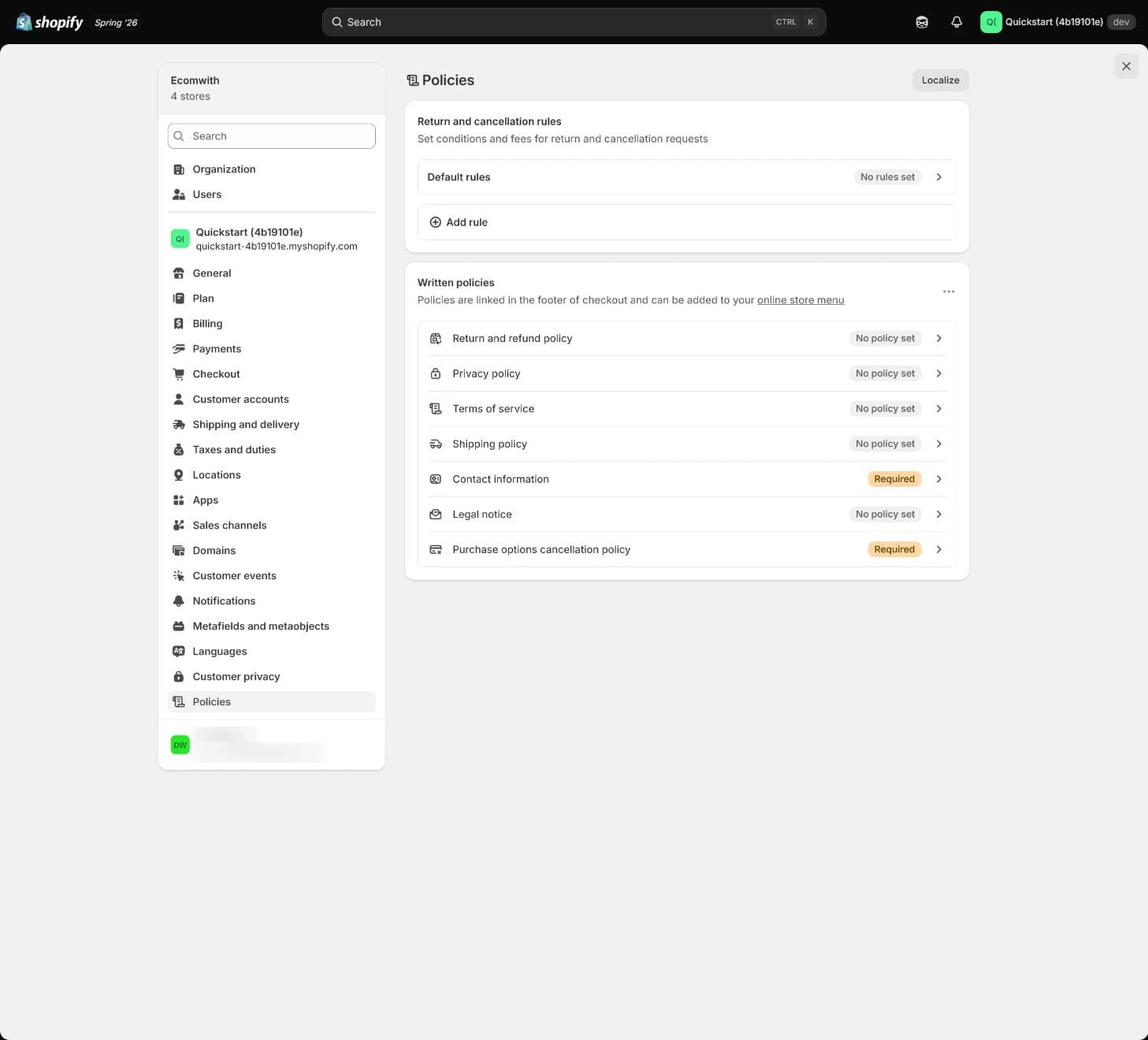
Historical screenshot: locate rules and written policies. It contains no approved wording, legal review, saved return window or customer-path result.
Step 3: align return, cancellation and refund execution
Current Shopify return rules apply to fulfilled items; cancellation rules apply to unfulfilled items. Customers need the appropriate self-serve feature enabled to submit eligible requests through their accounts. Submitting a request, approving a return, receiving it, issuing a refund and settling that refund are different states. Test the route the policy actually tells customers to use, including a monitored manual support route if that is the process.
Check both the written rule and the actual workflow
Complete return and cancellation rules
Where available, configure default and applicable market-specific rules to match reviewed policy terms. Check return window/start event, item condition, shipping/restocking fees, final-sale settings, cancellation window, preorder conditions, return address and customer instructions. Confirm product exceptions rather than treating every digital, custom, hygiene or clearance item as automatically excluded by law.
How to confirm
Use controlled test orders and appropriate payment testing to inspect cancellation, return and refund paths. Keep order state, earlier policy/rule version, support handler, fees, approval and redacted actual result. Mark unavailable payment/settlement checks partial instead of claiming a completed refund.If it goes wrong
If customers cannot find the process, add a clear first step, monitored contact, needed information and a supported response target to policy and FAQ, then link them. If a fee or refund action differs from the promise, fix the workflow or reviewed future wording and repeat the test.
Rule changes apply to future orders under current Shopify mechanics, not retroactively to previous orders. Retain the earlier order's rules and policy. A manually maintained or inserted template and structured rules still need comparison even when an automated policy can pull terms from settings. For applicable return fees, check the actual refund deduction rather than assuming Shopify subtracts them automatically. Clarify original shipping and return shipping separately, with reviewed treatment for damage or other remedies.
The next image repeats the same unset Policies overview. It locates Return and cancellation rules; it does not show an open rule form, a refund or Brand settings.
Admin path: Settings › Policies › Return and cancellation rules entry
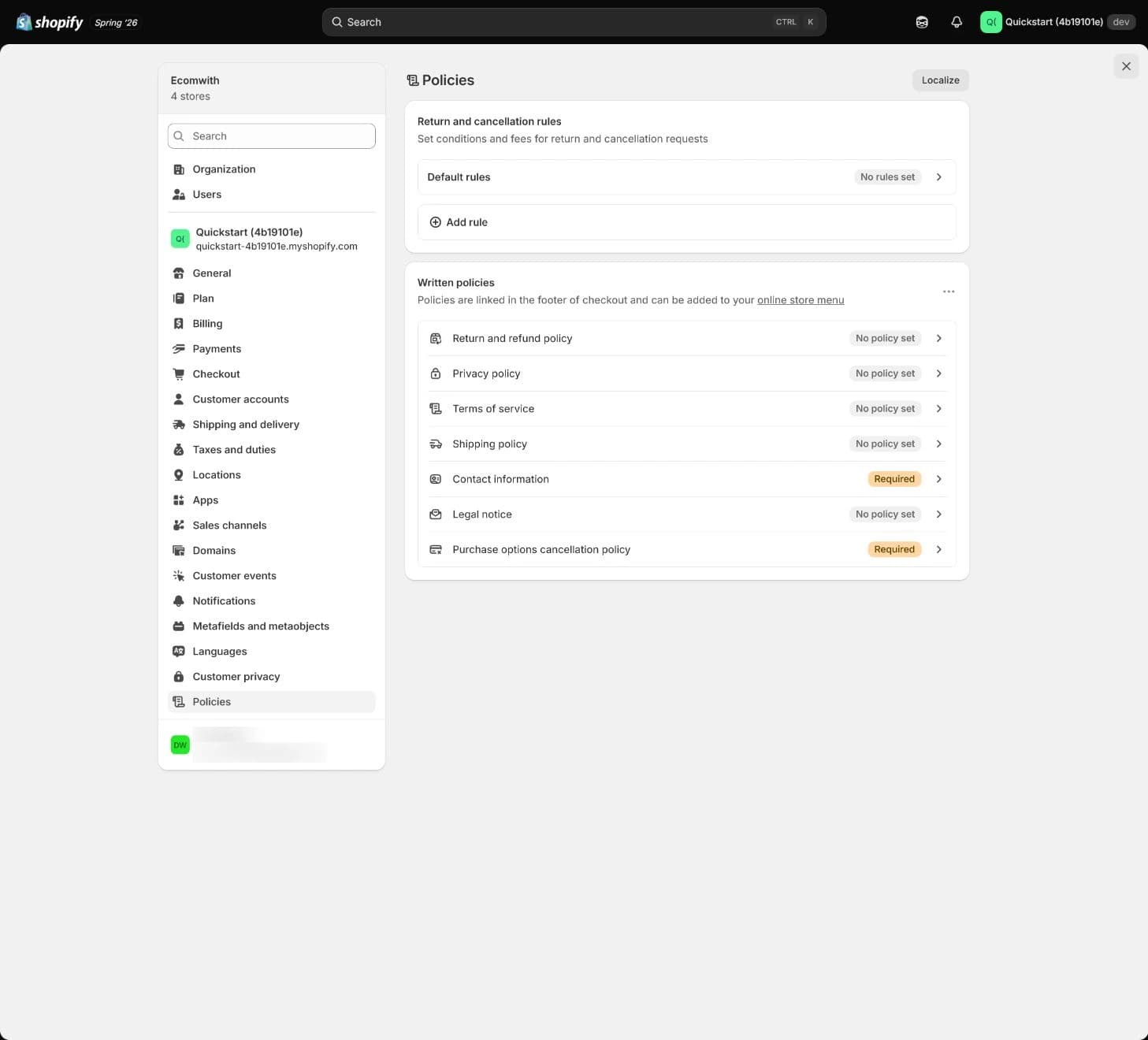
Historical screenshot: use the rule entry as orientation. It does not establish the example return window, fee choices or a successful request/refund.
Step 4: check Brand assets on each surface
Brand assets help customers recognize the business, but their use depends on the theme, app or channel integration. Current documentation opens Brand through Settings > General > Brand assets > Manage. The older Settings > Brand label refers to the same feature. Follow the current Brand page, and manage typography in the theme, checkout or notification settings that support it.
Verify the identity customers actually see
Set Brand assets
Prepare the real brand name, default and square logos, colors, slogan and relevant assets. Save a version/owner and map the surfaces using them. Keep typography consistent through the actual theme, checkout or notification controls that support it. Avoid low-resolution logos, excess whitespace and internal file paths in public copy.
How to confirm
Inspect theme, checkout, email and public policy appearance on desktop/mobile. Check logo crop, readable contrast, brand/name consistency and current asset version. Brand API integration does not mean every independent template uses the same asset automatically.If it goes wrong
If a touchpoint keeps an old logo or color, identify whether it uses Brand, a connected dynamic source or an independent setting. Repair that surface and recheck. Checkout and notification logos can require their own customization.
The historical Brand screen below shows compatible channels and asset entries, with an empty default-logo upload area. It is the Brand image, not an About/Contact/FAQ page or proof that email and checkout adopted a logo.
Admin path: Settings › General › Brand assets
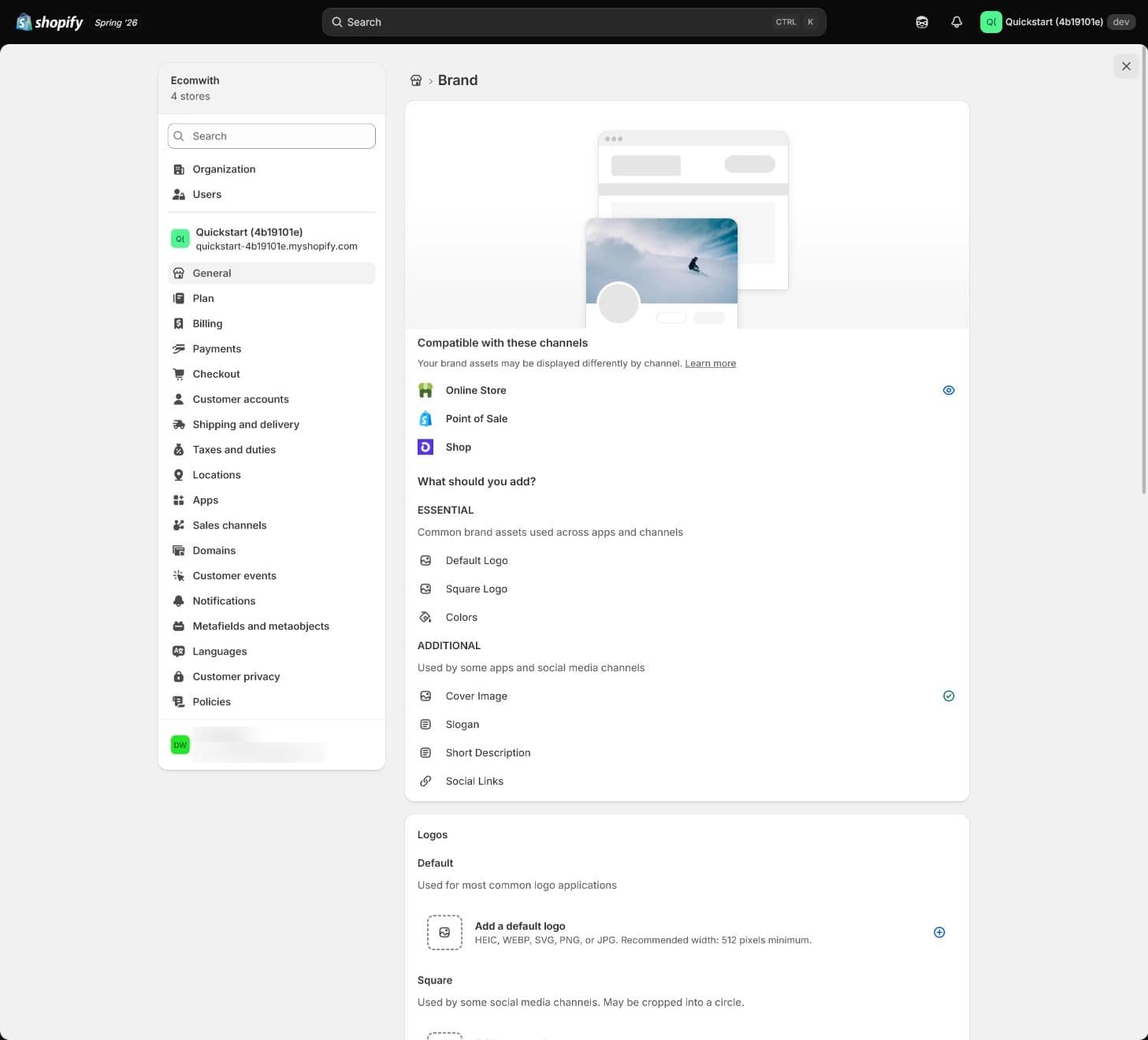
Historical screenshot: locate assets and their integration scope. No uploaded logo, Contact page or cross-surface branding result is demonstrated.
Step 5: make About, Contact and FAQ useful
About should explain the real business, why it exists, what it sells and the team/product boundary. Contact needs a working channel, accountable handler, hours/time zone and response expectation. FAQ answers current product use, shipping, payment, order changes, returns and account questions; uncertain answers belong with a reviewer rather than becoming unverified delivery, refund or market promises.
Connect public information to a real handler
Complete About, Contact and FAQ
Create or update the pages in Online Store > Pages, choose their appropriate templates and check visibility. A contact form can use the contact template. Add the approved customer channel and expectations, then submit a non-sensitive test and confirm receipt, triage and a reply. Give FAQ a review owner and align answers with the policy version.
How to confirm
Record each page's URL and purpose, the contact role, destination inbox, response result, working hours and who reviews the FAQ. Do not expose internal tickets, unnecessary personal information or draft asset paths.If it goes wrong
If the inbox is unattended or the FAQ is stale, fix the owner and content before adding prominent links. A visible form or sent-success message does not prove support received or handled the message.
Shopify's built-in contact form sends submissions to Sender email in Notifications. That route is distinct from the General Store email used by automated policy contact variables and from an owner's login/recovery email. Map and test them field by field; do not assume changing one changes every public address or inbox. Keep customer messages out of these lesson notes.
Privacy policy text is also separate from privacy controls. Inventory actual collection/sharing and review Customer privacy settings, cookie banner, data-sharing opt-out, pixels/apps and customer-request handling for the applicable markets. Shopify automation and supported integrations can help, but a written paragraph cannot establish consent behavior for every tool. The FTC's Consumer Privacy guidance within Privacy and Security likewise emphasizes honoring the privacy promises a business makes; it does not determine this store's entire privacy-law scope.
Step 6: connect Footer and compare every promise
In Content > Menus, link the actual policies, About, Contact, FAQ and shipping/return destinations used by the live Footer. Shopify links saved policies in checkout's footer, but the storefront menu/theme and the actual buying path still need inspection. Customers should be able to find important conditions before payment.
Use one maintained policy set per applicable scope
Connect Footer and review consistency
Start from the home page, menus, product page, cart, checkout and order notification, including on mobile. Follow the relevant links. Compare windows and start events, fees, return addresses, entity and brand names, contact details and wording with the approved master rules and support SOP. Check each relevant market and language version; one text may not fit them all.
How to confirm
Record public URLs, policy/rule version, reviewer/date, mobile readability, checkout/email result, support-template agreement, issues and retest. Also confirm About/Contact/FAQ each performs its customer job.If it goes wrong
For conflicting versions, wrong language, old branding, broken links or unexplained promises, identify the master version and its owner. Repair stale duplicates or destinations, decide whether the page or operating process must change, and repeat the same customer path. Do not rely on ad hoc support exceptions.
An existing policy is not complete if customers cannot reach it from the required buying path. A screenshot establishes only what was visible at that moment, not continued legal applicability or operational execution. Re-review when markets, products, tools, fees, service capability, contact details or policy automation change.
The last historical figure is another identical Policies overview. It does not show a live Footer, checkout or notification, so those outcomes need separate actual evidence.
Admin path: Settings › Policies; actual Footer links checked separately
Historical screenshot: locate the policy destinations. It does not prove customers can reach them or that pages, checkout and support use the same terms.
Decide how to handle a return-policy conflict
In the inherited hypothetical scenario, a template promises 30-day free returns. The team can currently handle only 14-day returns of unused goods, with the customer paying return shipping. These inputs are neither Shopify's universal defaults nor legal minimums. They do not establish what this merchant may validly offer or what an existing customer is owed.
Resolve the conflict before publishing a promise
| Item | Known fact | Decision still needed |
|---|---|---|
| Public wording | 30 days and free return shipping are written in the example template. | Determine whether the wording has already been published or relied on; retain the relevant version and existing orders. |
| Current operating capacity | 14 days, unused condition and customer-paid return shipping describe the team's current process. | Check whether operations must be improved or a voluntary future promise may be revised. Capacity alone cannot decide applicable rights. |
| Reviewed resolution | Policy, FAQ, structured rules and support SOP must use the approved facts for their market/order scope. | Obtain applicable qualified review, name the owner and test the agreed return/refund route. Do not silently apply a shorter rule to earlier orders. |
The template and return process disagree
Self-check not answered
The choice records a decision without publishing a policy or changing an order. Tick actual items only when their results exist.
Also confirm About, Contact and FAQ each helps customers do something useful, and that Footer links and page-to-page comparisons pass. The three ticks do not establish those extra checks. Keep required review and untested refund or payment outcomes visible as pending.
Conditions for continuing setup
| Done when | Stop if |
|---|---|
Key policy values and scope agree, support can execute the reviewed process, Brand surfaces and contact routing pass, Footer/checkout paths work, and required qualified review has an owner and recorded outcome before the affected claim goes live. | Promises exceed capability or reviewed obligations, versions conflict, Contact is unattended, FAQ is stale, applicability is unresolved for a proposed claim, or customers cannot find the relevant terms. |
| Evidence Policy/rule versions, public URLs, return/cancel/refund tests, actual brand/contact results and cross-surface checks. Templates and course examples do not establish legal compliance, consent configuration, settlement or launch readiness. | |
Retain the version, decision and next action
Keep full policies, earlier versions, qualified advice, support procedures and redacted test evidence in controlled work documents. Use a non-sensitive summary here for decisions, blockers, responsible people, dates and evidence locations. Choices, checks and notes save automatically in this browser; copy or export before switching devices. Do not enter customer addresses, order identifiers, billing records, credentials or private asset paths.
Policy, Brand and Contact check record
The 1 items marked Required need an answer. Start with item 1; your choices in the exercises above are carried over.
Summarize rule/policy version, market and review status, return/refund test, Brand surfaces, support routing/owner, Footer/checkout issues and retest. Point to controlled evidence.
Not saved yet.
Kept in this browser only. Switching device or clearing browser data removes it; download a copy.
What this record establishes
Hold
Judge the conflicting return promises
Align the promise, process and review
Actual checks remain
Decision and checks recorded
Next, configure Payments and Payouts and use the appropriate test flow to check eligibility, payment, refund and reconciliation. Keep policy and support commitments connected to what those tests actually establish.
Copyable lesson notes
Policies, Brand and Contact decision
- Admin paths:
Settings > Policies, Settings > Brand, Online Store > Pages. - Current Brand entry:
Settings > General > Brand assets > Manage; retain the actual page identity in the work record. - Conflict decision: (to fill in)
- Items checked: (to fill in)
- Record: (to fill in)
- Current result: Judge the conflicting return promises
- Continue: reviewed rules and operations agree; Brand, Contact/FAQ owners and Footer/checkout paths have actual results.
- Pause: unsupported promises, unresolved applicability, conflicting versions, unattended contact or broken public paths.
- Next: test Payments/Payouts; keep legal review, consent behavior and refund settlement separate from this record.
No checkpoint finished in this lesson yet. Start with “Go to the exercise”.
Self-check not answered
Your work
- Record · Retain the version, decision and next actionNot saved
- Note · Retain the version, decision and next actionNot copied
Kept in this browser only. Switching device or clearing browser data removes it; download a copy.
FAQ
- Can Shopify policies be used without review?
- Templates and automated policies are starting tools. Review actual products, markets, tools, fees, company/contact values and operations. Preserve custom text/translations before changing modes, and obtain applicable qualified review; automation can update wording without proving complete coverage.
- Can we simply replace the example's longer window with the team's shorter one?
- No automatic conclusion follows from current capacity. Check applicable requirements, previous public promises and order-period rules. Improve operations or revise a voluntary future promise only through the reviewed decision; keep earlier cases separate.
- Should FAQ answer every possible customer question?
- Answer current questions the team can handle using approved facts. Name an owner for uncertain or outdated content rather than inventing shipping/refund timing or market availability. Keep support replies aligned with the relevant policy.
- Where should customers find the policies?
- Usually in Footer and relevant product, cart, checkout and FAQ contexts, with useful notification links. Click the actual desktop/mobile routes before treating them as discoverable. A saved policy page alone is insufficient.
- Does a completed privacy policy finish privacy setup?
- No. Review actual tools/data practices, applicable markets, cookie banner, data-sharing opt-out, pixels/apps and customer-request handling. Text, configured controls and actual consent behavior are separate checks.
- Why can a contact inbox or logo differ from the saved policy/Brand value?
- Different surfaces can use different source fields or independent templates. Automated policy contact values can come from General Store email, while the built-in contact form uses Notifications Sender email. Map actual destinations and test receipt; check theme, checkout and email branding independently.