Search entry and reader questions
Shopify Notifications setup: sender email, templates, and order-message tests
Start with a notification matrix, then verify template style, real-order variables, state triggers, inbox delivery, and Reply-To separately. Official pages explain product entry points and rules; they do not replace this store’s authentication, delivery, or support-reply results.
Which order, shipping, cancellation, and refund notifications should Shopify merchants list first?
Why does a passing Send test email not prove that real-order email works?
What should you check first when product, discount, tracking, or refund variables are empty in real email?
How should From, Reply-To, and the support mailbox be checked together?
How do you keep rollback versions for templates, Liquid variables, and custom code?
Which delivery locations should be checked across Gmail, Outlook, and other mailbox providers?
Who owns DMARC after automatic DKIM/SPF setup?
How should notification templates and support replies be rechecked after a market language changes?
Official sources and readback boundaries
These pages confirm official entry points for notifications, templates, variables, sender email, and fulfillment messages. They cannot prove this store’s authentication, variable rendering, customer inbox placement, spam placement, or Reply-To; keep redacted evidence and do not expose customer addresses, order numbers, message IDs, or mailbox contents.
Phase 4 · Markets and data
Notifications and Email: Test Order, Shipping, and Refund Messages One by One
Review customer and staff notifications, sender, brand, variables, recipients, and language; test each message and verify order, shipping, cancellation, and refund triggers.
What counts as complete
Use Settings > Notifications to reach the correct page, then configure, save, verify, and record the result. Completion means you can point to the saved state, verification result, and condition for continuing.
- Admin path
- Settings > Notifications
- Output to keep
- A notification matrix listing trigger, recipient, From, Reply-To, language, test result, capture, and owner for each customer and staff message.
- Continue when
- The critical matrix is complete, sender is replyable/authenticated, variables and real-order triggers pass, and multi-mailbox delivery is reviewable.
- Stop when
- Pause launch when real-order variables are empty, Reply-To is unattended, critical mail is not delivered, or refund/shipping triggers fail.
Evidence boundary: A template, preview, or successful Send test email does not prove real-order variables, customer inbox delivery, every mailbox provider, or future template changes.
Why this step comes now
A template existing in admin does not mean customers receive it. Sender domain, spam, variables, language, staff recipients, and order state all change the result; preview and real triggers need separate tests.
Prepare before opening the admin
- Configure domain, business mailbox, and Sender email.
- Prepare Gmail, Outlook, and another mailbox environment.
- Prepare a test order that can be shipped, cancelled, and refunded.
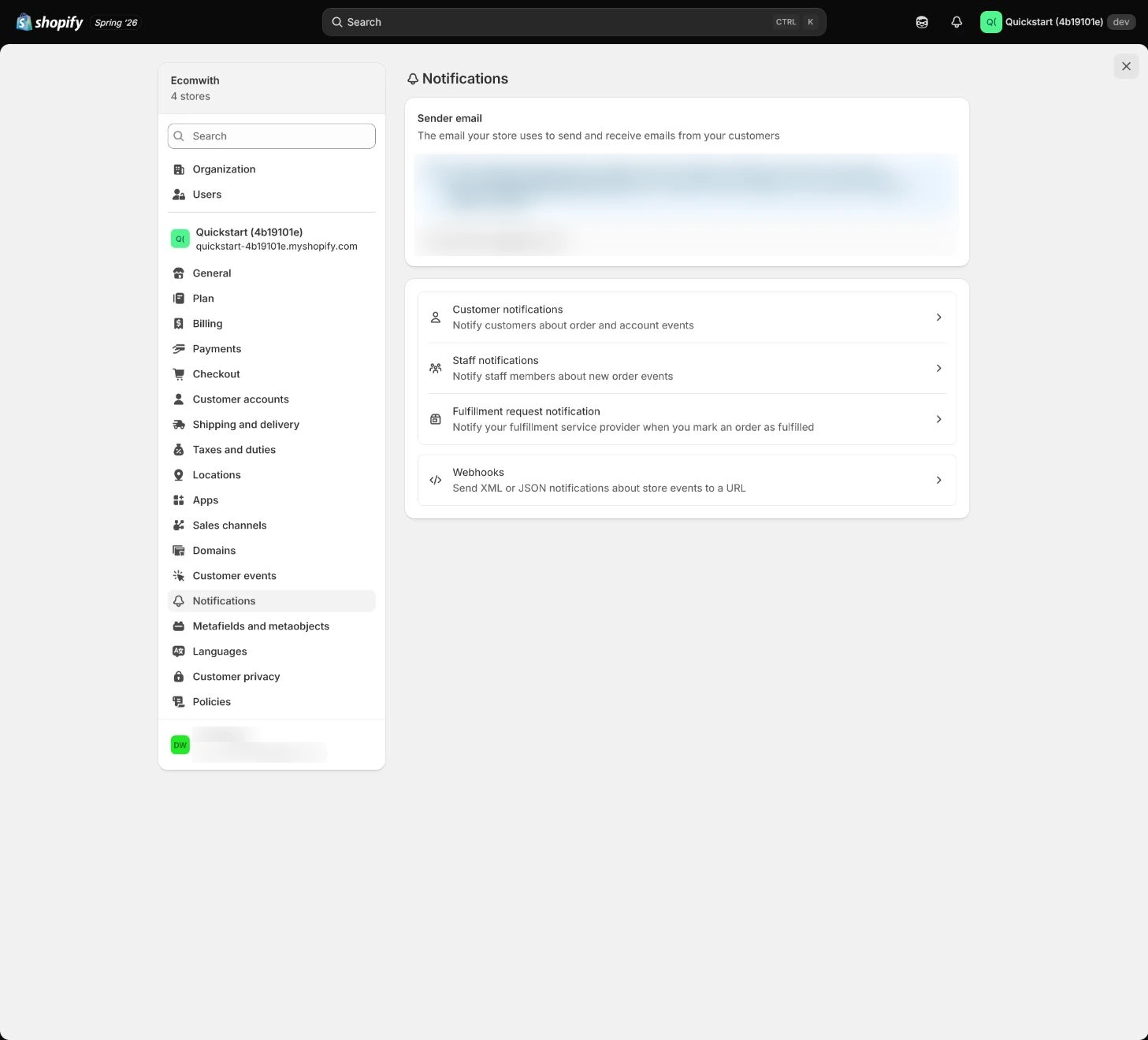
Follow the English admin step by step
After each step, refresh the admin or verify the storefront. A saved admin state does not automatically prove the customer-facing result.
Build a notification matrix
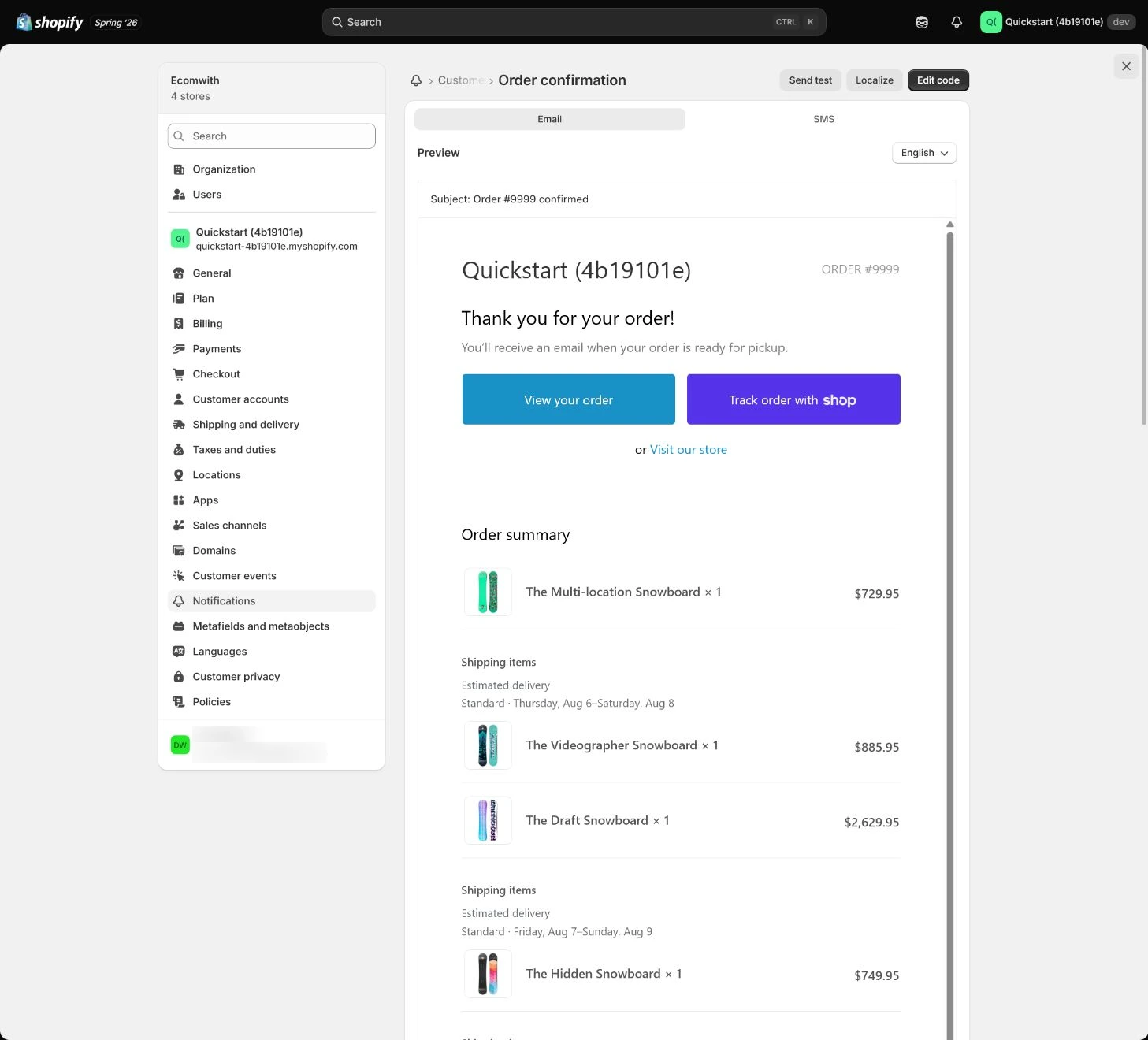
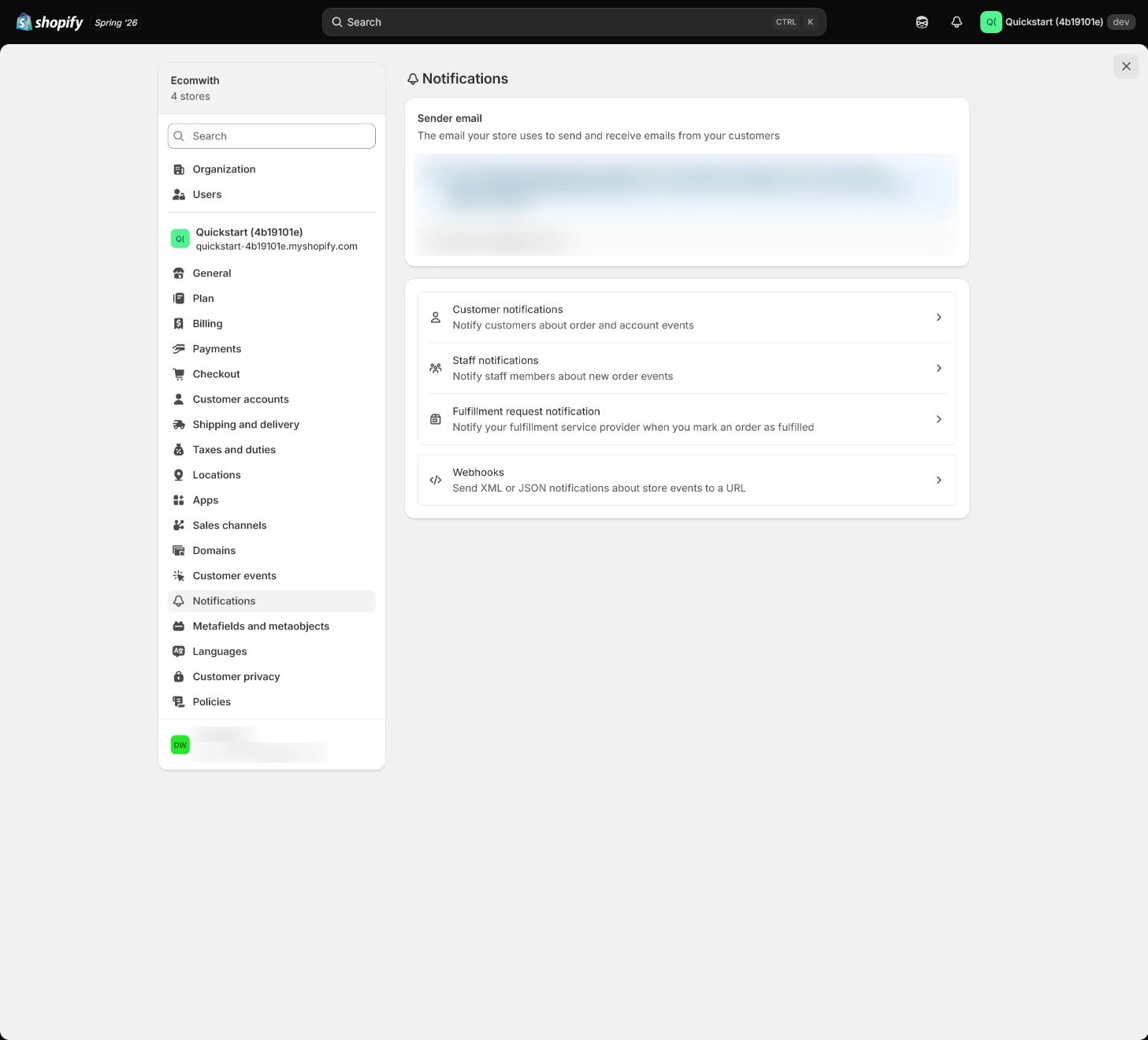
Open Settings > Notifications and list Order confirmation, Shipping confirmation, Shipping update, Cancelled, Refund, Customer account, and Staff notifications with trigger, recipient, and owner.
Expected result: Have a complete customer/staff notification list with triggers and owners.
Completion standard: Every key order state has an explicit notification or reason not to send one.
If the result is missing or wrong: If an entry or notification is missing, confirm store and page title and return to the complete Notifications section instead of replacing the matrix with a test email.
Evidence to keep: Record notification, trigger, recipient, From, Reply-To, language, test result, and owner. Preview does not prove real variables or delivery.
Verify Sender email and brand
Confirm From and Reply-To reach real support and logo, color, and store name match Brand. An authenticated sender is only a state; still test receipt and replies.
Expected result: Have a replyable sender, consistent brand, authentication state, and real recipient.
Completion standard: Replies do not go to an unattended mailbox and brand/sender identity are consistent.
If the result is missing or wrong: If test mail works but real variables are empty, inspect order state, template scope, and custom code and compare with the original template.
Evidence to keep: Keep redacted From/Reply-To, authentication state, brand capture, and external reply result.
Failure handling: Do not use an unattended no-reply as the support sender; repair the reply path first.
Send template tests first
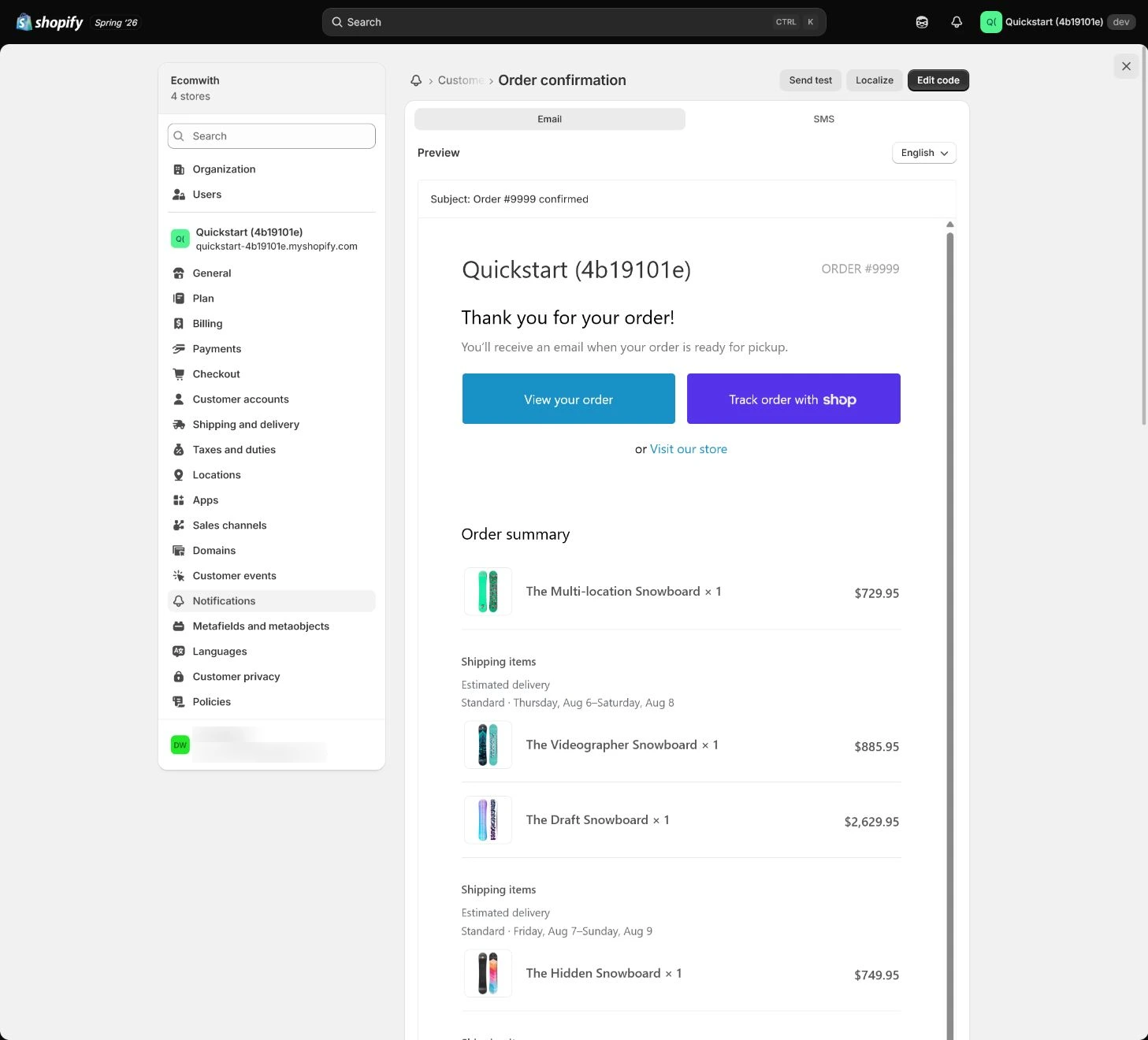
Use Send test email for each template and inspect subject, preview text, logo, buttons, footer, policy links, and mobile layout. Template tests cover style and fixed copy, not real variables.
Expected result: Have style, fixed-copy, and mobile results for each template.
Completion standard: Key templates have no obvious layout, brand, or policy-link errors and any issue is recorded.
If the result is missing or wrong: When a template test fails, copy the original and make a small change, keeping a rollback copy before and after saving.
Evidence to keep: Record template, mailbox type, capture, time, and change version.
Check Liquid variables and custom code
Copy the original before editing and keep changes small. Check whether order, line_items, discount, tracking, and refund variables are available in that template; do not paste large code from an unknown source.
Expected result: Have a mapping between variables and notification types, rendered result, and version record.
Completion standard: Real-order product, amount, discount, tracking, and refund variables have actual results.
If the result is missing or wrong: If replies go to an unattended mailbox, fix Sender or Reply-To, retest, and reply from an external mailbox.
Evidence to keep: Keep variable test, template version, rollback copy, and external mailbox result.
Failure handling: If variables are empty in Send test email, do not immediately declare the template broken; use a test order to distinguish test context from real-order context.
Trigger with a real test order
Place a test order, then trigger confirmation, fulfillment, tracking update, cancellation, and refund. Check product, amount, address, tracking, and policies; verify staff mail reaches the right people.
Expected result: Have a notification-by-notification mapping to real order states.
Completion standard: Key customer and staff notifications arrive with correct variables without an unintended real charge.
If the result is missing or wrong: When a message does not trigger, confirm order state, fulfillment, tracking, cancellation/refund actually occurred before inspecting notification toggles and template.
Evidence to keep: Keep test order, trigger time, message ID, mailbox, variables, and owner.
Check delivery and create change rules
Check Inbox, Promotions, and Spam across mailbox providers and test Reply-To, keeping final captures and message IDs. Rerun the matrix after every template change and keep a rollback copy.
Expected result: Have multi-mailbox delivery, reply path, change impact, and rollback rules.
Completion standard: Key notifications are reviewable in at least two mailbox environments and post-change retest scope is known.
If the result is missing or wrong: If shipping mail lacks tracking, confirm fulfillment has tracking number, carrier, and customer-notification option before inspecting template variables.
Evidence to keep: Record inbox/spam, Reply-To, message ID, template version, rollback point, and next reviewer.
Failure handling: Keep launch blocked when real-order variables are empty or delivery is abnormal; a template preview is not enough.
Apply the decision in your store
Choose order confirmation, shipping, cancellation, and refund messages. After template tests, use one test order to trigger real mail and check product/variant, amount, shipping, tracking, and Reply-To in at least two mailbox environments.
Use the admin path above, then apply it to one concrete situation.
Use this lesson in your store
By the end, you should have: A notification matrix listing trigger, recipient, From, Reply-To, language, test result, screenshot, and owner for every customer and staff message.
Relevant admin path: Settings > Notifications
Make the decision before reading the reason
Choose the action that solves the problem first, then read the explanation.
Confirm these items in your store
Check each item against the current store; this checklist does not save settings or run tests.
This screen still cannot tell you: Send test email or preview does not prove real-order variables, inbox placement, every mailbox provider, or future template changes
Continue when: key messages are triggered by real events, product/amount/shipping/tracking/Reply-To are correct, and at least two receiving environments are checked
Stop when: If only template tests exist, real variables are blank, messages land in spam, or staff alerts reach unrelated people, repair first
Next: Next, inspect Customer privacy, the cookie banner, pixels, and event behavior before/after consent.
Complete the decision or checks first. When information is missing, a pause is safer than guessing a pass.
Build the notification matrix before triggering messages
Keep notification, state, recipient, and actual evidence together. Do not treat template preview as completion; every row needs a real trigger or an explicit reason not to send.
| Notification | Trigger | Recipient | Test result |
|---|---|---|---|
| Order confirmation | Order created | Customer | Message ID / time: ________ |
| Shipping confirmation | Fulfillment + tracking | Customer | Tracking / time: ________ |
| Cancelled / Refund | Cancel or refund completed | Customer / staff | Mailbox / time: ________ |
| Sender authentication | Sender email + DKIM/SPF + DMARC owner | Domain/mail owner | Auth state / mailbox / time: ________ |
Decisions to confirm here
Enter the actual values for this store row by row. Do not treat examples or planned values as completed work. Mark a row passed only when the condition and saved or tested evidence are present.
| Item | Recommended setting | Why |
|---|---|---|
| Sender email | Replyable support mailbox | Customers can reply directly |
| Critical notifications | Confirmation, shipping, cancel, refund | Covers core order states |
| Template variables | Verified with test order | Preview does not prove variables |
| Change rule | Copy, edit, rerun matrix | Keeps rollback and ownership |
Do not change these blindly
- Do not declare success after only clicking Send test email.
- Do not point customer Reply-To to an unattended mailbox.
- Do not edit templates without keeping original code, version, and rollback point.
FAQ
Is a passing Send test email enough?
No. It mainly checks fixed copy and style; real variables, state triggers, delivery, and Reply-To require actual tests.
Why are real email variables empty?
Separate template-test context from real-order context, then inspect order state, variable scope, template version, and custom code.
Can we test only Gmail?
Not recommended. Use at least two mailbox environments for Inbox, Promotions, Spam, and Reply-To so one provider is not treated as universal.
Do we still need DMARC after automatic sender authentication?
Check it separately. Shopify currently says automatic authentication can set the records needed for DKIM/SPF but does not configure DMARC for you. Record the DMARC owner, current state, and change process in the domain/mail asset record.
Conclusion and continue line
Notification acceptance needs template and order evidence: fixed copy and brand, real variables, state triggers, customer/staff recipients, correct Reply-To, and receipt in at least two mailbox environments. Keep rollback and retest rules for every template change.
Choose the next route by the problem