Search entry and reader questions
Shopify Locations, inventory, and fulfillment: align sellable stock with warehouse ownership
This guide gives Shopify merchants a reviewable route for Locations: confirm real shipping points and online-fulfillment ownership, record inventory by variant, then verify stockouts and routing with test orders. Official pages explain product entry points and rules; they do not replace current-store counts, warehouse capacity, 3PL state, or order results.
How should a Shopify Location address map to inventory and fulfillment ownership?
Why should an office or sample point stay out of online fulfillment even when it holds stock?
What is the difference between On hand, Available, Committed, and Incoming in Products > Inventory?
What should you check when the storefront is out of stock after assigning a variant to a Location?
When should Continue selling when out of stock stay off for a physical product?
Do you need Order routing before a store has more than one real warehouse?
How can a multi-location test order prove routing, inventory change, and fulfillment state?
Which inventory and routing evidence can be redacted and kept for team review?
Official sources and readback boundaries
These pages help confirm the official Locations, Order routing, and Inventory entry points. They cannot prove that the current store inventory, warehouse, carrier, 3PL, stockout behavior, or fulfillment timing has passed; an authorized owner must read each result back while redacting addresses, order numbers, and sensitive stock data.
Phase 3 · Transactions and fulfillment
Locations, Inventory, and Fulfillment: Send Orders to the Right Warehouse
Set up and enable Locations, assign inventory, configure online-order availability and routing, and verify stockout, transfer, and multi-location boundaries.
What counts as complete
Use Settings > Locations and Settings > Shipping and delivery > Order routing to reach the correct page, then configure, save, verify, and record the result. Completion means you can point to the saved state, verification result, and condition for continuing.
- Admin path
- Settings > Locations and Settings > Shipping and delivery > Order routing
- Output to keep
- A fulfillable location, variant-level inventory allocation, online-order state, stockout rule, routing priority when needed, and test-order location evidence.
- Continue when
- Location, variant inventory, online fulfillment, stockout rules, and test-order ownership align; multi-location routing is enabled only when needed.
- Stop when
- Pause launch when inventory is at the wrong location, the storefront is out of stock, physical goods oversell unintentionally, or orders route to the wrong warehouse.
Evidence boundary: Admin inventory and Location state do not prove physical stock, on-time fulfillment, or correct routing; read back storefront and test-order results.
Why this step comes now
Correct quantities at the wrong Location still produce storefront stockouts and wrong warehouse assignment. Routing matters when two or more active locations exist; a new store should not create complexity for appearance.
Prepare before opening the admin
- Prepare redacted warehouse or shipping-location address, contact, and hours.
- Define the inventory owner, update cadence, and count method.
- Decide whether multiple independent shipping points are real.
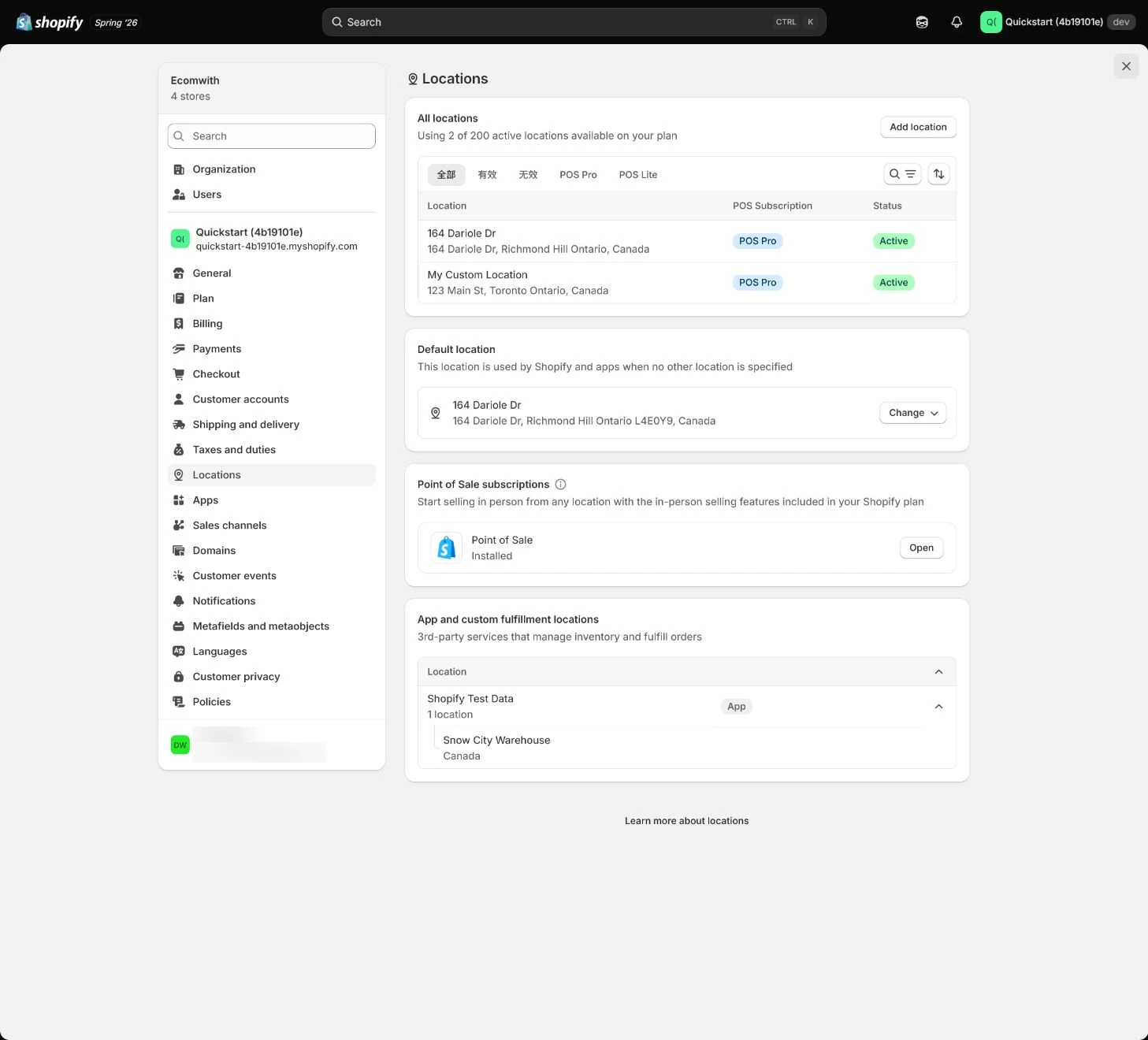
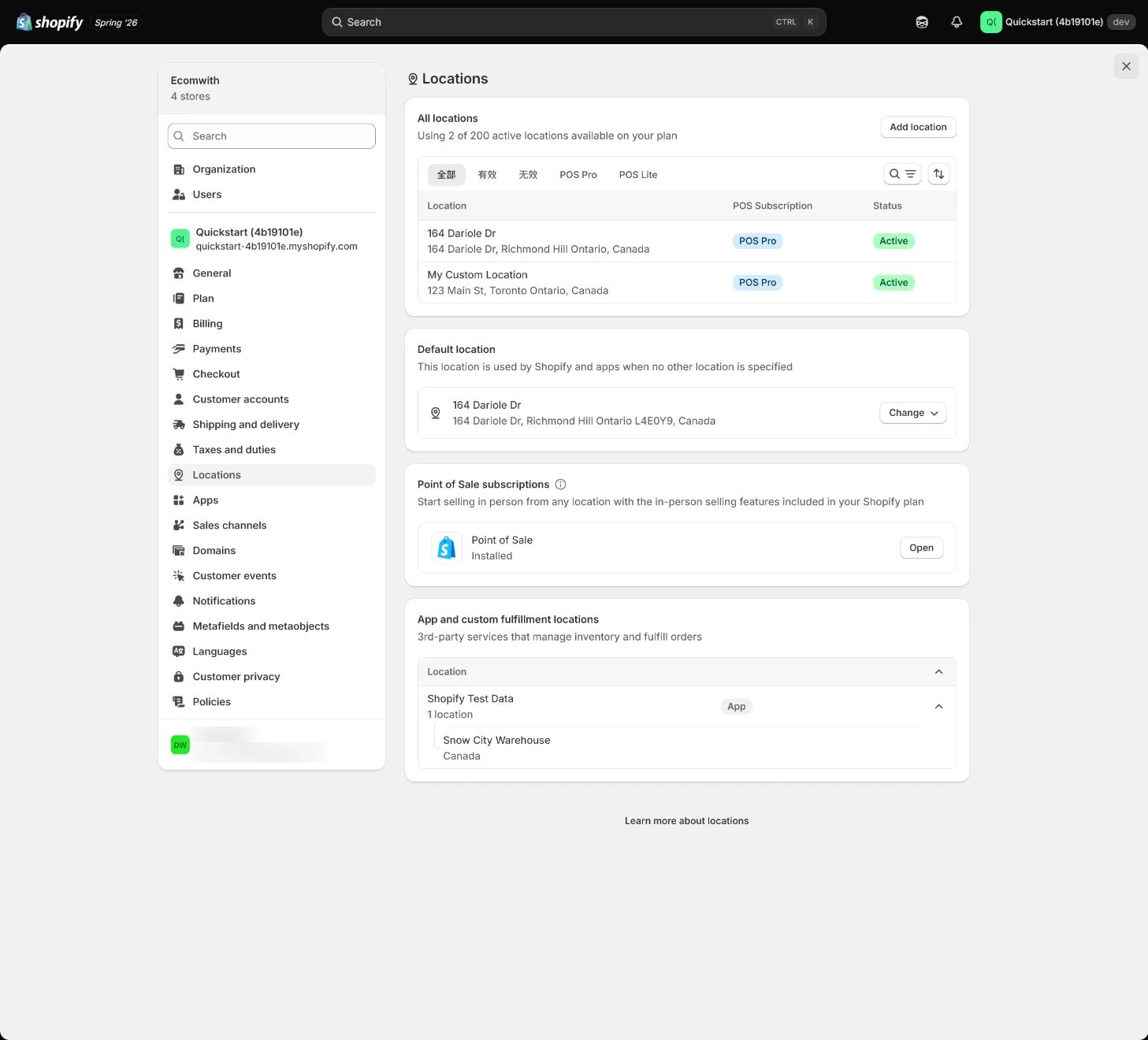
Follow the English admin step by step
After each step, refresh the admin or verify the storefront. A saved admin state does not automatically prove the customer-facing result.
Create or verify a Location
Open Settings > Locations and edit the default or add a location. Name it by warehouse purpose and use an address valid for carriers, tax, and returns; do not merge an office, 3PL, and supplier warehouse into one virtual location.
Expected result: Have a real fulfillment location with address purpose, contact, and owner.
Completion standard: After saving, the location’s order, inventory, tax, and return responsibilities are explainable.
If the result is missing or wrong: If the entry or address is wrong, confirm the current store and page title, return to the complete Location section, and do not fill gaps with a fictional address.
Evidence to keep: Record location purpose, redacted address, hours, contact, and saved result; admin state does not prove physical stock or shipping capacity.
Set online-order fulfillment capability
Confirm whether the location can Fulfill online orders. An office holding display samples should not take orders; when a 3PL app manages fulfillment, check its app location and do not duplicate inventory.
Expected result: Have the online-order capability, fulfillment owner, and 3PL role for each location.
Completion standard: Location, product channel, and market availability support at least one real fulfillment path.
If the result is missing or wrong: If admin has stock but the storefront is out of stock, check online fulfillment, product channel and market, and variant assignment.
Evidence to keep: Keep online-fulfillment state, 3PL relationship, product availability, and storefront result.
Failure handling: Do not enable online fulfillment for an office or sample location just to make stock appear; fix real fulfillment ownership first.
Assign inventory to variants
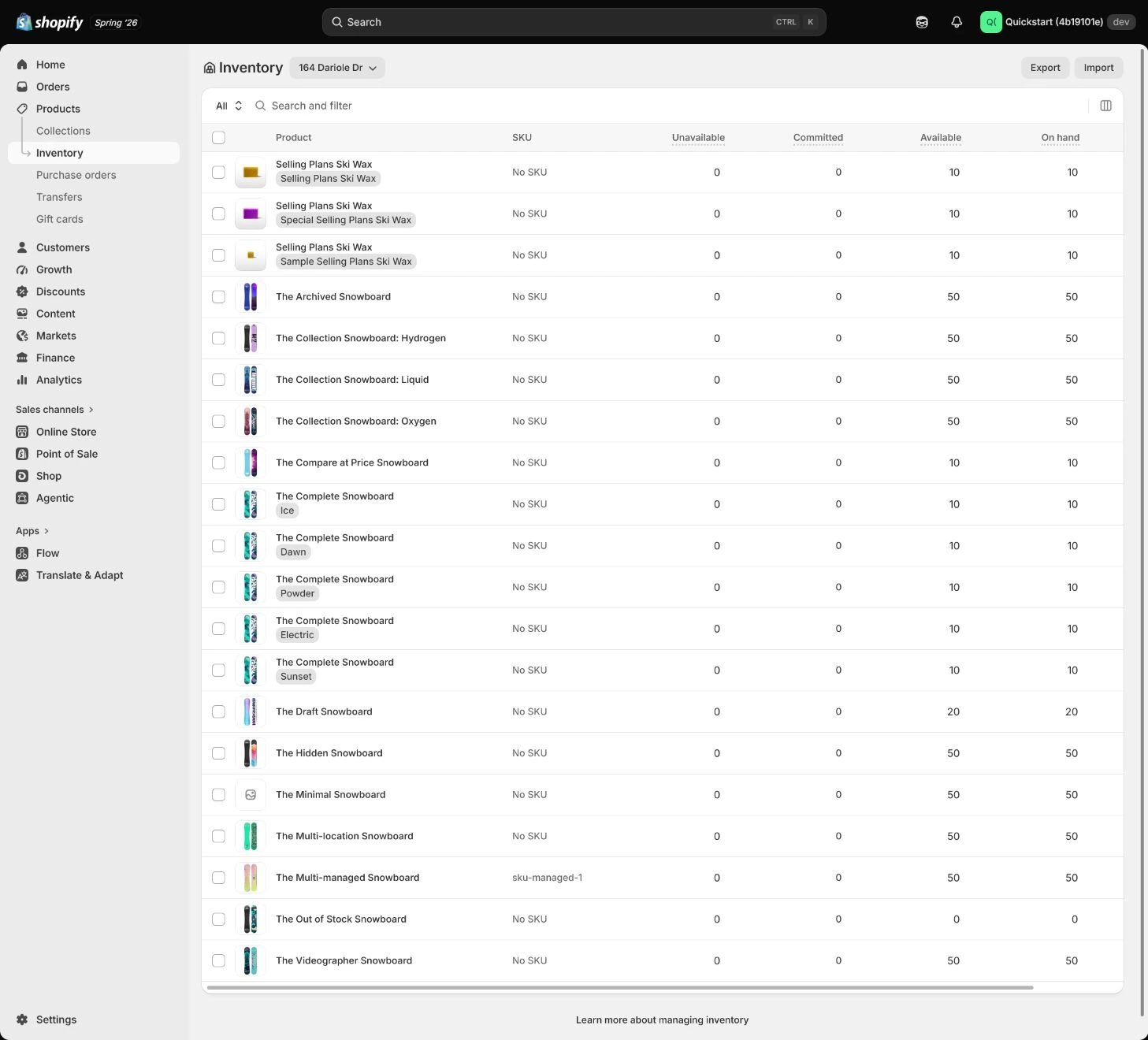
Return to Products > Inventory or the variant page, assign variants to the correct location, and enter available quantity. Distinguish On hand, Available, Committed, and Incoming instead of trusting one total.
Expected result: Every sellable variant has a location, quantity, count time, and inventory owner.
Completion standard: Product page, cart, and test-order availability match location inventory.
If the result is missing or wrong: When quantities disagree, compare On hand, Committed, Incoming, sales channel, and variant instead of overwriting with a total.
Evidence to keep: Record variant, location, Available quantity, count time, and test result.
Set stockout and oversell rules
For physical products, keep Continue selling when out of stock off by default. A preorder needs arrival date, page copy, notice, and cancellation plan; test whether zero quantity blocks add-to-cart or shows preorder state.
Expected result: Have explicit stockout, preorder, notification, and cancellation rules.
Completion standard: Zero-quantity storefront behavior matches the team promise and does not oversell accidentally.
If the result is missing or wrong: If the storefront still sells, inspect Continue selling, market, channel, cache, and variant state; for preorders add arrival and cancellation information.
Evidence to keep: Keep stockout state, zero-quantity test, preorder copy, and owner.
Failure handling: Do not hide sellable-quantity errors with a manual ledger; fix location assignment and oversell settings first.
Configure Order routing only when needed
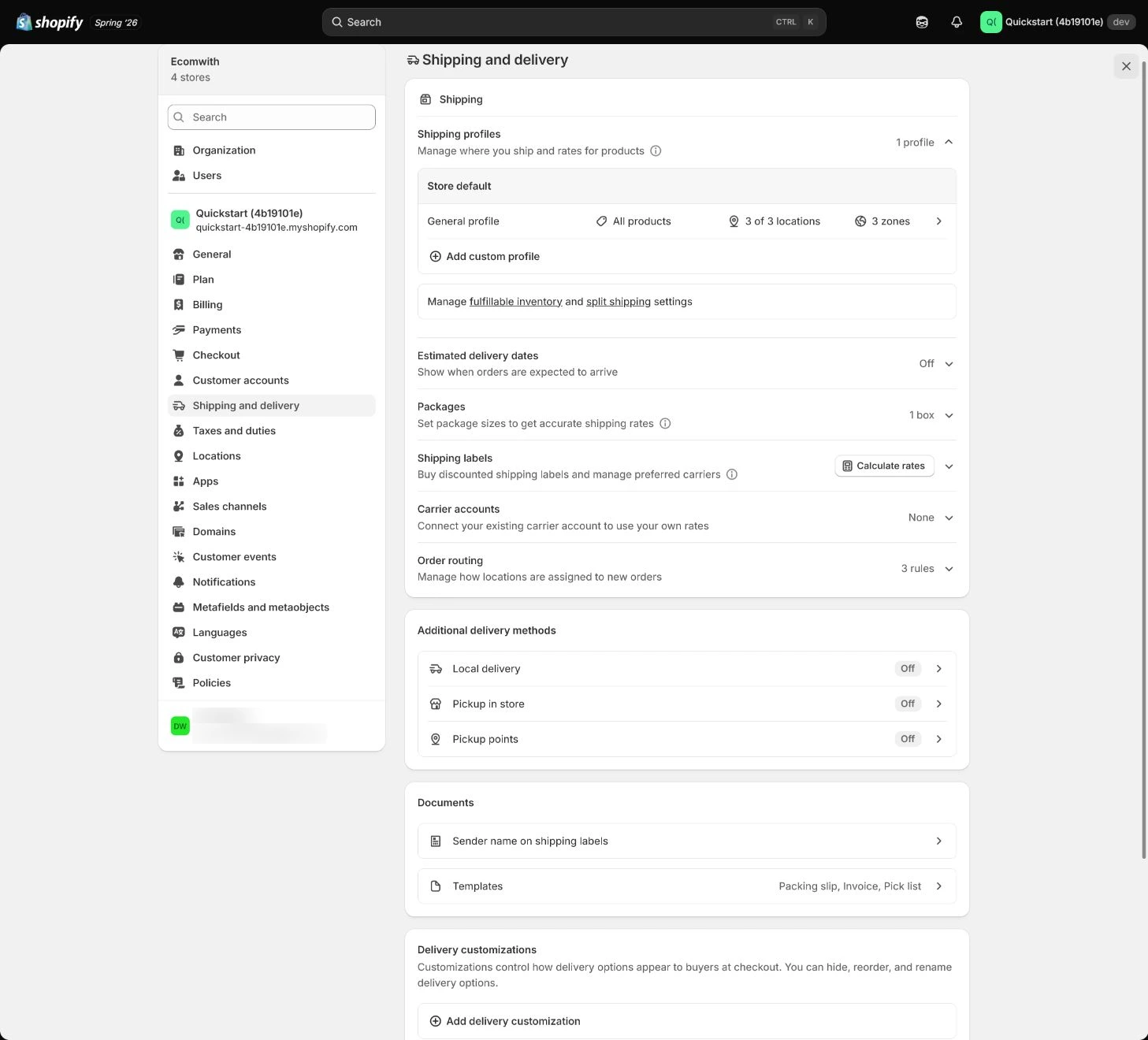
When multiple real warehouses or fulfillment responsibilities exist, configure priorities in Settings > Shipping and delivery > Order routing. Do not create complex routing for a new store with one shipping point.
Expected result: Have routing priorities, exceptions, location owners, and conflict handling.
Completion standard: Routing matches inventory, distance, carrier, and fulfillment promise with an order-level verification.
If the result is missing or wrong: When an order routes to the wrong location, check online fulfillment, inventory, priority, and 3PL app before changing one order.
Evidence to keep: Record routing rule, test order, assigned location, exception, and retest time.
Validate allocation and fulfillment with a test order
Use a test order to check product, address, inventory, shipping, routing, fulfillment, and notification. Test in-stock, stockout, variant, and multi-location paths when real, rather than trusting a saved rule.
Expected result: Have the final order location, fulfillment state, inventory change, and exception record.
Completion standard: At least one test order has a readable responsibility chain from sale to fulfillment without an unintended real charge.
If the result is missing or wrong: When allocation is wrong, confirm store and test mode, then rerun Location, inventory, routing, and 3PL checks instead of judging from one capture.
Evidence to keep: Keep test case, assigned location, before/after inventory, fulfillment result, notification, and owner.
Failure handling: If a physical order is auto-completed incorrectly, disable the wrong automation and inspect digital-product apps, 3PL, and order rules.
Apply the decision in your store
Make one real fulfillment location work first: assign variants correctly, keep physical goods from overselling by default, and use a test order to read back stock, shipping, routing, and fulfillment. Add Order routing only when multiple warehouse responsibilities are real.
Use the admin path above, then apply it to one concrete situation.
Use this lesson in your store
By the end, you should have: One fulfillable Location, inventory assignment for each variant, online-order fulfillment status, out-of-stock rules, routing priority when needed, and warehouse-assignment evidence from a test order.
Relevant admin path: Settings > Locations and Settings > Shipping and delivery > Order routing
Make the decision before reading the reason
Choose the action that solves the problem first, then read the explanation.
Confirm these items in your store
Check each item against the current store; this checklist does not save settings or run tests.
This screen still cannot tell you: Admin inventory and Location status do not prove physical stock accuracy, warehouse performance, or every routing condition
Continue when: each variant is assigned to the correct location, a test order moves stock to Committed, and cancellation/restock restores quantity
Stop when: If stock is assigned to an office/fictitious location, orders route incorrectly, or cancellation does not restore quantity, repair the location relationship first
Next: Next, build Shipping profiles, zones, rates, and packages, then test address/cart combinations.
Complete the decision or checks first. When information is missing, a pause is safer than guessing a pass.
Turn Order routing into a cost-to-serve review record
An arXiv v1 preprint frames multi-node, multi-product, multi-customer order assignment as a cost-to-serve (CTS) decision problem. It puts inventory, packaging, transportation, and warehouse costs alongside fulfillment constraints and compares a masked-action DQN with MILP and heuristic strategies. The experiment uses an author-built two-dimensional grid simulation. Warehouse, product, customer locations, and replenishment settings are simulated. There is no real measurement window; synthetic episodes use configured loads, and the study excludes upstream replenishment and delayed fulfillment. The main locators are Problem Formulation (p. 2), Reinforcement Learning Solution (p. 3), and Experiments (p. 4). The paper does not show that this store will save the same cost, reach a particular fulfillment rate or timing, or follow Shopify's routing behavior. Recheck high-load and out-of-distribution conditions before expanding. Use the paper as a review format, not a threshold: record this store's service target, buffer, costs, load condition, and order readback in the table below, and pause expansion when the data or constraints are unverified. Public source: https://arxiv.org/abs/2112.08736
| Review field | Record for this store | Pause line |
|---|---|---|
| Cost scope | Inventory, packaging, transportation, warehouse cost, and service target | Do not compare routes while any cost or service definition is missing |
| Buffer and load | Buffer, order load, stockouts, and real order tests | Pause expansion when load exceeds the validated range or an uncovered constraint appears |
| Rule readback | Routing rule, assigned Location, test order, exception, and retest time | Do not release when only the saved rule exists without order readback |
Decisions to confirm here
Enter the actual values for this store row by row. Do not treat examples or planned values as completed work. Mark a row passed only when the condition and saved or tested evidence are present.
| Item | Recommended setting | Why |
|---|---|---|
| Primary fulfillment location | Real shipping point | Address and stock support the carrier |
| Online orders | Location that actually fulfills | Avoid making office/sample stock sellable |
| Stockout rule | No oversell by default for physical goods | Reduces unfulfillable orders |
| Order routing | Set only for real multi-location needs | Sends orders to the right warehouse |
Do not change these blindly
- Do not enable online fulfillment for an office, sample point, and 3PL warehouse indiscriminately.
- Do not judge sellability from On hand or a saved admin state alone.
- Do not create complex Order routing before multiple real locations exist.
FAQ
Why is the storefront out of stock when admin has inventory?
Check variant assignment to an online-fulfilling location, sales channel, market, and Available quantity instead of only On hand.
Do we need Order routing with one warehouse?
Usually not. Make one real location work first; add routing when multiple locations or responsibilities are real.
Can we simply enable Continue selling for a preorder?
Only when arrival date, copy, notice, cancellation, and ownership are clear; otherwise it turns a stock error into a fulfillment promise.
Conclusion and continue line
Fulfillment acceptance is not a set of admin inventory numbers. Every order should have an explainable chain from variant and sellable quantity to Location, routing, and fulfillment. Continue only with evidence for stockout paths, test orders, and any 3PL location; do not launch unverified multi-location rules.