Search entry and reader questions
Shopify domain and sender email: accept the access and sending chains separately
This guide gives merchants configuring a Shopify domain, business mailbox, and notification sender a reviewable route: connect the primary domain, verify DNS, TLS, and redirects, then check mailbox hosting, Shopify sender, SPF, DKIM, and DMARC separately. Official pages explain entry points and rules; they do not replace current-store DNS, send/receive, or inbox results.
After Shopify shows a domain as connected, how do you verify DNS, TLS, and redirects actually work?
How should you choose a Shopify Primary domain and accept the www and myshopify.com redirects?
What is the difference between Shopify email forwarding and full business mailbox hosting?
Why should a Shopify sender email be checked through From, Reply-To, receiving, and sending?
What do SPF, DKIM, and DMARC each contribute to Shopify sender-email acceptance?
Why is a working domain with messages in spam not a complete sending-chain result?
Who should control registrar, DNS, and mailbox billing so one person leaving cannot lock the team out?
What redacted evidence should be kept to recheck the primary domain, mail authentication, and recovery ownership before launch?
Official sources and readback boundaries
These pages help confirm Shopify domain, forwarding, and sender settings. They cannot prove current DNS propagation, TLS, mailbox send/receive, spam placement, SPF/DKIM/DMARC, or recovery ownership; an authorized owner must read each result back.
Phase 1 · Account and foundational details
Domains and Sender Email: Primary Domain, DNS, TLS, and Mail Authentication
Connect the brand domain, set the primary domain and redirects, distinguish mailbox hosting from forwarding and the Shopify sender email, then complete SPF and DKIM sending checks.
What counts as complete
Use Settings > Domains and Settings > Notifications to reach the correct page, then configure, save, verify, and record the result. Completion means you can point to the saved state, verification result, and condition for continuing.
- Admin path
- Settings > Domains and Settings > Notifications
- Output to keep
- A domain and mail evidence package covering registrar, renewal owner, DNS summary, primary domain, redirects, TLS, mailbox hosting, support receipt, Shopify sender, and authentication state.
- Continue when
- Primary domain and redirects are reviewable, mail can send and receive, SPF/DKIM state is clear, and renewal/DNS ownership is transferable.
- Stop when
- Pause launch when domain connection is incomplete, DKIM is pending, mail only receives, or no recovery owner exists.
Evidence boundary: Connected or a sender address appearing in a template does not prove global DNS propagation, inbox delivery, or SPF/DKIM acceptance; verify each chain separately.
Why this step comes now
A domain opening does not mean the domain is complete. Confirm primary domain, HTTPS, www/bare-domain redirects, renewal ownership, and DNS control. A business mailbox is separate because Shopify is not full mailbox hosting; showing an address does not prove SPF or DKIM.
Prepare before opening the admin
- Prepare a brand domain you control and have verified; do not show the real domain in public captures.
- Confirm who can access the registrar and DNS provider, with 2FA enabled.
- Choose an independent mailbox host and establish owner, support, and finance roles.
Follow the English admin step by step
After each step, refresh the admin or verify the storefront. A saved admin state does not automatically prove the customer-facing result.
Connect or purchase a domain
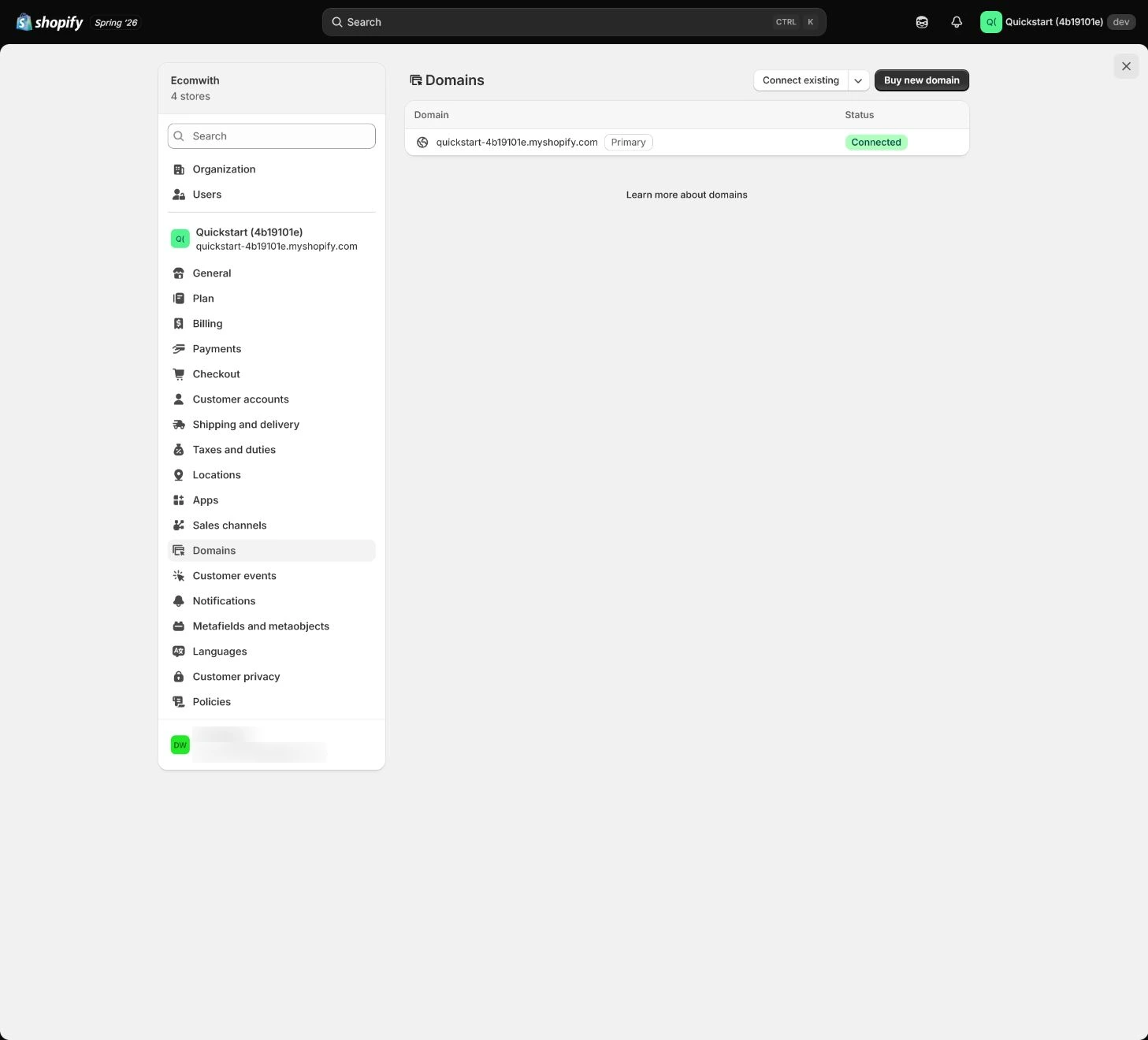
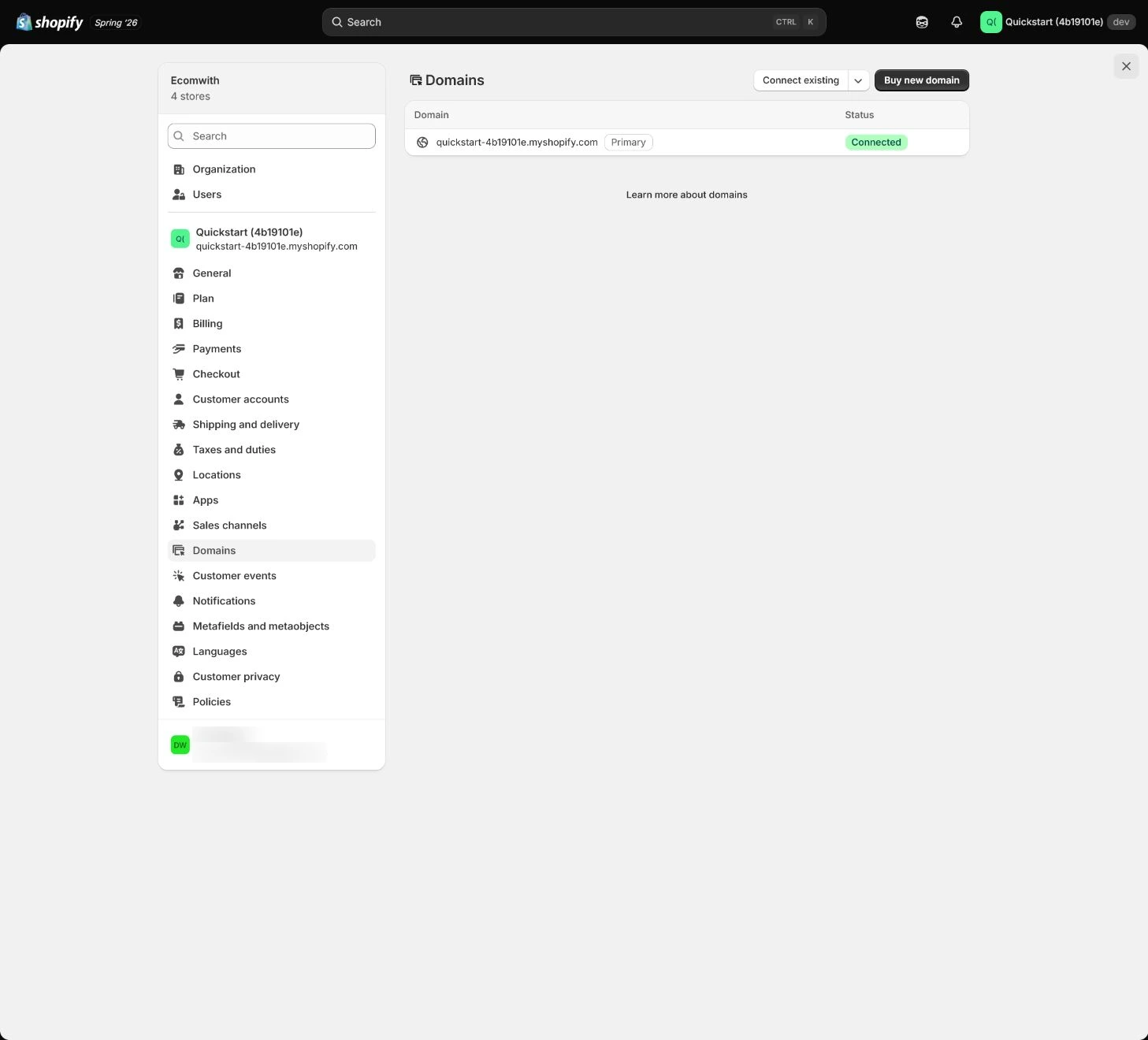
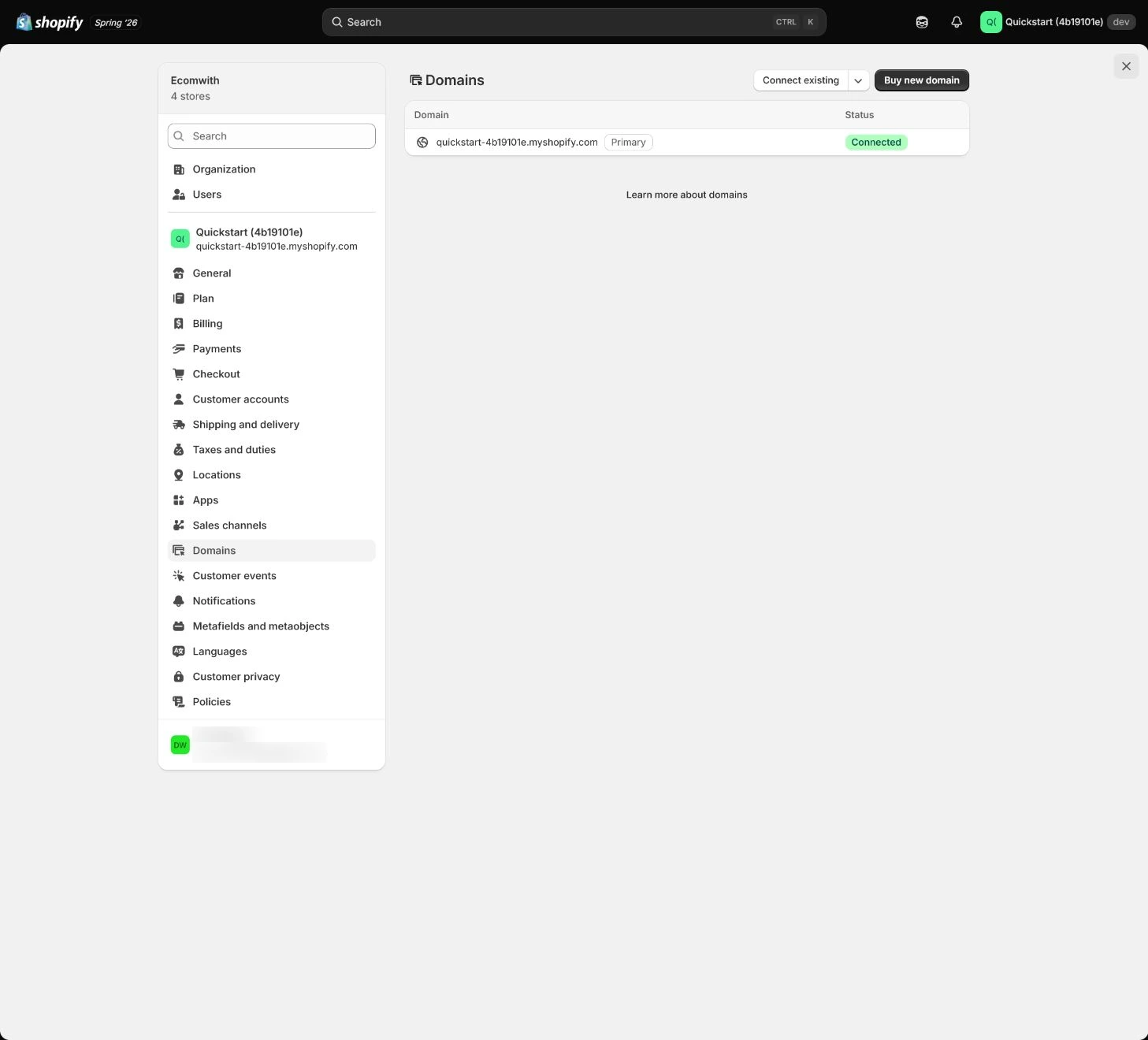
Open Settings > Domains and connect an existing domain or purchase a new one. For an existing domain, use Shopify’s required records, export the original records first, and remove conflicting A, AAAA, or CNAME records.
Expected result: Have the domain source, DNS change record, registrar, and recoverable account ownership.
Completion standard: The connection is saved, with DNS owner and original-record backup reviewable.
If the result is missing or wrong: When connection fails, confirm the store, domain, DNS provider, and save response instead of deleting all records and guessing.
Evidence to keep: Keep registrar, change time, non-sensitive record summary, and owner; never publish real domain, email, or verification values.
Wait for and verify connection state
DNS does not update immediately. Return to Domains for connection and TLS state, then test bare domain, www, and myshopify.com separately in an incognito window rather than trusting one cached browser.
Expected result: Have connection state, TLS state, actual returns for the three domain entries, and propagation observations.
Completion standard: Domain, HTTPS, and www/bare-domain redirects are reviewable on target devices without treating Connected as global completion.
If the result is missing or wrong: If it remains disconnected, check current DNS records, TTL, conflicts, and propagation time, then wait and recheck instead of changing records repeatedly.
Evidence to keep: Record tested entries, HTTP/HTTPS returns, TLS state, verification time, and owner.
Failure handling: If Connected but access fails, investigate Shopify state, DNS resolution, TLS, and redirects as separate claims.
Set Primary domain and redirects
Set the brand domain as Primary domain and route other Shopify domains to it as planned. Check that redirects preserve paths and parameters rather than sending old links to the home page.
Expected result: Have a unified primary domain, redirect rules, and actual responses for old links.
Completion standard: Canonical, public links, www, and myshopify.com entries align with one primary-domain strategy.
If the result is missing or wrong: If an old link loses its path or parameters, inspect redirect settings and theme/app rewrites instead of sending every old link to the home page.
Evidence to keep: Keep primary-domain setting, three redirect results, path/parameter preservation test, and time.
Establish a real business mailbox
Create support mailboxes on the verified domain with a third-party email host. Shopify email forwarding only forwards incoming mail and is not full mailbox hosting; test receiving and sending separately.
Expected result: The support mailbox has a host, role owner, real receiving result, and real sending result.
Completion standard: Customer replies enter a real support process and the team can send from the formal mail tool.
If the result is missing or wrong: If the mailbox receives but cannot send, confirm it is hosted rather than forwarding-only and inspect the provider’s outbound configuration.
Evidence to keep: Record mailbox role, host, send/receive results, and recovery owner without recording or displaying the real address.
Failure handling: When customer notifications land in spam, check sender authentication, SPF/DKIM, From domain, and content, then test with different mailbox providers.
Set the Shopify sender email
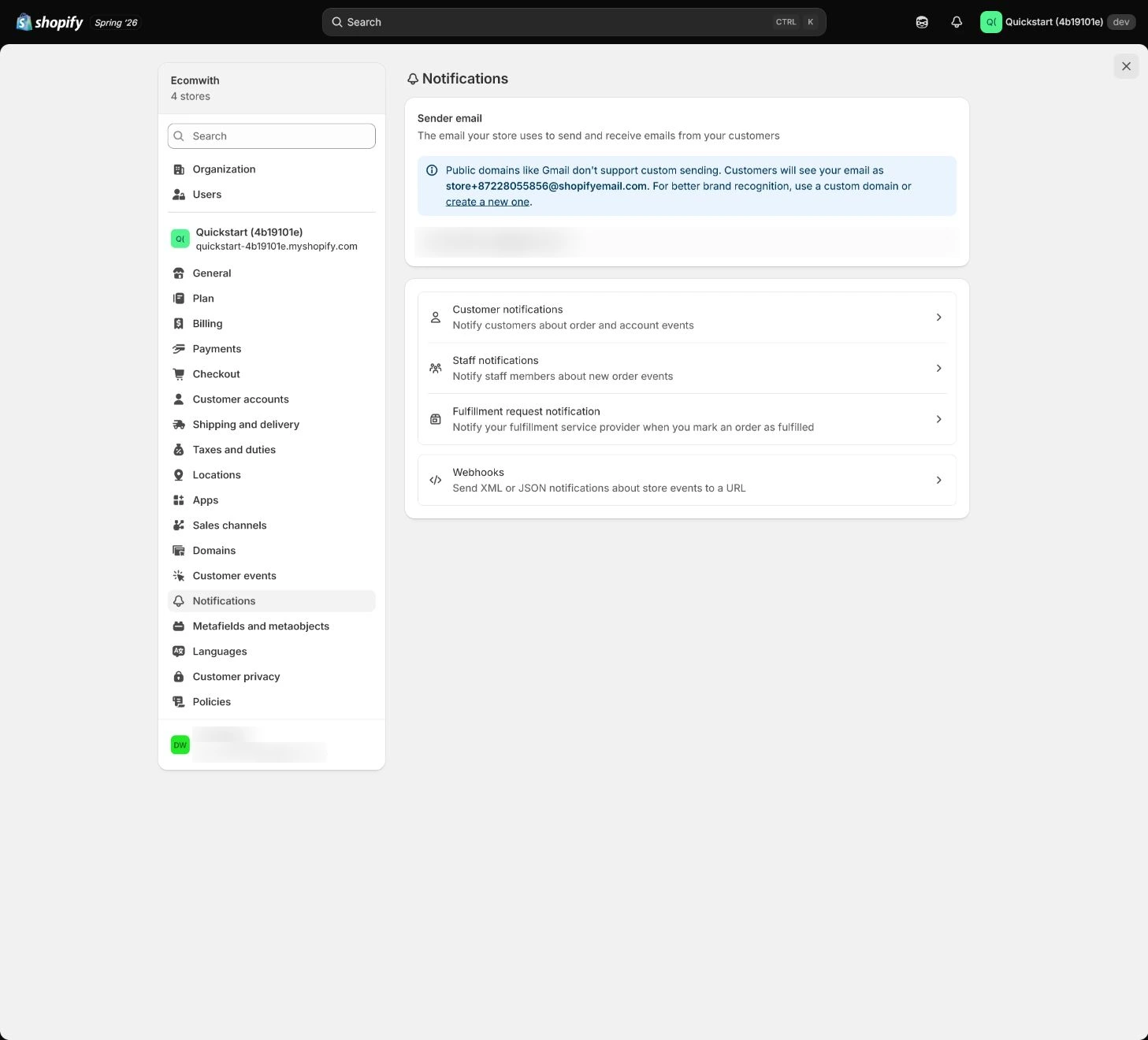
Open Settings > Notifications and find Sender email. Choose an address customers can reply to and the team will handle; avoid an unattended no-reply, send a test notification, and inspect From, Reply-To, and spam placement.
Expected result: Shopify notifications use a replyable address and From/Reply-To match the receipt result.
Completion standard: At least one test notification arrives and the customer reply path and handler are clear.
If the result is missing or wrong: When From is wrong or delivery fails, confirm sender-email save state and mailbox hosting before authentication; do not only change the display name.
Evidence to keep: Record notification type, From, Reply-To, receiving service, time, and result while hiding the real address.
Complete SPF, DKIM, and renewal acceptance
Add authentication records from Shopify and the email host, verify DNS has no duplicate SPF, and wait for status updates. Put registrar renewal, domain expiry, mailbox billing, and DNS change ownership in a transferable asset record.
Expected result: Have an evidence package for SPF, DKIM, send/receive tests, renewal dates, billing, and DNS ownership.
Completion standard: SPF is not duplicated, DKIM is verified, mail can send and receive, and domain/mailbox control does not depend on one person.
If the result is missing or wrong: When DKIM remains pending, check record name, DNS provider, TTL, and propagation; when support mail only receives, return to mailbox hosting configuration.
Evidence to keep: Record authentication state, DNS record types, and owners using redacted summaries rather than real values.
Failure handling: When the primary domain opens but DKIM is unverified or mail goes to spam, mark the lesson only partially passed and keep the sending chain pending.
Apply the decision in your store
Set a domain you control and have verified as primary, with planned www and myshopify.com redirects. Host the mailbox with your chosen provider, make support able to receive replies and pass authentication in the formal sender, and keep registrar, DNS, mailbox, and renewal under transferable accounts.
Use the admin path above, then apply it to one concrete situation.
Use this lesson in your store
By the end, you should have: A domain and email evidence pack covering registrar, renewal owner, DNS records, primary domain, redirects, TLS, mailbox hosting, support inbox receipt, Shopify sender address, and authentication status.
Relevant admin path: Settings > Domains and Settings > Notifications
Make the decision before reading the reason
Choose the action that solves the problem first, then read the explanation.
Confirm these items in your store
Check each item against the current store; this checklist does not save settings or run tests.
This screen still cannot tell you: Connected domain status or a visible From address does not prove global DNS propagation or inbox delivery
Continue when: the primary domain and redirects are stable, registrar/DNS are controlled, support mail can receive, and the sending domain passes required authentication
Stop when: If domain or mail is controlled by a non-transferable third-party account, or authentication remains pending/failed, do not mark it complete
Next: Next, build the first product completely across price, variants, inventory, weight, and channels.
Complete the decision or checks first. When information is missing, a pause is safer than guessing a pass.
Decisions to confirm here
Enter the actual values for this store row by row. Do not treat examples or planned values as completed work. Mark a row passed only when the condition and saved or tested evidence are present.
| Item | Recommended setting | Why |
|---|---|---|
| Primary domain | Brand primary domain | Public links and canonical use one domain |
| Mailbox hosting | Third-party host | Shopify is not full mailbox hosting |
| Sender email | Replyable support address | Replies enter a real support process |
| DNS owner | Two recoverable owners | Avoid single-person or agency lock-in |
Do not change these blindly
- Do not delete all DNS records and guess.
- Do not treat mail forwarding as full business-mail hosting.
- Do not expose real domains, email addresses, DNS values, or account IDs.
FAQ
Is the domain complete when it says Connected?
No. Verify DNS propagation, TLS, bare-domain and www redirects, Primary domain, and path/parameter preservation for old URLs.
Can Shopify forwarding replace a business mailbox?
No. Forwarding mainly handles incoming mail; a business mailbox needs independent hosting and a reliable outbound path.
Why check for duplicate SPF records?
A domain’s SPF design should resolve through one valid record; duplicate records can make authentication unstable, so follow the actual mailbox and DNS-provider requirements.
Does Shopify automatic sender authentication configure DMARC too?
No. Shopify currently says automatic authentication handles the CNAME records needed for DKIM/SPF, while DMARC must be configured separately in domain DNS and owned by the domain/mail team.
Conclusion and continue line
Domain and mail acceptance must separate the access chain from the sending chain. Continue only with redacted evidence for primary domain, TLS, redirects, mailbox send/receive, Shopify sender, SPF, DKIM, renewal, and recovery ownership; if the primary domain opens but sending is incomplete, mark only partial progress.
Choose the next route by the problem