A successful checkout is only the start of launch QA. A customer can still receive no useful payment error, lose stock twice, miss an email, or see a refund that the team cannot reconcile. This chapter builds a release report around the same order, then checks who can approve opening the storefront and who can contain a failure.
8 parts · 5 checkpoints · Take away: 1 record · 1 note
Show all 8 parts
- 01Step 1: freeze the candidate and isolate the test
- 02Step 2: browse and add to cart before payment
- 03Step 3: run success, failure, and boundary cases
- 04Step 4: reconcile the same order across systems
- 05Step 5: distinguish cancellation, refund, and restock
- 06Step 6: sign off, restore normal operation, and monitor
- 07Apply the release decision, has a checkpoint
- 08Keep the signed report and reopen it after incidents, has a checkpoint, has a work product
The classroom business sells physical desk organizers with Variant A/B. Its proposed launch scope is the US, USD, and English. These are teaching inputs, not evidence of a US entity, payment-provider eligibility, tax obligations, or completed previous lessons. Review the relevant setup work before testing; mark an unresolved prerequisite as a blocker instead of assuming the earlier chapters passed.
Keep a signed launch report with candidate versions, test cases, expected and actual results, evidence links, blockers, fixes, affected-case retests, payment-mode restoration, storefront access time, monitoring owner, and rollback conditions. A plan to test, a simulated payment, a live capture, a shipment, and a bank payout establish different things.
This is an educational procedure. Changing a real payment provider, placing an order, sending a notification, buying a label, issuing a refund, or opening a store requires the responsible operator's authorization and safeguards. No such action was performed for this lesson. Keep real customer details and payment information out of lesson notes and screenshots. Share redacted evidence references without exposing raw addresses, order identifiers, or email content.
Questions this chapter resolves
- What must success, failure, and boundary cases cover?
- How do Test payment gateway, Bogus Gateway, and Shopify Payments test mode differ?
- Why does a simulated transaction not prove live capture or payout?
- How do discounts, free shipping, tax, and unsupported addresses fit the matrix?
- What if an order exists but stock, email, or events disagree?
- Can a Shopify Payments test order be fulfilled or used to buy a label?
- What evidence is needed for cancellation, refund, and restock?
- When should the team release, pause, or roll back?
Step 1: freeze the candidate and isolate the test
A release candidate is the specific configuration being examined: theme version, products and variants, policies, payments, shipping profiles/rates, taxes, pixels, apps, and notification templates. Record the store, candidate time, responsible owner, and evidence location. Stop parallel design changes and app installs during the run. Every fix needs an issue reference, changed setting/version, owner, and list of affected cases to repeat. An unrecorded change invalidates the relevant earlier result; freeze the revised candidate before continuing.
Prepare desktop, iPhone-sized, and Android-sized views; a private session and slower connection; controlled test inputs; and team-owned Gmail and Outlook inboxes where available. Prepare at least 2 approved test addresses for a supported region and a different tax region, plus an unsupported destination for the rejection case. Use only the data needed to exercise the rule. Record which regions, methods, devices, and inboxes remain untested.
Select a test path for this store
Start at Settings > Payments and identify the active provider, store type, plan, permissions, and current configuration. The merchant guide requires a chosen paid plan for gateway testing; client transfer stores have a separately documented test-only route. Shopify Payments testing itself requires a chosen paid plan, completed setup, and any regional business-information or security requirements. A US storefront plan or a historical development-store screen establishes none of these conditions.
Choose the payment test route and record its limits
| Item | What it tests | Conditions and remaining gaps |
|---|---|---|
| Shopify Test payment gateway / older Bogus Gateway label | Simulates successful, declined, and provider-error transactions through checkout using that gateway's own documented test inputs. | Check the current store-type guide. Activating it can require deactivating or switching the existing credit-card provider. Record the original provider and restoration plan first; this substitution does not test the original provider. |
| Shopify Payments test mode | Exercises supported Shopify Payments test transactions after the account and test mode are ready. Use its current test instructions, not another gateway's card inputs. | No real payments are captured. Some express checkouts can complete with real-card details without a real charge; POS readers, Shop Pay Installments, PayPal Wallet, and some local methods are outside the supported test scope. Record method-specific gaps. |
| Third-party provider or unsupported method | Only the provider's documented test environment and supported methods can establish its simulated behavior. | A test mode is not universal. Manual payments have no equivalent payment simulation; client transfer stores prohibit real transactions and have further limitations. Leave unsupported cases pending for a separately approved procedure, rather than trying a real customer payment. |
The current merchant documentation uses Test payment gateway; older material may call it Bogus Gateway. Use the name and instructions shown for the actual store. There is no universal test-card number, eligibility rule, or promise that every test-related service is free. Live transactions can incur fees, and fees or duties/import-tax charges can remain in some test or refund arrangements. Resolve applicable provider, plan, region, and service terms with the billing owner before an authorized run.
Isolate downstream actions before creating an order
Shopify specifically warns against fulfilling Shopify Payments test orders or buying shipping labels for them. Deactivate automatic fulfillment apps before creating test orders. Also identify warehouse/ERP connections, third-party shipping, labels, stock automations, notification recipients, and event senders. Password protection controls Online Store access; it does not isolate these downstream systems or other sales channels.
If a control is missing or a save produces no result, confirm the current store, page title, permissions, plan/market availability, required fields, and save response. Locate the complete target section, refresh or reopen it, and check the actual storefront or order result as well as the admin confirmation.
Freeze the scope before the first test
Record the candidate and containment plan
Where in the UI: Online StorePreferences; SettingsPayments; SettingsApps and sales channels
An authorized operator should record the active payment provider and mode, intended test route, controlled recipients, app/warehouse isolation, inventory scope, and exact restoration owner. Review the impact before switching a provider or disabling an integration. Keep any essential operational safeguard in place.
Check that another reviewer can identify this candidate and distinguish test orders from live orders. Retain the test indicator and each changed setting's before/after evidence. If the mode or automation state is unclear, stop before creating an order.
How to confirm
Keep candidate versions/time, store and scope, issue list, provider/mode, isolation changes, recipients, and rollback owner. A password screen alone is insufficient.If it goes wrong
If someone changes a theme, app, rate, pixel, or provider during QA, record the change, refreeze the candidate, and repeat the affected cases. Do not reuse evidence from a different configuration.
The historical image below shows Online Store > Preferences, a Store access area with a password-protected development-store notice, a masked password, and lower preference cards. It shows where access settings were located. It does not show a reviewed release candidate or an actual password-removal result. Current documentation also describes Private mode/Public access controls; use the current store's labels.
Admin path: Online Store > Preferences
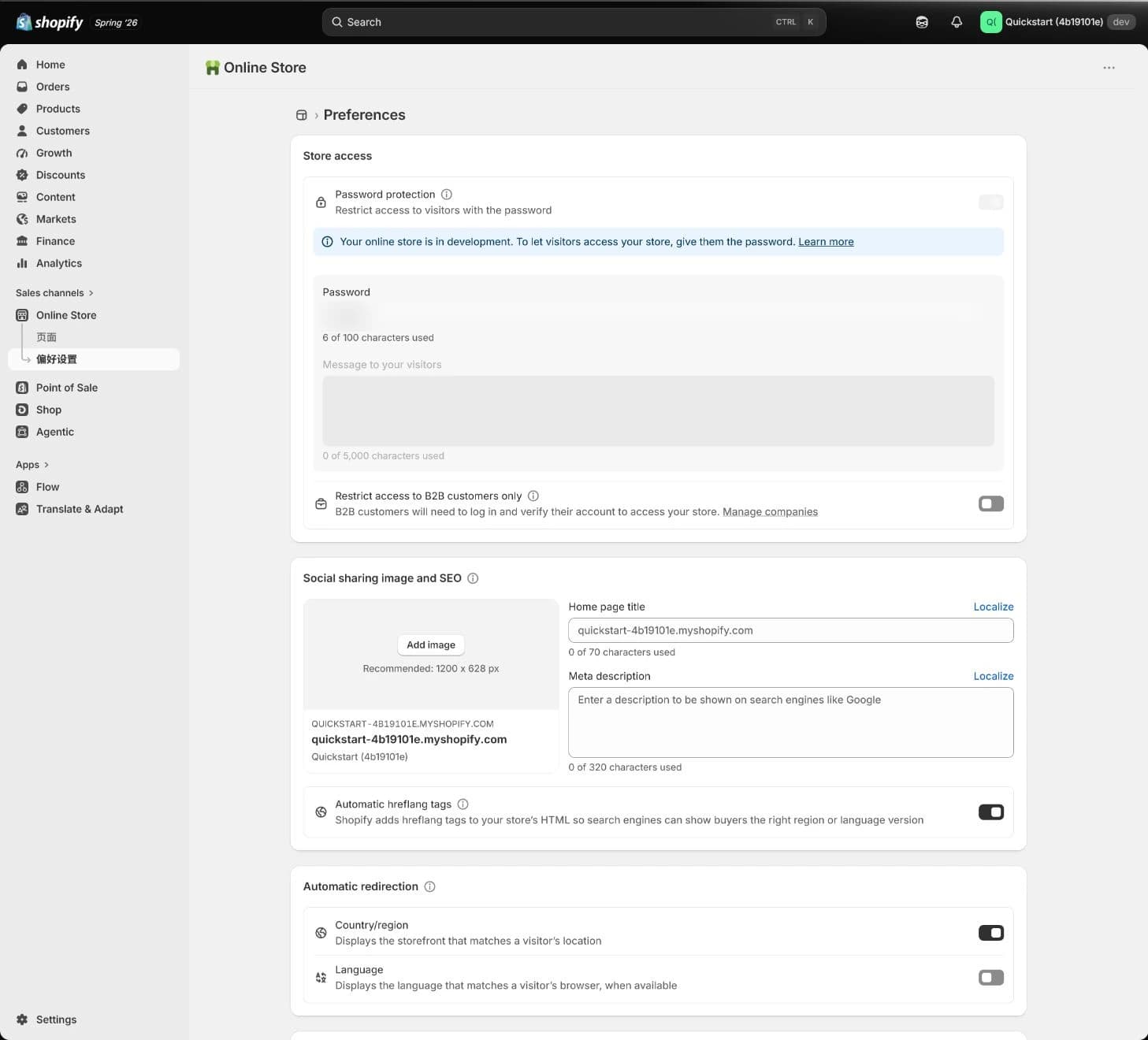
Historical access settings only. Password protection does not isolate fulfillment, labels, apps, notifications, or other channels, and this screen does not prove launch readiness.
Step 2: browse and add to cart before payment
Test the customer route without admin-preview assumptions
Inspect browsing, variants, cart, and policies
Where in the UI: Online Storestorefront; Products
On desktop and mobile, follow the homepage, menus, search, collections, product page, Variant A/B selection, displayed price, stock availability, cart, discount entry, and policy/contact links. Check the intended market, currency, and language. Repeat in a private session and on a slower connection so cached state, an admin login, or theme preview does not hide a customer problem.
For the product lesson's separate classroom example, a desk organizer is 39 USD, with 120 units available for each variant at the chosen Location. A test quantity of 1 would leave 119 Available for that variant if tracking is enabled, no other changes occur, and the order commits that unit. Unfulfilled stock can move from Available to Committed while remaining On hand; do not expect every inventory column to fall together.
How to confirm
Record device/browser, network condition, entry URL, market/language/currency, SKU/variant, price, stock Location, discount, cart result, policy links, and evidence. Check an unavailable variant against its configured overselling rule.If it goes wrong
For a missing or wrong result, trace the owning product, template, market, inventory, discount, or policy setting. Fix one documented cause and repeat affected paths. A working admin preview does not close a storefront defect.
Step 3: run success, failure, and boundary cases
Write expected results before entering payment details. Confirm the provider's test indicator, downstream isolation, controlled inbox, and case inputs for each run. Exercise success, decline/provider error, and customer-abandoned payment using the supported method. A failed or abandoned payment must not appear as a paid order or deduct stock twice. An unpaid/pending order or temporary inventory reservation may still exist; reconcile its actual state rather than assuming every failure leaves no record.
Use a separate shipping-QA fixture to make the boundary reproducible. Its Variant A costs 37 USD and Variant B costs 38 USD, totaling the 75 USD free-shipping threshold. Adding a 5 USD accessory makes 80 USD; a 5.01 USD discount on that cart makes 74.99 USD. The example uses eligible domestic standard shipping and the post-discount merchandise subtotal before tax. The below-threshold case costs 12 USD shipping; the equal and above cases receive free standard shipping. This fixture deliberately has different prices from the product example. It is not an instruction to change a real catalog.
For the actual store, specify the rate/profile, included products and Locations, market/address, discount stacking, rounding, threshold basis, and tax treatment. If its rule uses a different basis, replace the expectations before testing. A configured rate does not prove carrier availability or successful delivery. A second tax-region case needs an expected tax treatment reviewed for that business and address; do not invent a tax amount from the US classroom plan.
Order QA matrix: retain expected result, actual result, and a pass/fail decision for every row
| Item | Inputs and intended result | Evidence and failure handling |
|---|---|---|
| Successful simulated payment | Supported test method, controlled recipient, SKU/quantity, supported address, currency, price, discount, tax, and shipping all recorded. Created order and simulated transaction match the expected total. | Keep order/run reference, transaction status, amounts, inventory before/after, and confirmation result. Investigate any disagreement before marking the row passed. |
| Declined, provider-error, and abandoned payment | Run separately with the provider's supported test inputs. Customer sees an understandable outcome; no mistaken paid status or duplicate stock commitment occurs. | Keep error text, time, method, any checkout/order reference, payment state, and stock reservation/release result. Trace payment feedback or inventory ownership rather than repeatedly resubmitting. |
| Discount and free-shipping boundary | Run below, exactly at, and above the documented threshold. Record cart lines, quantities, discount/stacking, subtotal basis, address, rate/profile, tax, and expected shipping. | Keep all boundary results, not only the free-shipping success. A rounding, discount, or mixed-profile difference needs a corrected expectation or owning-setting repair and retest. |
| Other tax region and unsupported address | Compare a supported second-region tax case with an intentionally unsupported destination. The supported case follows the reviewed tax/rate rule; the rejected case stops at the expected stage with clear wording. | Record address type/region without exposing personal details, market, currency, tax/shipping response, and error. Separate Markets, shipping-zone/profile, tax, and payment limitations. |
| Cancellation, partial refund, and full refund | Use distinct eligible test cases. Define the expected payment state, amount/tax, restock quantity and Location, notification, and event treatment before acting. | Retain order/refund references and before/after evidence. A cancellation or refund button does not prove restock, customer receipt, or a live bank refund. |
| Post-order, notification, and tracking | Check confirmation, inventory commitment, Location, staff alert, simulated transaction, and events against the same order. Keep fulfillment/tracking tests isolated and separately scoped. | Do not fulfill Shopify Payments test orders or buy labels. Review templates and use a separately approved isolated rehearsal for tracking-email/link behavior; leave unsupported behavior pending. |
Run and document each supported case
Compare the expected and actual checkout result
Where in the UI: SettingsPayments; Online Storestorefront; Orders
For each row, record the case ID, candidate, inputs, expected result, actual result, pass/fail, time, order or checkout reference, and evidence link. Use a separate run after a fix. Where a method cannot be simulated, record the gap and responsible owner; another gateway's successful test does not close it.
How to confirm
A complete case record lets another reviewer reproduce the inputs and explain amounts, status, stock, and customer feedback. A screenshot with no expected result is incomplete.If it goes wrong
Preserve the original failure, order reference, and relevant logs. Locate the payment, shipping, tax, market, inventory, notification, or event layer that owns it, assign the repair, then rerun every affected case.
Step 4: reconcile the same order across systems
Read the order before considering downstream actions
Compare transaction, inventory, notification, and events
Where in the UI: Orders; ProductsInventory; SettingsNotifications; SettingsCustomer events; Analytics
Open the actual test order and inspect its timeline, simulated transaction, currency/amount, inventory commitment, assigned Location, Order confirmation, staff notification, and event observations. Separate the customer's controlled inbox result from a template preview or an admin send indicator. Use event-debug output and identifiers; simulated orders do not appear in Shopify payouts or reports, so an empty report is not a payout failure.
Payment status, fulfillment status, return status, and inventory state are separate. Authorized means a payment authorization exists, not that money reached the bank. Paid can follow capture or manual marking; it is not a bank settlement receipt. Unfulfilled/fulfilled describes order processing, not proof of carrier movement or delivery. Confirm the provider's own live reconciliation separately under authorization.
Check tracking and notifications without dispatching a Shopify Payments test order. Review the shipping-confirmation template, tracking URL construction, and recipient settings. Only in an appropriately isolated and separately approved rehearsal should you inspect tracking entry, notification behavior, and the link from the controlled customer inbox. Do not invent a shipment or treat a preview as receipt. Record untested actions as pending release requirements where relevant.
How to confirm
Keep order/transaction references, timeline, Location and inventory states, inbox evidence, event source/ID/result, fulfillment isolation, and any separately scoped tracking-rehearsal reference.If it goes wrong
For missing mail, check trigger, recipient, sender configuration, order state, template links, spam, and the receiving provider; preserve customized templates before repairs. For duplicate inventory/events, isolate the identified app/automation, compare timeline, Location adjustments, webhooks and pixels, and retest. An actual customer incident needs an authorized support owner and incident record.
The historical Orders image is an empty list with generic location filtering and preset counters. Use it to locate Orders, then open the actual run's order when testing is authorized. It contains no transaction, timeline, refund, tracking, notification, or settlement evidence.
Admin path: Orders
Historical empty list only. It proves no successful payment, fulfillment, refund, inventory restoration, customer receipt, or event result.
Step 5: distinguish cancellation, refund, and restock
Reconcile each eligible test cancellation or refund
Check money, stock, and messages separately
Where in the UI: OrdersorderCancel orderRefund
Before an authorized test, inspect order eligibility, permissions, payment/capture state, prior refunds, fulfillment requests, third-party services, and the expected result. Cancellation can void an uncaptured authorization or leave a refund to complete later, depending on the chosen action and state. Partial and full refunds have different amounts and payment statuses. A return of goods is a separate workflow.
Review refund quantities, amount, tax, shipping, restock option and destination Location, and notification choice before confirmation. Restock is available according to inventory tracking and order state; do not infer it from a refund total. Compare the resulting timeline, transaction/refund record, Available/Committed/On hand values, tax/shipping treatment, controlled email receipt, and relevant events. If no payment can be refunded, a restock action can still be a distinct stock operation.
A simulated refund is not proof of a live bank refund, payout timing, or fee return. Some fees are not returned, and provider, region, method, and service rules differ. An initiated refund cannot simply be reversed in the admin. Do not retry a real refund because a bank receipt is delayed; retain references and escalate reconciliation to the responsible payment owner.
How to confirm
Record cancellation/refund ID, amount/currency, payment status, stock quantity and Location before/after, tax/shipping decisions, notification setting and actual receipt, events, fee/payout limits, and reviewer.If it goes wrong
If stock or money disagrees, preserve order/timeline/refund evidence and check the owning inventory location, app, capture/refund state, and provider. Third-party fulfillment cancellation and label void/refund may require separate handling. Archiving or deleting an order does not replace cancellation/refund or fix a dispatch.
Step 6: sign off, restore normal operation, and monitor
Read the sign-off table against this candidate. Each area needs a result, evidence reference, owner, reviewer, and release/hold decision. A password, a clean order list, or a signed table cannot substitute for missing tests. If any required prior setup is unresolved, keep it as a blocker.
Launch sign-off and containment register
| Item | Required result and evidence | Hold or containment action |
|---|---|---|
| Access, domain, and Markets | Intended storefront route, market, language/currency, primary domain, and access state are checked without an admin-preview assumption; record planned and actual access-change time. | Wrong domain, public scope, or market: retain/reinstate the appropriate storefront restriction and correct the route before release. |
| Products and stock | Variants, prices, stock Location, unavailable-item behavior, and customer cart results reconcile to the frozen product version. | Wrong price or stock commitment: an authorized owner unpublishes affected products while retaining verified ones, repairs the owning catalog, Location, or automation, and retests. |
| Payment, tax, and shipping cases | Success, failure, abandonment, discount/threshold, second tax region, unsupported address, cancellation/refund, and relevant downstream cases have reviewed results or explicitly resolved scope. | Critical failure or an unexplained amount, refund, or restock: do not release the affected scope. An authorized owner pauses the relevant market or payment method under the containment plan. |
| Policies, contact, and notifications | Public policy/contact links match actual promises and responsible support; controlled order/refund messages and tracking scope are documented. | Broken contact, contradictory promise, or missing critical message: assign the owner, assess the impact, restore the verified template or prior version, and repeat the customer route. Pause a notification only through a control actually available and permitted for that notification, action, and plan; do not assume every template can be disabled. Keep the affected release scope restricted if it cannot be restored safely. |
| Privacy and events | Relevant consent states, sender ownership, and order-event identifiers/results are explainable; no unexplained duplicate purchase remains. | Unknown sender, prohibited collection, or duplicate order event: isolate the identified path and obtain the responsible review before release. |
| Payment mode and provider restoration | Test mode is off, a temporary Test payment gateway is removed, and the intended original live provider is restored and reviewed for this store's actual eligibility/configuration. | Unknown mode or provider/setup gap: keep checkout/public launch contained. Test-mode-off alone does not establish live payment eligibility or settlement. |
| Fulfillment and app restoration | Residual test orders cannot reach warehouse/automatic fulfillment; any required cancellation/cleanup is reconciled before recorded integrations and recipients are restored. | Unreconciled test order, label, or dispatch risk: leave the affected automation isolated and escalate. Do not reactivate it merely because checkout testing finished. |
| Monitoring, owner, and rollback | A second person approves evidence, blockers/fixes/retests, release time, monitoring window, backup owner, and written stop/containment criteria. | No on-duty owner or usable rollback plan: defer release. Retain incident evidence and state which operations the containment action cannot reverse. |
Make release a separate authorized decision
Restore the intended configuration and review access
Where in the UI: SettingsPayments; Online StorePreferences; SettingsDomains; SettingsMarkets
Close blockers and have a second person review the candidate and case results. Under the responsible operator's control, turn off test mode, remove a temporary test gateway, restore the intended provider, and verify the saved state. Reconcile remaining test orders before restoring fulfillment/apps and recipient settings. Confirm primary domain and Markets, then change the Online Store access control only after the release decision. Record both the decision and actual completion times.
Use the course's first 24 hours as an initial staffed monitoring window, extending it to suit traffic and risk. Watch real checkout/payment errors, stock, notifications, events, and support reports. Record who checks, how often, what triggers escalation, and the backup owner. Do not create an unauthorized live payment to fill an untested gap.
How to confirm
Retain signed report, test-mode-off/provider evidence, isolation restoration record, domain/market checks, access-change time, on-duty owner, monitoring results, and stop/rollback criteria.If it goes wrong
If customers cannot pay after release, check provider/test-mode state, checkout, market/currency, shipping and tax constraints; contain the affected scope while investigating. Restoring password protection or a prior theme can limit further exposure, but it does not undo existing orders, charges, refunds, app actions, or shipments.
Apply the release decision
The scenario below contains known failed-payment and restock defects. Decide who repairs them and which cases must be repeated before release. The checklist records evidence you have actually reviewed, not intended future work.
Can the store be opened?
Self-check not answered
Release conditions
| Done when | Stop if |
|---|---|
Success, failure, and boundary cases have results, post-order paths reconcile, test mode is off, and password removal/monitoring are second-person checked. Resolve relevant pending scope before releasing it. | If any critical case fails, test-mode state is unclear, refund/inventory cannot reconcile, or rollback has no owner, do not launch. |
Keep the signed report and reopen it after incidents
The local record saves the scenario choice, checked items, and a short note. Keep detailed cases and restricted evidence in the team's report, and put only references here. One successful test and a sign-off sheet do not prove that future traffic, devices, markets, payment failures, or third-party incidents will always pass.
Launch QA record
The 1 items marked Required need an answer. Start with item 1; your choices in the exercises above are carried over.
Candidate; case/evidence references; repair and retest; provider/mode and isolation; access-change time; monitoring and rollback owner. Keep personal/payment details elsewhere.
Not saved yet.
Kept in this browser only. Switching device or clearing browser data removes it; download a copy.
What this lesson record establishes
Hold
Make the decision first
Repair and repeat the affected cases
Evidence is still incomplete
Decision and three checks recorded
Copy the launch QA record
Launch QA record
Admin path: Online Store > Preferences, Settings, Products, Orders, Analytics
- Scenario decision: (to fill in)
- Checks: 0 / three total
- My record: (to fill in)
- Current result: Make the decision first
- Continue: success/failure/boundary results and post-order reconciliation reviewed; test mode off; provider/isolation restored safely; access and monitoring second-person checked.
- Pause: critical failure, unknown mode, unexplained refund/stock, unresolved dispatch risk, or no rollback owner.
- Report: candidate versions/time, cases and evidence, blockers/fixes/retests, restoration proof, access time, monitoring owner/window, and rollback conditions.
No checkpoint finished in this lesson yet. Start with “Go to the exercise”.
Self-check not answered
Your work
- Record · Keep the signed report and reopen it after incidentsNot saved
- Note · Keep the signed report and reopen it after incidentsNot copied
Kept in this browser only. Switching device or clearing browser data removes it; download a copy.
Launch QA questions
Launch QA questions
- Is one successful payment enough? What cases are required?
- No. Cover successful, failed, and abandoned payment; discounts and free-shipping boundaries; another tax region and unsupported addresses; notifications, inventory, Location, events, cancellation, refunds, and the appropriately isolated fulfillment/tracking scope. Record expected and actual results. Missing supported scope remains a blocker, not a passing case.
- Should I use Test payment gateway or Shopify Payments test mode?
- Use the documented route for the actual store type, provider, plan, and region. Test payment gateway simulates its own transactions and can require switching the existing provider. Shopify Payments test mode exercises its supported setup and methods; neither route proves every wallet, manual payment, or third-party provider.
- Why is turning off test mode a release gate?
- Shopify Payments test mode does not capture real payments. A checkout can still appear to complete under some methods. Confirm saved mode, remove any temporary test gateway, restore the intended provider, and obtain second-person review before allowing live purchasing.
- What if someone changes the theme or an app during QA?
- Record the change, affected systems, owner, and retest scope. Freeze the revised candidate and repeat affected cases; a result from the previous candidate cannot silently approve the new one.
- Does test mode off prove that live payment and payout will work?
- No. Actual account setup, regional eligibility, methods, provider status, capture rules, and settlement need their own evidence. Simulated transactions do not appear in payouts or Shopify reports, and a paid order status is not a bank receipt.
- When can password protection or Private mode be removed?
- Only after blockers close, evidence and pending scope are resolved for release, test mode is off, the intended provider and safe integrations are restored, domain/Markets are correct, and a second reviewer approves access, monitoring, and containment. The password controls Online Store access, not all downstream systems.
- Should a Shopify Payments test order be fulfilled to finish QA?
- No. Do not fulfill it or buy labels. Isolate automatic fulfillment before testing, and reconcile residual test orders before restoring apps. Preserve template, tracking, notification, and customer-link checks through a separately approved isolated rehearsal or an explicit pending requirement.
- Does QA end at launch?
- Keep the initial staffed monitoring window, inspect checkout, payments, notifications, inventory, events, and support, and extend it as needed. Turn real incidents into new cases, retain fixes and retests, and keep an owner and usable containment plan.
Continue from the issue you found
This is the final chapter of the setup series. Keep the case bank and launch report as operating records, update them after incidents, and use the relevant operations, data, and growth lessons for the next decision. A readiness scanner can identify questions to investigate; it cannot replace order-level evidence or approve release.
Use the readiness scanner to organize open setup questions, then verify them against actual order evidence and owners.