A payment button can appear at checkout while finance cannot explain which account receives the money or when it becomes available. Support might also have no clear owner for a refund request. This lesson connects those responsibilities through eligibility, verification, payment methods, payout accounts, testing, and reconciliation. Inspect a visible button, Payment active, a successful simulation, and bank receipt separately.
8 parts · 5 checkpoints · Take away: 1 record · 1 note
Show all 8 parts
- 01Follow the money through its separate states
- 02Check the business before selecting its payment methods
- 03Assign responsibility to each payment method
- 04Use the English admin and read each result back
- 05Use synthetic $75 to separate simulation from actual money
- 06Reconstruct differences from financial records
- 07Practise a configurable account still under review, has a checkpoint
- 08Keep the acceptance sheet and financial evidence gaps, has a checkpoint, has a work product
This is Phase 3, Transactions and fulfillment. Allow 75 minutes plus actual account review time. Start at Settings > Payments. For actual Shopify Payments payouts, use Finance > Payouts or View payouts within Finance; the layout can vary as the new view rolls out. At each step, confirm the store, page title, complete section or card, permissions, applicable conditions, and returned result. Opening a page is not completion.
Follow the money through its separate states
A payment method is a route customers can use to pay. Shopify Payments is one processing service, not a name for every method. Authorization means the issuer has approved the proposed charge and might reserve the customer's available funds. Capture submits the authorized payment for collection. An uncaptured authorization is not money received in your bank account. Manual capture needs to occur within the applicable authorization period; support varies by method, card, and plan.
After capture, funds go through settlement before becoming available for payout. A payout then sends available funds to the account under the applicable schedule, followed by the bank's deposit processing. Fees, refunds, disputes, reserves, and adjustments can change that amount along the way. Keep sales, payment balances, and bank deposits as separate records when reconciling.
| State to inspect | Evidence location | What it does not establish |
|---|---|---|
| Business and product eligibility | Requirements for the actual business country/region, business type, products, and documents | Selling to customers in a country does not locate or approve the business there |
| Activation / Verification | Payments activation, verification, document requests, and restrictions | A button or one green indicator does not cover every feature or guarantee permanent approval |
| Authorized / Captured | Order timeline, processor transaction, capture setting, and expiry | Authorization is not capture; capture is not immediate payout availability |
| Payout balance / Reserved funds | Payouts available balance, reserves, fees, and adjustments | A displayed balance is not necessarily all available for this payout |
| Scheduled / Deposited / Failed | Specific payout, destination account, and transfer reference where available | Current Deposited means sent to the bank, not necessarily available in the bank account |
| Bank deposit / Customer refund receipt | Bank or processor response, statement, and tracking reference | A payout or refund processing status does not prove receipt by its recipient |
The classroom store plans to sell one physical desk-organization product with Variant A/B to US customers, using USD and English. Those inputs do not establish a US entity, US banking, or Shopify Payments eligibility. To start here, list the real business, tax, representative, and applicable beneficial-owner documents. Assign payout and refund owners, then confirm two-step authentication and recovery custody for the store owner and payment-privileged users. Keep redacted summaries in the lesson; mask order IDs and domains when sharing, and exclude identity documents, full card numbers, CVVs, bank numbers, and credentials.
Questions to resolve in this lesson
- Does a configurable Shopify Payments page mean the entity is already approved?
- How should Shopify Payments eligibility, verification, activation, and payout be recorded separately?
- Why must the entity control the payout bank account, and which currency and owner details need readback?
- Should PayPal or every other payment method be enabled?
- How can success, decline, cancellation, and refund paths be tested without charging customers?
- Why does a test order not appear in payouts or reports?
- Whose evidence is needed for real fees, refund receipt, disputes, and payout reconciliation?
- How do you confirm automation is restored and the live-ready gate is real after test mode is off?
Check the business before selecting its payment methods
From Shopify Payments supported countries, open the requirements for where the business is actually based. Check business type, operating address, products, representative, tax information, and verification documents. If unavailable, assess an eligible third-party provider. Eligibility, checkout visibility for a customer market, settlement currency, and supported banking are separate questions. False countries or addresses, borrowed entities, and unrelated bank accounts do not solve a requirement.
To assess account control, ask whether the operator can demonstrate the legitimate relationship, access, and responsibility for funds. A company should not casually route funds into an employee's or contractor's personal account. An individual or sole proprietor needs the account suited to their regional business type and banking requirements. Shopify's guidance allows matching against the legal business or account representative as applicable, so the word personal alone cannot decide eligibility. Saving still does not complete required ownership verification.
Two-step authentication is a current Shopify Payments requirement, and missing it can affect payouts. It does not establish eligibility or receipt. Confirm authority and the purpose of requested information before submitting it through official secure channels. Redact lesson notes and shared captures, while formal documents sent through Shopify's secure verification interface must meet its complete, clear, unaltered-document requirements. A redacted lesson note is not a verification document.
Assign responsibility to each payment method
Enter actual values, state, evidence location, and owner row by row. Leave unmet methods inactive and missing results unverified. This allocation retains the reasons to consider Shopify Payments, PayPal, and manual payments without asking you to enable every icon.
Payment methods and financial responsibility
Primary payment method
- Choice and condition
- Consider Shopify Payments when the business and products qualify and it supports the intended checkout.
- Reason and acceptance
- Centralized transaction and payout management can help; verify account, currency, risk, and verification states separately.
PayPal / Other methods
- Choice and condition
- Choose needed alternatives using the actual region and integration. Transfers or COD need an executable manual workflow.
- Reason and acceptance
- Each method needs connection, recipient, fees, refund, dispute, and support ownership. One simulation cannot accept them all.
Payout account
- Choice and condition
- Document operator control and the applicable account name, type, transfer capability, and payout currency.
- Reason and acceptance
- Verification, funds management, and reconciliation must identify the real operator. Sales and bank currencies do not always have to be identical.
Test window
- Choice and condition
- Use a controlled prelaunch window, confirm mode, and isolate automatic fulfillment, warehouse apps, and real labels.
- Reason and acceptance
- Record success, failure, cancellation, refund, and notifications; disable mode, review restoration, and obtain a second person's confirmation.
Refunds and disputes
- Choice and condition
- Assign support, finance, and dispute owners with states, deadlines, evidence, and escalation.
- Reason and acceptance
- Make outcomes traceable. A refund button, 3DS, or delivery confirmation does not guarantee receipt or a favorable dispute outcome.
Use the English admin and read each result back
These are the responsible operator's checks. This lesson performs no live activation, document submission, bank connection, payment, refund, or test order. Retain original providers, capture settings, mode, and automation; define the test window and restoration owner before any authorized work. Do not alter a store serving real customers for a classroom exercise. The store owner and account representative are different roles, and ordinary admin access does not confer owner-only financial authority.
Confirm country and business eligibility first
Where in the UI: Supported countries and local requirements; SettingsPayments
Match actual business country, entity type, operating address, products, representative, and documents to current official requirements. Separately list customer market, checkout currency, and supported methods. When eligibility is unclear, prepare questions and a document inventory rather than submitting unnecessary sensitive data. A development store is not a production payment account.
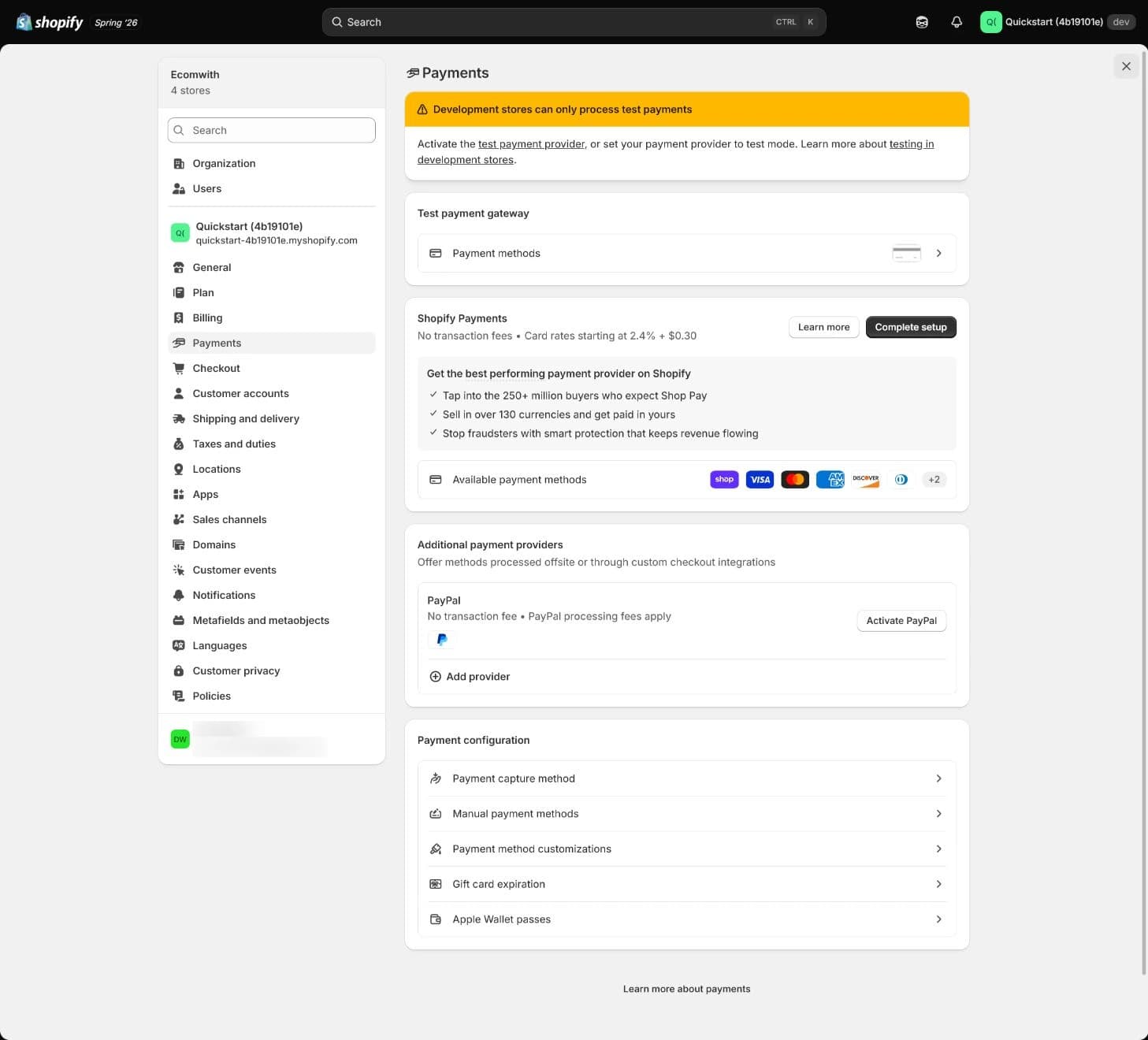
This historical development store shows test-only guidance, Complete setup, Activate PayPal, and payment configuration entries. It does not show eligibility approval. Historical displayed rates and marketing figures are not this store's current quote or a deposit guarantee.
You should see
Have candidate payment methods, applicable requirements, document owner, and blockers.How to confirm
Explain why the actual operator meets current requirements and why the method serves the intended market. Leave unmet conditions inactive.If it goes wrong
For a mismatch, recheck country, store entity, product category, and provider restrictions instead of changing details to bypass review. Resolve permission or applicability issues in the correct store and complete Payments section.Keep as evidence
Keep requirement URL, check date, redacted country/business type, document inventory, eligibility state, owner, and pending work without copying identity or card data.Activate Shopify Payments and submit details
Where in the UI: SettingsPaymentsShopify Payments
The store owner follows the current Activate Shopify Payments, Complete setup, or applicable switching flow. Match legal name, registration number, address, tax details, representative, and applicable beneficial owners to formal documents, then submit required information through the secure admin entry. A current flow can require Submit for verification before Activate after review; do not prescribe one button sequence for every account.
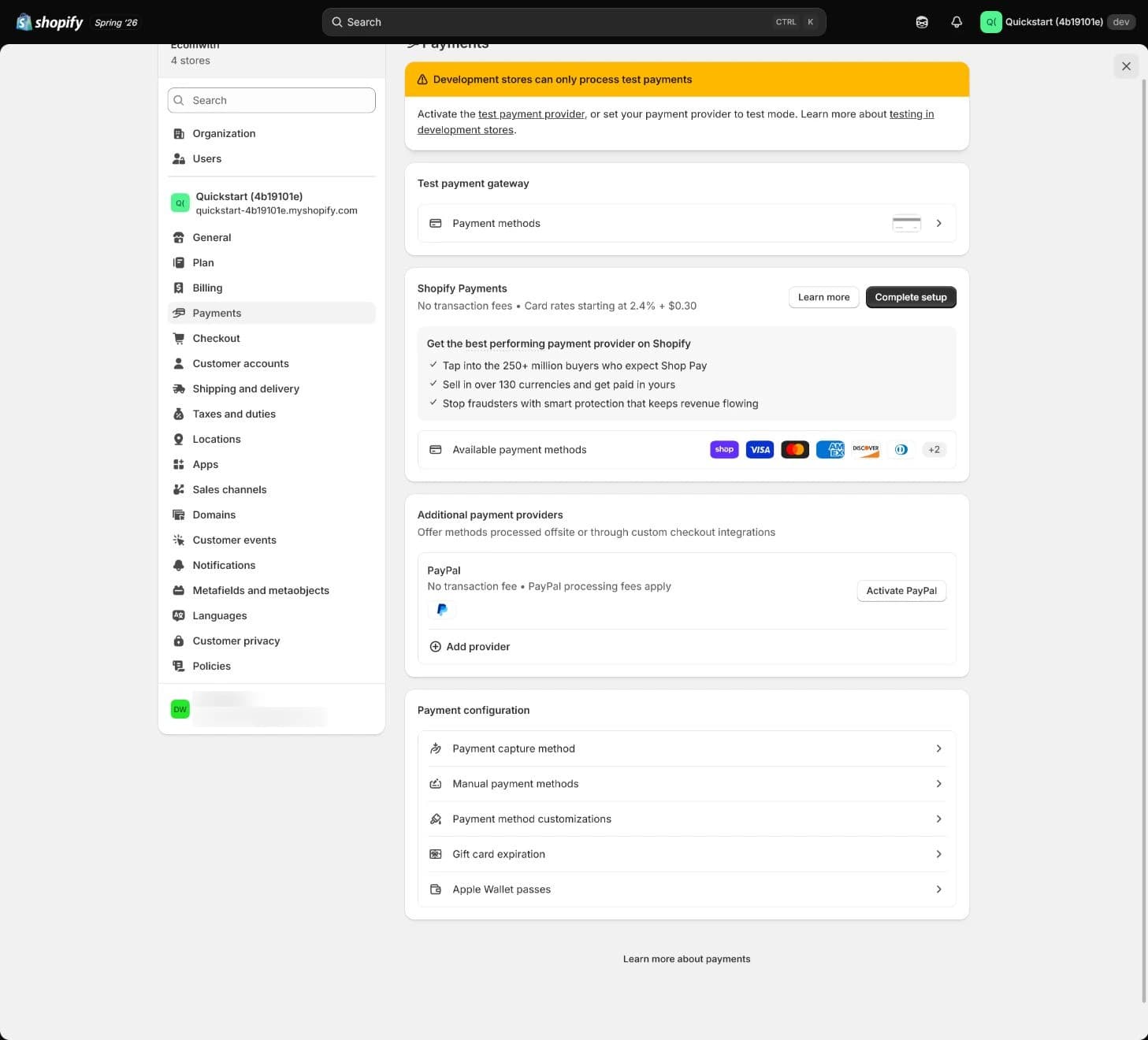
This remains the development-store Payments overview with Shopify Payments and PayPal entries. It has no completed activation, verification, or payout result panel. Read actual review states and restrictions separately; the image does not establish live collection readiness.
You should see
Separately record activation, verification, payout, reserve or other restrictions, and the next action.How to confirm
Read which feature an indicator refers to, outstanding documents, and whether state agrees with market/product conditions. Green describes the referenced feature's current operation, not approval for every local method.If it goes wrong
For pending review, a pause, or document requests, read the precise reason and have one owner supply consistent evidence with a submission time. Avoid duplicate accounts and contradictory repeated submissions. Use official support for blocked progress or attempt limits.Keep as evidence
Keep redacted state, restriction, submission and next-review times, document owner, and controlled evidence location. Do not capture real identity or bank documents.Connect the payout bank account
Where in the UI: SettingsPaymentsShopify PaymentsAdd bank accountManage
The authorized store owner follows the verified account's current prompts to connect supported banking. Inspect holder, bank country, account type, transfer support, and currency, then complete ownership verification if requested. Handle credentials only in the official secure interface; keep real account numbers out of lessons, logs, and public code. Record payout schedule, applicable minimum, review/hold/reserve terms, and reconciliation owner.
Separate store display currency, customer payment currency, processing/conversion, and payout currency. Supported sales and payout currencies can differ; conversion, fees, and available account combinations depend on region, plan, and provider. Settlement, scheduled transfer, and bank processing are different intervals. Do not promise a universal arrival time or reserve percentage.
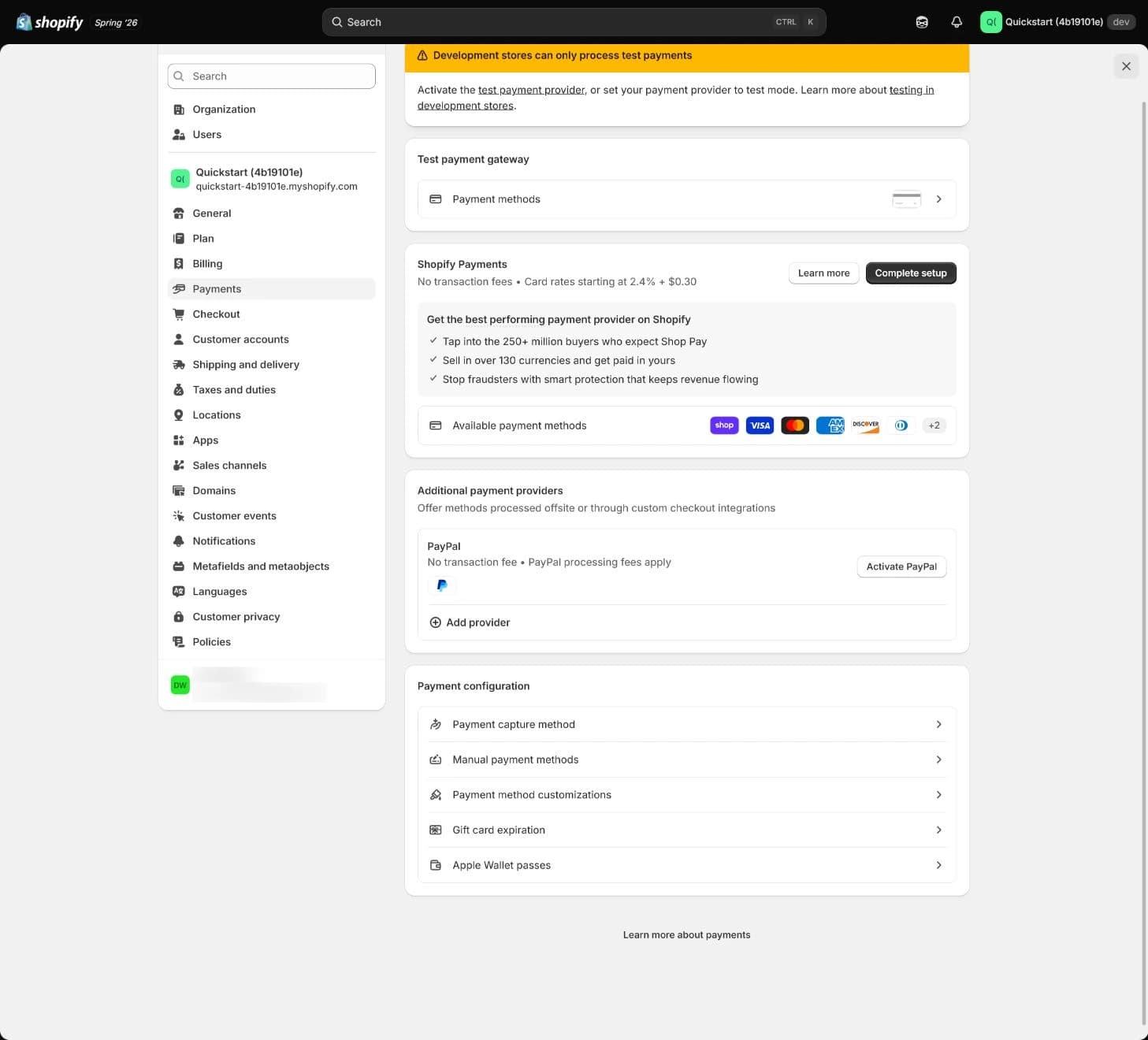
This is still Payments overview, with Payment capture method and Manual payment methods entries. No bank account, payout schedule, or Enable test mode toggle is visible. Those checks require their own actual evidence.
You should see
Have redacted account identifier, control relationship, currency, schedule, verification/payout state, minimum/hold/reserve terms, and owner.How to confirm
One finance owner can read back the relationship between order collection, balance, payout, and bank record. A saved account alone leaves verification and actual bank receipt pending.If it goes wrong
For failed verification or payout, inspect the Failed payout message and check name, type, country, currency, and bank transfer capability. Have the owner contact the bank or Shopify as needed. Bank changes can trigger a security pause and scheduled funds can still go to the old account; repeatedly replacing details is not a consequence-free repair.Keep as evidence
Record redacted account, currency, current rule source, schedule, state, transfer reference, time, and follow-up owner without printing the full account number.Configure PayPal and alternatives
Where in the UI: SettingsPaymentsActual available methods
Enable methods the business qualifies for, customers need, and the team can operate. Where PayPal Express applies, the store owner checks the intended email, Business account, and completed setup, including refund and manual-capture functionality. Confirm the recipient rather than accepting another account autofilled by the browser. Current US or French Shopify Payments merchants can have PayPal integrated directly into Shopify Payments, so a separate Express setup is not universal. Follow the actual region's integration guidance.
For manual bank transfer or cash on delivery, define payment instructions, verification, and order-release/fulfillment conditions. An order created as Pending or Unpaid is not proof of receipt. Inspect currency, fee source, checkout display, refunds, disputes, and support owner for each method instead of enabling many low-use icons.
You should see
Have a map of each method, account connection, market/currency, fees, refund, and dispute ownership.How to confirm
Check appropriate visibility for the target market and customer state, and document how each method is refunded, reconciled, and supported. This lesson does not perform a live PayPal purchase.If it goes wrong
For a missing method, inspect market, currency, connection, products, and eligibility. For pending PayPal payment, inspect email verification and actual receipt before marking paid. Distinguish test mode from live collection rather than using a real card to probe eligibility.Keep as evidence
Keep method, actual integration, market, currency, fee rule/date, supported test results, evidence gaps, and owner.Run complete payment tests
Where in the UI: SettingsPaymentsShopify PaymentsManageTest mode
Shopify Payments testing currently requires a chosen paid plan and completed setup; some regions require business information first. Development-store screenshots do not establish these conditions for an ordinary store. Where available, select Enable test mode and save. Without Shopify Payments, plan around the official Test payment gateway, called Bogus Gateway in the old lesson, or the provider's own supported test method. Switching gateways affects the original payment configuration and is unsuitable as an ad-hoc change during public trading.
In the approved controlled window, retain settings and isolate automatic fulfillment and apps sending orders to a warehouse. Walk product → cart → checkout → payment confirmation, checking amount, discount, tax, shipping, order state, and customer/staff team test inboxes. Use official test details for the selected method, never real customer cards. Do not fulfill test orders or buy real shipping labels: even a test order incurs a charge for a real label. Password protection restricts visitors but does not isolate downstream automation.
You should see
Record separate success, supported failure/decline, cancellation, and refund paths with amounts, states, and notifications. Mark unsupported methods unverified.How to confirm
Confirm the order's test marker, no warehouse dispatch, and no real label purchase. Shopify Payments test mode captures no real funds, but some express checkout flows can still complete. Do not assume coverage for PayPal Wallet, some local methods, or other providers. A completed interface is not proof of real charging or all-method testing.If it goes wrong
Check store, mode, market, and official test details before separating eligibility from checkout configuration. For missing notifications, inspect templates, settings, spam, and email service. Do not casually enable test mode on a trading store. After testing, disable mode, read back saved state, and have the owner safely review and restore original fulfillment/app settings.Keep as evidence
Keep redacted test order/transaction references, amount components, success/failure/cancel/refund states, notifications, exclusions, isolation/restoration list, time, and second reviewer without full card data.Verify refunds, fees, disputes, and reconciliation
Where in the UI: Order timeline; FinancePayoutsSpecific payouttransactions
A simulated order checks supported authorization, capture, cancellation, refund, failure, and notification states. Shopify Payments simulations do not appear in payouts or reports. The old wording about matching a test order to a payout must not become an expected result. An authorized finance owner reviews actual transactions, fees, bank deposits, and customer refund receipt separately. Leave missing evidence unverified rather than charging a small live order or manufacturing a dispute for the lesson.
Reconcile actual order → payment transaction → specific payout/fees/adjustments → bank record, with separate provider records for independent methods such as PayPal. Refund state is not customer receipt. Current Shopify Payments guidance does not return the original credit-card processing fee on a refund; inspect other fees/methods against local rules and transaction details. Refunds and disputes can reduce later payouts or create a negative balance. Follow current notices rather than promising a universal fee or arrival time.
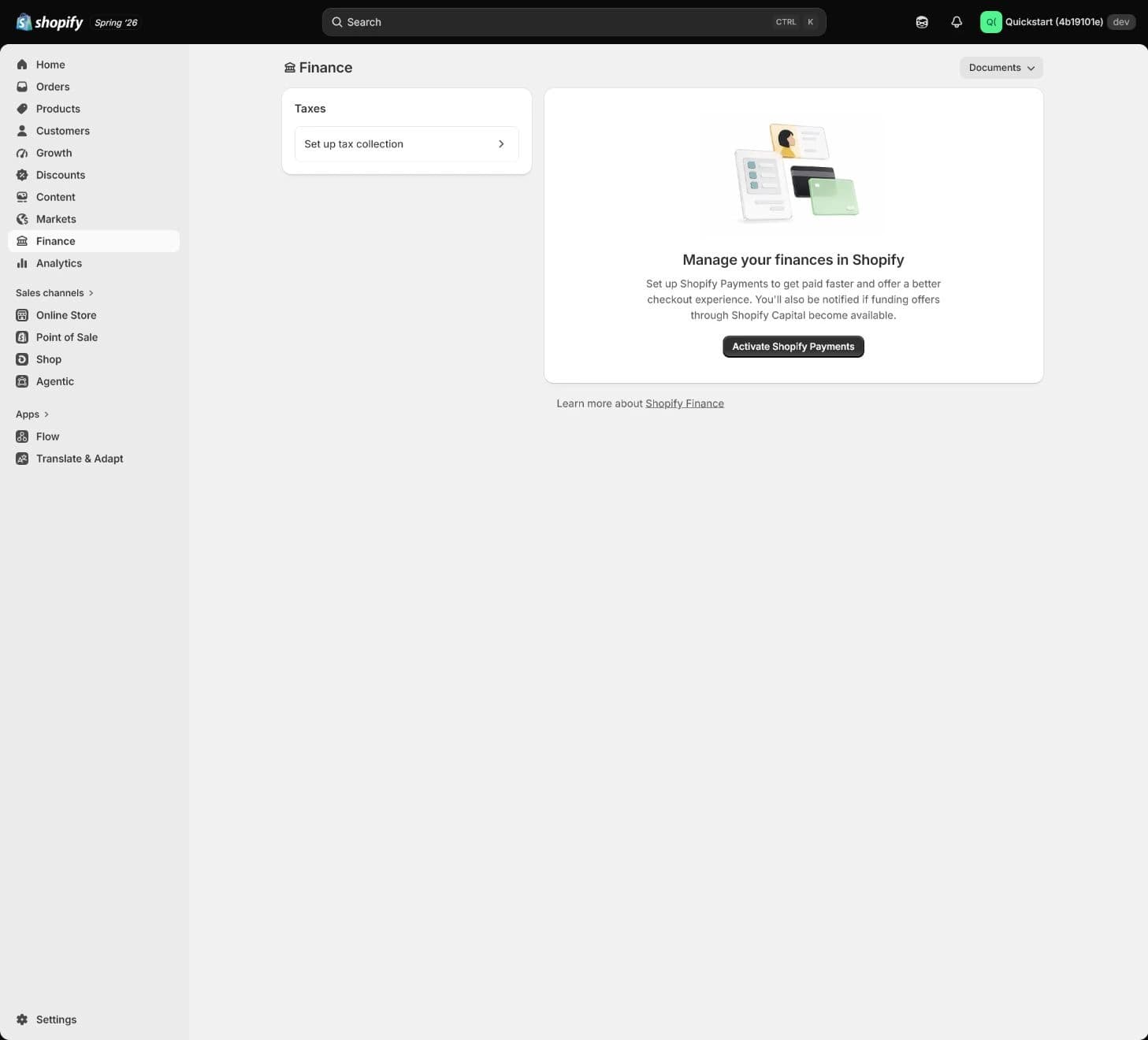
The historical Finance screen still invites Activate Shopify Payments. It is not a transaction-reconciliation or refund result. It helps locate Finance, while actual payouts, fees, refunds, and bank evidence require a separate authorized account review.
You should see
Have simulated-state results and separate evidence tasks and owners for actual fees, refunds, payouts, bank receipt, and disputes.How to confirm
Align orders, processor transactions, and bank deposits by date, currency, method, fees, refunds, disputes, holds, reserves, and adjustments. Current Deposited still needs bank evidence. For a missing customer refund, inspect processing state and applicable tracking reference before follow-up.If it goes wrong
Retain redacted transaction references and explain differences individually instead of overwriting them with a total. If payment succeeds but payout/refund/dispute accountability is unclear, record only the completed part and repair the finance responsibility chain. A real initiated refund cannot be reset like a lesson note; do not issue another refund to resolve an unknown state.Keep as evidence
Keep redacted order/transaction/payout/bank references, fee source, refund state, response time, and reviewer. Match dispute reason and admin deadline to orders, applicable 3DS/payment verification, communications, policy agreement, fulfillment, and delivery. Do not expose sensitive details or promise a win.
Use synthetic $75 to separate simulation from actual money
Retain the old lesson's synthetic $75 exercise, explicitly using USD, with one successful attempt and one decline and no real fulfillment. These are separate scenarios: a failed attempt is not successful collection, and a simulated success cannot be entered as real revenue, fees, or bank payout. Record tax, discounts, and shipping from the exercise's actual inputs rather than inferring completed configuration from its total.
| Evidence layer | Input or check | What it supports | What it does not establish |
|---|---|---|---|
| Eligibility and security | Actual business region supported, two-step authentication, entity/product requirements checked | Entry to setup and verification under applicable conditions | Completed verification, every local method, or payout approval |
| Simulated payment | Synthetic $75 success and decline, supported cancel/refund, no real fulfillment | Controlled checkout, order-state, and test-notification results | No entry in payouts/reports; no real rate, payout, or refund receipt established |
| Live-ready gate | Test mode off, automation safely restored, banking control/owner read back, second review | Defined operating conditions before live collection | Actual money still needs transaction, processor, and bank evidence; track unknowns |
Reconstruct differences from financial records
Choose one payout and fix its provider, date range, timezone, and currency. Find the included captures, subtract or add each fee, refund, dispute, reserve movement, and other adjustment as recorded, then match the net amount to the bank transfer. An order need not equal a deposit, and different currencies cannot simply be added. Use this store's rules and records for conversion, cross-border/third-party fees, and taxes on fees. A historical starting rate cannot supply a current universal price.
Distinguish a merchant refund from a bank dispute. A refund is initiated by the merchant. When a customer questions a charge with their bank, the bank can open a chargeback or an inquiry. Their funds states differ: an inquiry does not itself mean the disputed amount has been withdrawn. Read the actual notice for the type, deadline, and owner.
An ARN (Acquirer Reference Number) lets banks trace an applicable Shopify Payments Visa or Mastercard refund. 3DS (3D Secure) is additional authentication during payment, such as a one-time code. It can document payment authentication, but cannot replace delivery evidence. Decide whether you need to explain a refund's whereabouts, payment authentication, or fulfillment before collecting the corresponding record.
| Difference or failure | Read first | Follow-up and limit |
|---|---|---|
| Test order missing from payout/report | Mode, test marker, processor | Expected for Shopify Payments simulations; retain simulated evidence without inventing a payout |
| Authorized but not captured | Capture configuration, expiry, actual method support | Owner follows the real business process; expiry, cancellation, and refund are different actions |
| Payout below sales or delayed | Date/currency/method, fees, refunds/disputes, holds/reserves, minimum, schedule, bank processing | Check admin notices and owner email; separate review, available funds, transfer, and bank receipt without promising an estimated date |
| Failed payout | Precise failure message, holder, account type/currency, bank response | Resolve cause through owner/bank/official support, then review retry; an unresolved cause can fail again |
| Refund pending or not received | Actual refund, negative balance/restriction, applicable ARN or other tracking | Follow up with bank/processor. A simulation cannot establish receipt; avoid duplicate refunds |
| Chargeback / Inquiry | Reason, provider process, admin deadline, available evidence | Match order, verification, communication, policy, fulfillment/delivery to the reason. Banks/card companies decide; some programs have no evidence window |
A reserve can hold part or all of funds; a hold can also restrict features. Follow the account notice for terms and action. Not every reserve stops collection, and reserved funds are not immediately spendable. Bank or schedule changes can delay existing funds; changing a setting does not guarantee an immediate deposit. Record owner, next review time, and evidence location until actual values and results can be explained.
Practise a configurable account still under review
The scenario combines pending review with an unexplained account-control relationship. It does not declare every individual operator's account invalid. Choose the next action that protects customers and the team, then read the reasons. This exercise submits no details, connects no account, and runs no test.
Resolve eligibility and funds control first
Self-check not answered
Beyond these three checks, have a second person confirm test mode is off and original automation has been safely reviewed/restored. Assign separate reconciliation work for actual order, transaction, fee, payout, and bank records. Missing real-money evidence stays unverified; three checks do not accept a real payout.
Conditions before live collection
| Done when | Stop if |
|---|---|
Entity and controlled account meet applicable requirements; intended methods are available; supported success/failure/cancel/refund paths have results. A second person confirms test mode off and automation restoration, with separate owners for actual fee/payout/refund/dispute evidence and gaps. | Pause launch for unknown eligibility or pending review, restricted verification, missing or unclear payout control, a risk of live charging during tests, unconfirmed test-mode shutdown, unowned refunds/disputes, or unexplained funds. |
| Evidence Each method's eligibility, activation/verification/payout, currency, redacted account, rule source, tests/notifications, refund path, dispute deadline, reconciliation references, blockers, and review time. | |
Keep the acceptance sheet and financial evidence gaps
Organize the sheet into setup, tests, and financial records. Setup covers each method's state, real operator and customer market, owner, settlement/payout currency, redacted account, schedule/hold/reserve, and fee source. Tests cover the window, scenarios, and automation isolation/restoration. Financial records cover refund route, dispute owner, and order-to-bank references. Add date, reviewer, blockers, and next review, leaving missing real-money results pending instead of inserting example values.
The record saves automatically in this browser, reusing the decision and checks above. Keep redacted summaries and controlled-document locations here; store longer acceptance sheets separately and copy or export before switching devices. Resetting this record does not reverse real payments, refunds, bank changes, or Shopify settings.
Payment and payout acceptance record
The 1 items marked Required need an answer. Start with item 1; your choices in the exercises above are carried over.
Use redacted state, test/funds evidence locations, mode/automation restoration, date, and owner. Do not enter identity, bank/card data, or credentials.
Not saved yet.
Kept in this browser only. Switching device or clearing browser data removes it; download a copy.
What this record establishes
Hold
Make the decision first
A button or a few orders cannot establish readiness
Some checks remain
Decision and three checks recorded
Next, configure Checkout and Customer accounts around real fulfillment data, consent, and sign-in paths. Notifications and complete test orders continue the checks beyond payment.
Copyable lesson record
Payment and payout acceptance record
- Admin path: Settings > Payments (inspect actual payouts separately in Finance > Payouts).
- Scenario decision: (to fill in)
- Checks: 0 / three total
- My record: (to fill in)
- Current result: Make the decision first
- Continue when: entity and controlled account align, supported success/failure paths and refunds are traceable, a second person confirms test mode off and automation review, and real-money evidence has separate owners.
- Pause when: review is pending, account control is unclear, mode is unconfirmed, tests might charge live money, or funds cannot be reconciled.
- Next: configure Checkout and Customer accounts for customer fields, marketing consent, sign-in, and fulfillment needs.
No checkpoint finished in this lesson yet. Start with “Go to the exercise”.
Self-check not answered
Your work
- Record · Keep the acceptance sheet and financial evidence gapsNot saved
- Note · Keep the acceptance sheet and financial evidence gapsNot copied
Kept in this browser only. Switching device or clearing browser data removes it; download a copy.
FAQ
- Does Payment active mean payouts work?
Not necessarily. Read activation, verification, banking, schedule, holds/reserves, and bank receipt separately. Current Deposited means sent to the bank, not guaranteed availability in the account.
- Can we accept live money after test mode passes?
Simulation alone cannot decide that. Confirm eligibility, operator, market, account verification, and refund/dispute responsibility; disable mode and review isolated automation. Follow missing actual fee, payout, and bank-refund evidence separately.
- Why not enable every payment method?
Each method brings account, currency, fee, refund, dispute, and support work. Enable needed methods the team can operate. PayPal's separate or integrated path also depends on business region.
- Why does Shopify Payments require two-step authentication?
It is a current requirement to protect the account and funds; payouts can be held without it. Security setup alone does not establish eligibility, verification, or payout completion.
- Why is a test order missing from payouts and reports?
Shopify Payments simulations do not enter payouts/reports. Retain checkout, state, and test-notification evidence, and inspect actual settlement, fees, and bank receipt through separate real records.
- Does seeing Shopify Payments mean approval is guaranteed?
No. Check actual business location/type, products, documents, banking, and risk review. A US customer market, USD display, and development-store button do not establish US operating eligibility.
- Does Shopify Payments test mode affect real customers?
It affects real collection and should not be casually enabled on a trading store. Current Shopify Payments test mode captures no real funds, but some express flows can complete and some methods are unavailable. It does not isolate other providers or warehouse apps. Use an approved controlled environment, then disable and review.
- What happens to fees and payouts after a refund?
Current Shopify Payments guidance does not return the original credit-card processing fee. Refunds, disputes, and negative balances can affect later payouts. Other fees depend on method, country, and timing. Inspect actual transaction/fee/payout records rather than inferring bank results from an order total or simulation.