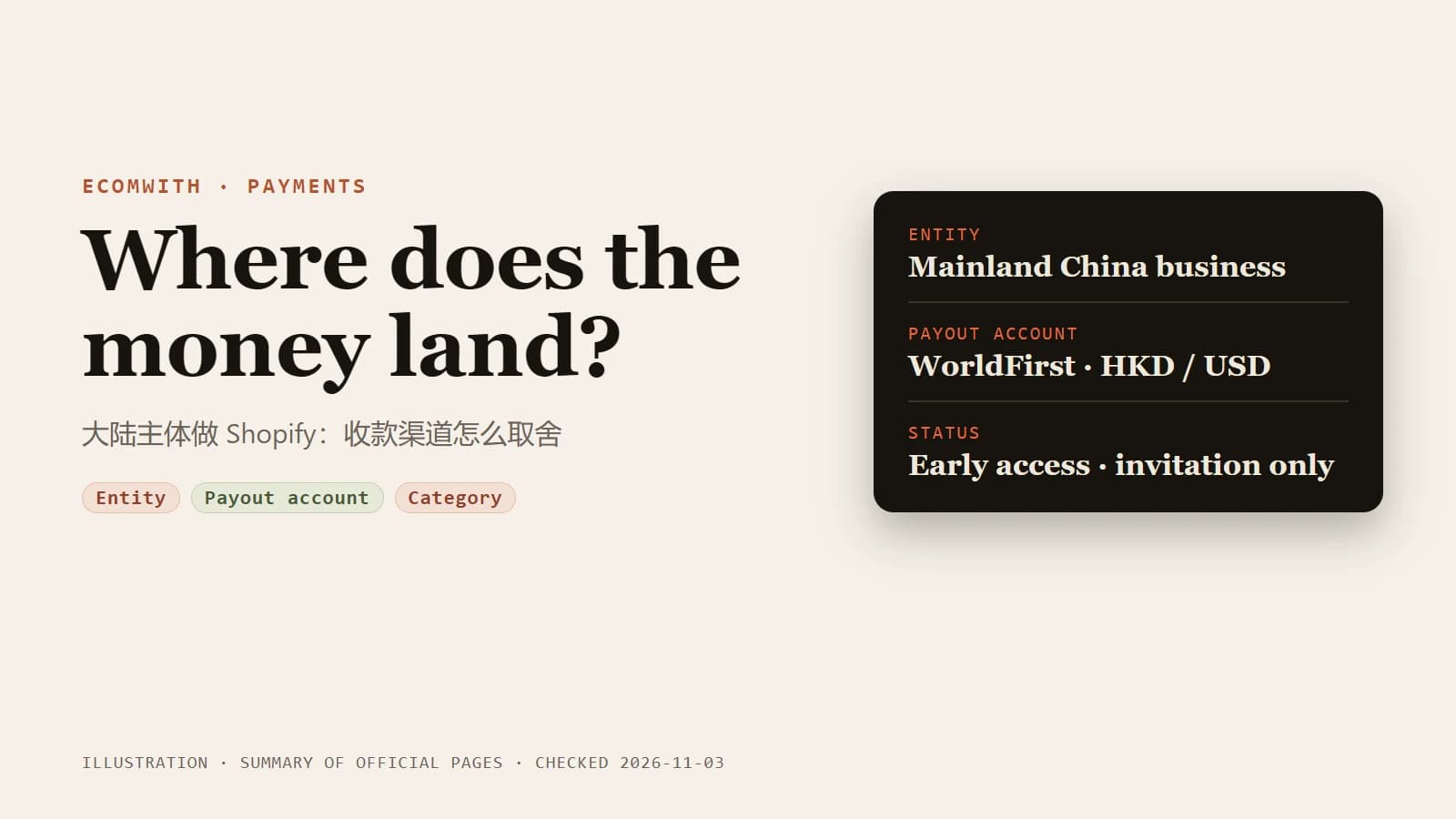
As of 2026-11-03, Shopify's Help Center lists China among the countries for Shopify Payments, but marks it as early access and available by invitation only. It requires a business registered as a mainland China entity, allows cross-border sales only, and requires you to connect a WorldFirst account for verification and payouts. A mainland entity that has not been invited has two routes to investigate, a third-party payment provider and PayPal. The official pages do not confirm that either accepts a mainland entity, so get each provider's conditions in writing. Stripe's Chinese site states in its footer that the products and services shown on it are not offered in mainland China, so do not treat Stripe as a default.
This is general information, not legal, tax or financial advice. Provider eligibility, review rules and fees change. Every statement below carries a source and a check date, and you should rely on the provider's current page and written answers before you apply.
What the official pages say today
The table records only what was read on official pages on 2026-11-03. It leaves out fee figures from blogs and promotional posts.
| Route | What the official page says | Source |
|---|---|---|
| Shopify Payments (China) | Listed as a supported country, marked early access and invitation only. Requires a mainland China business entity. Cross-border sales only; domestic sales to customers in mainland China are not supported. A WorldFirst account is required and is the only payout account; you cannot add or change a bank account in Shopify. Visa and Mastercard, plus Shop Pay, Google Pay and Apple Pay. Payouts in HKD and USD. Minimum settlement time is 4 business days, and new merchants start with a longer settlement time | Shopify Help Center |
| Shopify Payments (Hong Kong SAR) | Requires a Hong Kong bank checking account in HKD, with the beneficiary name matching the legal entity. A business registered in Hong Kong SAR is not eligible for the China program above. Residents of mainland China without a Hong Kong business registration number cannot use Shopify Payments Hong Kong | Shopify Help Center |
| Stripe | The global availability list includes Hong Kong and does not include mainland China. The Chinese footer says the products and services shown are not offered in mainland China | Stripe site |
| PayPal | Shopify says that to activate PayPal, your store's country must match the country in your PayPal account settings. PayPal's Chinese site describes cross-border collection and RMB withdrawal for mainland merchants, but the page does not state eligibility, documents or fees | Shopify Help Center, PayPal China site |
| Third-party providers | Shopify says you can choose from over 100 credit card providers, but only one credit card provider can be active at a time. Shopify charges a third-party transaction fee on top of the provider's own processing fee | Shopify Help Center |
Two details are easy to miss. First, the China program pays out into a WorldFirst account, so Shopify's payouts do not land in your existing bank account. Second, Shopify says that in a country where Shopify Payments is supported, Stripe is not available to activate as a separate gateway. How that rule fits with an invitation-only China program is not explained on the page, so ask Shopify Support.
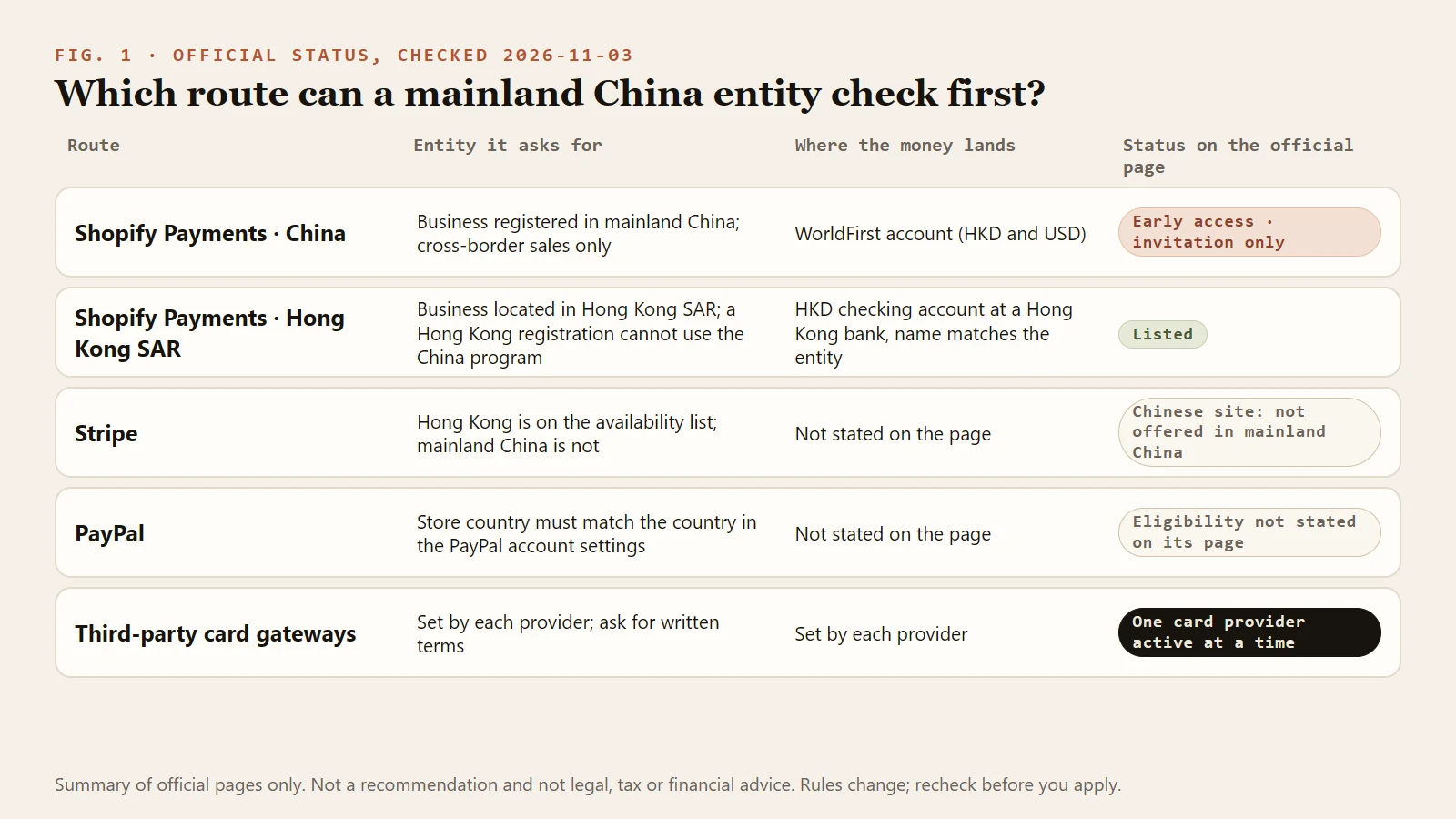
Figure 1: The entity, payout destination and official status of the five routes side by side.
Why your options depend on the entity and the payout account
Shopify's Payments terms require the user to be a business located in its designated country. The eligibility page says the same thing: your business must be in a supported country, and what you sell must not fall under the prohibited list. The Hong Kong rules are more specific. The bank account must be an HKD checking account at a Hong Kong bank, and the account name must match the legal entity. Residents of mainland China without a Hong Kong business registration number cannot use Shopify Payments Hong Kong.
Together these mean that where the entity is registered, where the payout account sits and which currency it holds decide the route, and the paperwork for all three has to agree. Shopify's China requirements say the same about documents: the information on a document must match what you enter during setup, and the document must not be expired.
Some advice online suggests changing the admin address or business details to a supported country so that the Shopify Payments option appears. That is not advisable. Shopify's terms require you to be a business located in the designated country and warrant that the information you provide is accurate and complete, and Shopify reserves the right to suspend your account or terminate the agreement at any time. When an option is closed to you, change the route instead: compare third-party providers, or settle the entity question first. The overseas company registration tutorial covers entity choices, and this article does not.
Choosing by situation
Find your row first, then decide whom to ask.
| Your situation | Confirm first | Routes to compare |
|---|---|---|
| Mainland company, selling overseas, card payments | Whether Shopify has invited you to the China version of Shopify Payments | If invited, the China version. If not, investigate third-party card gateways and PayPal, and get written conditions from each, because the official pages do not confirm that either accepts a mainland entity |
| Hong Kong company with an HKD bank account | The Hong Kong category restrictions and bank rules | Shopify Payments Hong Kong, or a third-party provider |
| An individual with no company | The China program requires a business entity. Whether individuals are accepted differs by provider | Get written conditions from the provider before you build the store |
| Sensitive category (regulated goods, financial services, adult content, unverified health claims, counterfeit goods and similar) | Shopify Payments' prohibited list and each provider's own list | Read the terms before choosing, so you do not find out after building the store and buying traffic |
| Buyers in Europe or North America who expect Apple Pay, Google Pay or Shop Pay | The China version supports these three accelerated checkouts | Whether a third-party gateway can be paired with Shop Pay depends on Shopify Payments being usable alongside it; confirm with Shopify |
| You need local payment methods (installments, bank transfers) | The China version page lists cards and accelerated checkouts only | Ask each provider about every local method you need |
| Higher expected monthly volume | There is no universal official threshold; each provider sets its own and may change it | Ask for the threshold, the review time and whether products are enabled separately |
The third row matters most. PingPong's integration documentation says its payment-link product is available only to some merchants and that you must contact operations to have it enabled. Even within one provider, different products have different conditions.
What to ask a provider
Ask these five groups of questions of every provider, and get the answers in an email or ticket. The figures in brackets are what Shopify publishes for the China program, for comparison only. Other providers may differ.
- Risk review. Which documents, how long the review takes, what triggers a request for more information or a re-review, and where the category restrictions are written.
- Reserves and holds. Whether there is a reserve or rolling reserve, its size and duration, what triggers it and when it is released. Shopify publishes its approach: a reserve can be a fixed amount or a percentage, and its example holds 10% of each transaction for 120 days, with funds no longer needed returned in full at the end.
- Currencies and timing. Which currencies you can accept and be paid out in, how conversion costs are charged, and how many days pass between capture and payout. (China version: minimum settlement of 4 business days, though Shopify says new merchants start with a longer settlement time, then extra time at WorldFirst or the bank.)
- Dispute handling. What is deducted when a chargeback arrives, how evidence is submitted, the deadlines, and what happens if your balance goes negative. (China version: a negative balance can be recovered from future payments, and funds can be debited from the WorldFirst account when available.)
- Local payment methods. Whether the methods your target market uses can be enabled, and whether they cost extra.
Documents that are usually requested
Shopify describes the China process this way. In the admin you confirm your trading name and choose a business category, then connect WorldFirst. WorldFirst collects and verifies documents. Which ones depends on the business type, the account representative, beneficial owners, directors and business activity, and they can include identity, address, business verification, ownership or directorship documents. Documents must be clear and complete, unexpired, show the full legal name and address where needed, meet the upload format and size, and match what you entered during setup.
Other providers publish different lists. The usual categories are proof of the entity, identity of the legal representative and controlling owners, proof of the settlement account, and website and product information. Follow the provider's own application page and written answers. All documents must be genuine and consistent with each other. Shopify's China troubleshooting page lists "business information doesn't match" among its common onboarding problems.
Three tests before launch
Do not run ads until the payment path has been tested.
- Test order. Complete the whole checkout and confirm that the payment status, emails, order number and the provider's transaction record line up. The Shopify payment test order checklist has the steps.
- Refund test. Make one real small order and refund it in full. Note how long the money takes to reach the buyer and whether the Shopify third-party transaction fee comes back. Shopify says that where Shopify Payments is not available in the store's country, the third-party transaction fee is credited back in proportion to a refund, and that where it is available, it is not returned. Check your bill to see which case applies to you.
- Payout test. When the first payout arrives, reconcile the order amount, processing fee, Shopify third-party transaction fee, conversion cost and the amount actually received.
Here is a worked example with assumed numbers. None of the percentages is a provider quote. An order of USD 100, an assumed processing fee of 3%, an assumed Shopify third-party transaction fee of 2% and an assumed conversion cost of 1% leave 100 − 3 − 2 − 1 = USD 94. If the provider also holds back 10% as a reserve (Shopify's example is also 10%), you can use only 94 − 10 = USD 84 until release. The held USD 10 is cash you cannot reach yet, and it comes back at the end of the reserve period. Work out both numbers before you set prices and ad budgets. The payments and payouts tutorial and the payment gateway setup tutorial have fuller record sheets. They are deeper member lessons, and this article's conclusions do not depend on them.
Risks
- Account review and holds. Shopify says payouts can be paused, delayed or adjusted because of account review, risk or compliance requirements, chargebacks and refunds.
- Reserves. The triggers Shopify lists include elevated chargeback activity, a rising refund rate, categories with long delivery times (pre-orders, custom orders) and sudden volume surges. For how refunds and chargebacks are counted and reduced, see Refunds and chargebacks: the difference, thresholds and prevention.
- Single-channel dependency. Shopify allows one credit card provider to be active at a time. If you want a fallback, open and verify the second account in advance instead of applying after something goes wrong. PayPal is a separate payment method in Shopify and, if it accepts your entity, can serve as a supplement.
- Currency conversion. In the China version, customer payments in HKD or USD go to the matching payout account. Payments in any other currency are converted into the default payout currency, and a conversion fee applies.
- Rule changes. The China program is still early access. These conclusions hold for 2026-11-03.
- Tax. Receiving payments can raise tax reporting questions. Shopify's China tax page tells merchants to understand their own obligations and consult a local tax professional. If most of your buyers are in the United States, see US sales tax basics for Shopify sellers.
Frequently asked questions
Is Shopify Payments really unavailable in mainland China?
It depends. Shopify's supported-country list now includes China, marked early access and invitation only. It requires a mainland China business entity, cross-border sales only and a connected WorldFirst account. If you have not been invited, the page does not say how to apply, so contact Shopify.
Can a mainland China entity use Stripe?
Stripe's global availability list does not include mainland China, and its Chinese site footer says the products and services shown are not offered in mainland China. Hong Kong is on the list. Ask Stripe directly and rely on its written answer.
How many payment gateways can one store run?
Shopify says one credit card payment provider can be active at a time. Other payment methods such as PayPal can be enabled separately. Shopify says a third-party provider can run alongside Shopify Payments for extra payment methods, but only one credit card provider can be active at a time. Confirm with Shopify whether your store can combine them.
Can I collect payments as an individual without a company?
Shopify's China program requires a mainland-registered business entity. Third-party providers set their own rules, and some accept individuals while others do not, so get the conditions in writing first. In either case, do not open an account using someone else's entity or inaccurate documents.
What should I do if my payment account is frozen?
Read the provider's notices and emails, supply what they ask for, and keep order, shipping and customer-communication records. Shopify says payouts can be held during review; respond to any request shown in your admin. Open a fallback channel before you need it, because orders keep arriving during a freeze.
Sources
Last verified: 2026-11-03.
- Shopify Payments supported countries
- Shopify Payments for China: overview, requirements, setup, payment methods, payouts
- Shopify Payments for China: payouts and settlement times, payout timing and holds
- Shopify Payments for Hong Kong SAR: requirements
- Shopify Payments eligibility and prohibited businesses
- Shopify Payments Terms of Service
- Shopify third-party payment providers, payment gateway availability, configuring third-party providers
- Shopify third-party transaction fees
- Reserves in Shopify Payments
- Shopify PayPal troubleshooting
- Stripe global availability, Stripe Chinese page
- PayPal China business page
- PingPongCheckout integration documentation (payment link)