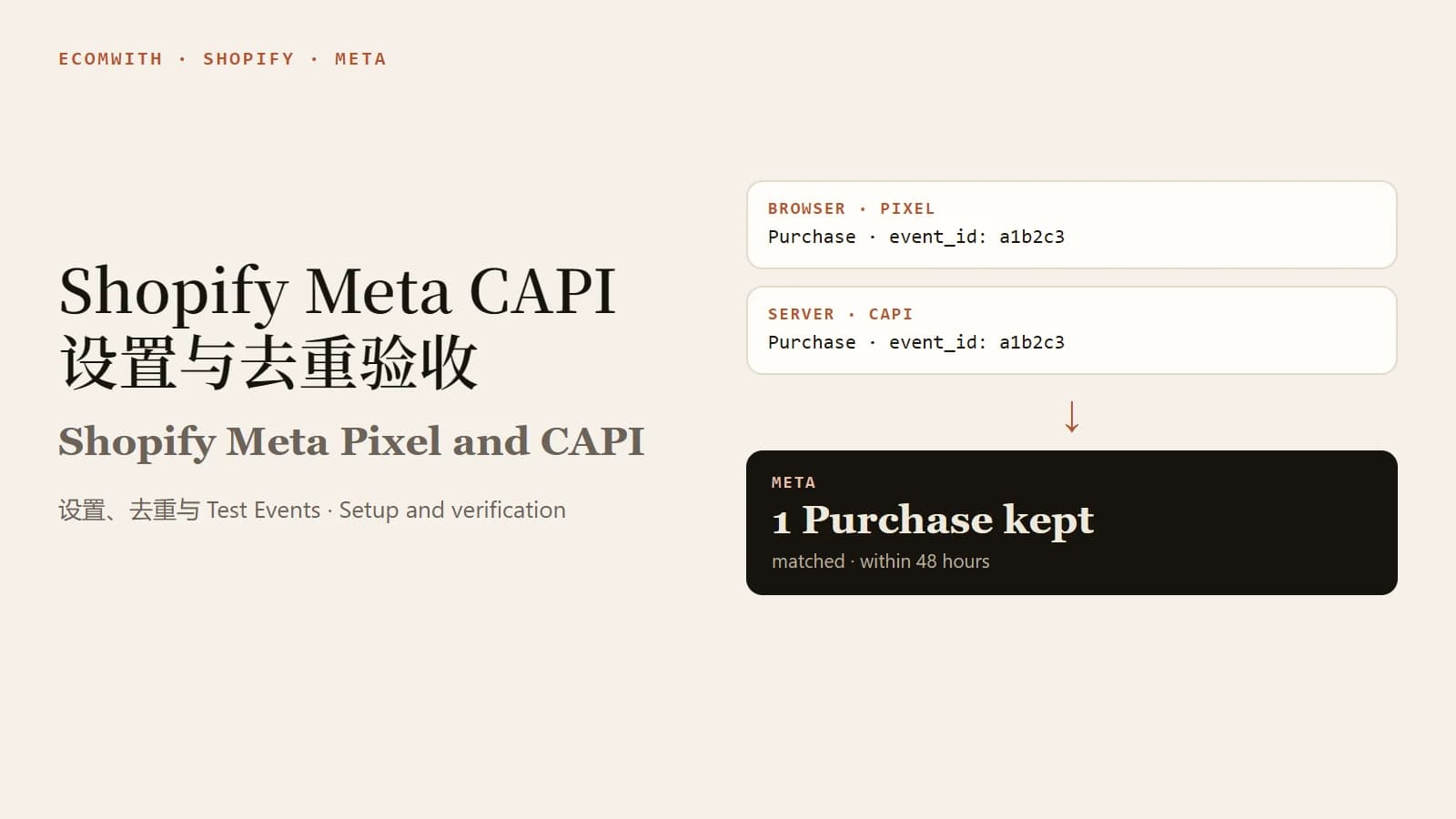
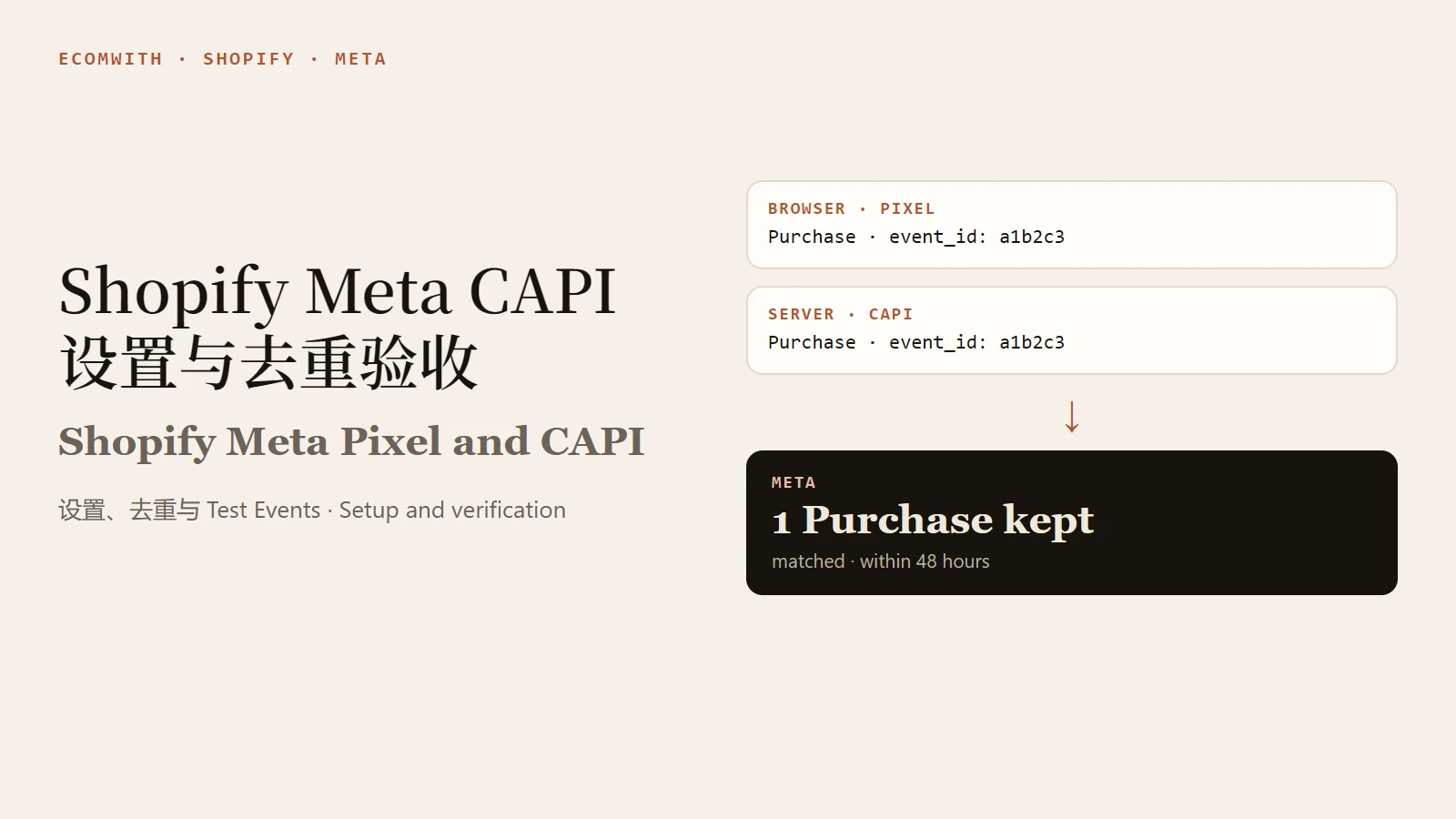
The Meta Pixel sends events from the visitor's browser, and the Conversions API (CAPI) sends events from a server. Shopify's Facebook & Instagram channel turns them on through its data sharing level, so you do not write code. Your job is three checks: keep a single source of events in the store, confirm with Test Events and one real test order that Purchase arrives from both the browser and the server and is counted once, and then reconcile Events Manager counts and values with Shopify orders. Meta's documentation says that when the Pixel and CAPI send the same event, its main method is to match them on the same event_id and event name, and it deduplicates within 48 hours.
What the Pixel and CAPI each do
The Pixel is JavaScript that runs in the page and records what visitors do. Shopify notes that a browser-based ad blocker can stop the Pixel from sharing data.
CAPI connects an advertiser's marketing data, from a server, a website platform, an app or a CRM, to Meta. Meta says server events are processed like Pixel events, so they can be used for measurement, reporting and optimization. Shopify adds that data sent server to server cannot be blocked by a browser-based ad blocker.
You can run both, and Meta recommends running CAPI alongside the Pixel. The condition is deduplication: one purchase sent once from the browser and once from the server must be recognized as one event. For shorter definitions, see what Meta Pixel and CAPI are and Pixel versus CAPI.
Shopify data sharing levels: what the documents say
The Shopify channel offers Standard, Enhanced and Maximum. We read three public Shopify documents, and they do not describe the levels in the same way. The table reflects what they said on 2026-11-03. None of the help pages shows an update date.
| Source | Standard | Enhanced | Maximum |
|---|---|---|---|
| Shopify Help Center, "Facebook data sharing" | A Meta pixel collects browsing behavior; an ad blocker can stop it | Uses Facebook's Conversions API as well as the Meta pixel; shares name, location, email, phone and behavior to match users | Uses the Conversions API and the Meta pixel plus Facebook's latest advertising technology; shares the same information as Enhanced |
| Shopify Help Center, "Meta pixel" | Sends only customer behavior | Sends additional customer information including name, location and email address | Same as Enhanced; not described separately |
| Shopify blog, "Conversion API" (published 2025-11-19) | Not mentioned | Not mentioned | Says the Maximum option turns on the Conversions API |
There are three differences. The data sharing page says Enhanced already uses CAPI, while the blog ties CAPI to Maximum. The "Meta pixel" page never mentions CAPI. And the pages even name the entry point differently, "Share data settings" on one and "Data sharing settings" on the other. The data sharing page also says the privacy settings each level offers depend on when you installed the channel.
So do not judge from the level name whether server events are being sent. Use the Test Events check below. The setup path Shopify describes is: Shopify admin, Sales channels, Facebook & Instagram, Settings, data sharing settings, turn on customer data sharing, pick a level, then select or connect a pixel.
The channel tracks PageView, ViewContent, Search, AddToCart, InitiateCheckout, AddPaymentInfo and Purchase. Events that carry a value use the order's total price, which includes duties, taxes and discounts. That matters when you reconcile.
The data sharing level controls how much customer information you send to Meta. Shopify reminds merchants to tell customers how data is shared and to keep the privacy policy current; see privacy and cookie consent before ads. This article covers tracking setup only and is not legal advice.
Why duplicates happen
Duplicates nearly always mean the same event travelled through two channels.
- The native channel plus Pixel code pasted into the theme. Shopify's help page says that if you added pixel code to your theme earlier, you should remove it after setting up the pixel through the channel. Otherwise the store has more than one pixel, which can produce duplicate or incorrect data in your reports.
- An agency or app that installed its own Pixel or CAPI. Shopify also advises checking that the pixel an agency or app manages will not create duplicates.
- A custom pixel in Customer events. Shopify says pixels are managed from Customer events, and that custom pixels are unsupported by Shopify and your responsibility. If one also sends Purchase to Meta, it will duplicate the channel.
- Browser and server both send, but the keys differ. Meta's main method is to send the same event_id and event name from the Pixel and CAPI. It also documents a fallback that matches event_name with fbp and/or external_id for events sent from the browser first and the server second. An event sent from only one source is not deduplicated, and a server event is not discarded when no browser event arrived in the past 48 hours.
- Test orders mixed into live data. Meta states that events sent with a test code are not dropped. They flow into Events Manager and are used for targeting and ads measurement.
Two things that look like duplicates should be told apart. One order showing a Purchase from the browser and another from the server is the normal Pixel plus CAPI pattern; with matching deduplication keys Meta keeps one. Two Purchase events from the same source for one order is the problem to chase.
Acceptance test: Test Events and one real test order
Before you start, confirm that only one pixel is connected in the channel, that no Meta code sits in the theme, and that no custom pixel in Customer events also sends to Meta.
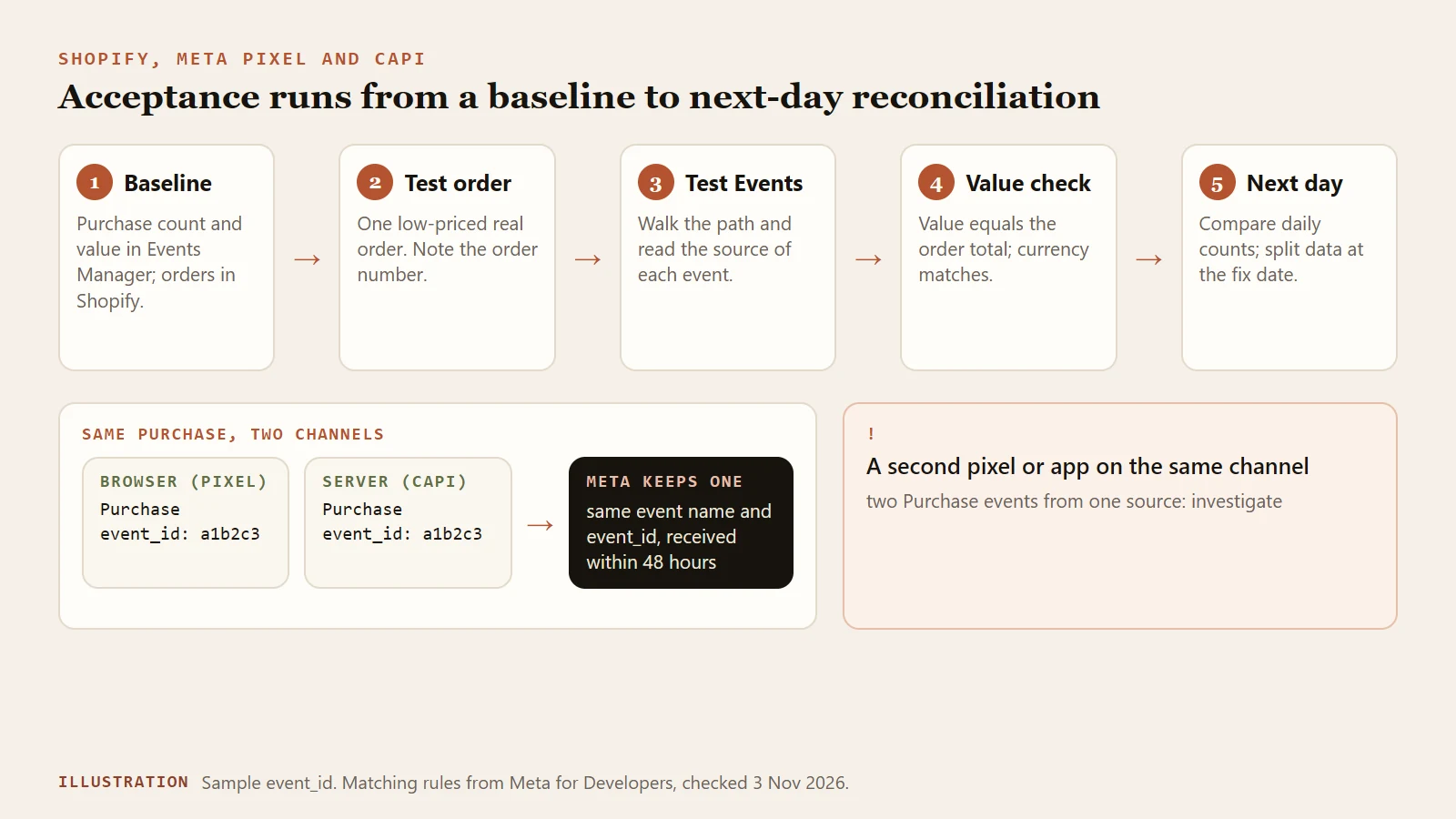
Figure 1: The order of acceptance and reconciliation. Illustration only.
- Record a baseline. In Events Manager note today's Purchase count and value. In Shopify note today's order count and order total. Use the same time zone.
- Prepare one real order. Pick a low-priced product, use a discount code if needed to keep the amount small, and finish checkout. Use a real order and not simulated data; the Shopify test order checklist covers how. Write down the order number, refund or cancel it afterward, and label it as a test in your review sheet.
- Open Test Events. Meta's developer documentation puts it at Events Manager, Data Sources, your Pixel, Test Events. For browser events the tool is normally used by entering your store URL so the store opens in a new tab and your actions appear on the page. That part reflects general use of the tool, so trust the menu names in your own account.
- Walk the purchase path. View a product, add to cart, begin checkout, pay. You should see ViewContent, AddToCart, InitiateCheckout, Purchase and AddPaymentInfo from the browser.
- Check the Purchase fields. Meta's Pixel documentation says value is required for purchase events and that currency gives the currency of the value. The value should equal the order total, and the currency should match the Shopify order.
- Look for the server event. Meta says server events sent with a test_event_code appear in the Test Events window. We found no explicit statement on whether server events sent by Shopify's channel appear there, so check both Test Events and the event list for the data source. Treat the absence of any server event, minutes to a day after the order, as the failure.
- Read the data quality measures. Meta's dataset quality documentation defines Event Match Quality (EMQ) as a score out of 10 based on which customer information parameters the server sends, their quality and the share of events matched to a Meta account. It is calculated in real time and currently available only for web events. Event coverage is the 7-day average percentage of Pixel events covered by CAPI, which also requires shared deduplication keys. The documentation advises sharing deduplication keys for all events, the higher the percentage the better. Meta gives no EMQ pass mark; 75% appears only as an event-coverage trigger in the Dataset Quality API's ACR section. Watch the trend instead of setting a hard target.
Judging the result:
| Check | Pass | If it fails, look at |
|---|---|---|
| Purchase for one order | One from browser and one from server, or one after deduplication | Two from the same source: find the second pixel or app |
| Event source | Both browser and server appear | Browser only: data sharing level, channel connection. Server only: pixel blocked or held back by consent settings |
| Value and currency | Match the Shopify order total and currency | Mismatch: taxes, shipping, discounts, multiple currencies |
| Deduplication key share | Consistently high | Low: event_id is not sent from both sides |
Reconcile with Shopify orders
Reconcile on the Purchase events Events Manager receives, not on the purchases shown in Ads Manager. The latter is only the part attributed to ads, which is a different basis. Compare against Shopify orders for the same day and time zone, after removing cancelled orders and your own test orders.
Here is an example. On one day Shopify has 40 valid orders, plus 1 test order of yours, so Events Manager should receive 41 Purchase events:
- 41 received: normal, and the test order is labeled.
- About 80 received: almost every order fired twice. Look for an extra pixel or a second CAPI source.
- 28 received: roughly a third missing. Look at consent settings, ad blockers and whether server events leave at all.
Do not chase equality order by order. Compare the daily ratio first, then look at large gaps. For value, compare against the order total, because the channel's value events use the total price including taxes, duties and discounts. For the wider GA4 versus Shopify reconciliation, see the weekly review of GA4 and Shopify analytics and the GA4 purchase event QA checklist; this article does not repeat them.
Rolling back when you find duplicates
- Record the current state: data sharing level, connected pixel, theme code, and the list of pixels in Customer events.
- Remove pixel code pasted into the theme. Shopify describes two ways: in Online Store, Edit code, open theme.liquid and delete the Meta pixel code between the head tags, then save. Or in Online Store, Preferences, find the Meta pixel section, choose Change and delete the pixel.
- Check app pixels and custom pixels in Customer events, and keep only one source that sends Purchase to Meta.
- Keep one CAPI source. If a third-party CAPI app and the Shopify channel both send Purchase, they should send the same event_id and event name. Unless you have verified deduplication in Test Events, avoid double-sending and keep only one of them.
- As a temporary fallback, set the data sharing level to Standard so the channel returns to Pixel only, then retest. The cost is less matching information, so decide in advance which level you want to end on.
- Run the acceptance test again and reconcile the next day. We found no documentation saying already recorded duplicates are corrected retroactively, so when you review results, split the data by the fix date.
A deeper version of this process, with a field table for each event and the value checks, is in the tutorial Meta Pixel and CAPI: Verify Tracking with a Test Order.
FAQ
Should I choose Enhanced or Maximum in Shopify?
Shopify's data sharing page says Enhanced already uses CAPI and Maximum adds Facebook's latest advertising technology with the same customer information shared. The pages differ in wording and depend on when the channel was installed, so do not choose by name. Decide which customer information you are willing to share, make sure your privacy policy says so, and then use Test Events to confirm server events actually leave. This is not legal advice.
Do I still need the Pixel if I use CAPI?
Yes. Meta recommends implementing CAPI alongside the Pixel, with both sending and deduplication in place. An event sent from only one source is not deduplicated.
Why does Test Events show only browser events?
In Meta's documentation, server events reach Test Events when they are sent with a test_event_code. We found no explicit statement about events sent by a channel on your behalf. Check the event list for the data source too. If no server event ever appears after the order, go back to the data sharing level and the channel connection.
What is a good Event Match Quality score?
Meta describes it as a score out of 10 based on the customer information parameters the server sends, their quality and the matched share, and gives no universal pass mark. Watch the trend after a change, and remember that it applies only to web events.
Do test orders end up in ad data?
Yes. A real order triggers a live Purchase event. Meta also states that events with a test_event_code are not dropped and are used for targeting and ads measurement. Record the order number and label it in your review sheet so it does not blend into live orders.
Next step
Check three places first: how many pixels the channel connects, whether the theme holds Meta code, and whether Customer events holds a custom pixel. Then run one low-priced real order through Test Events and reconcile the next day. For the event-by-event field table and value checks, go to the Pixel and CAPI tutorial.
Sources
Last verified: 2026-11-03. Some Meta Business Help Center pages display fully only after sign-in, so the Meta facts here come from Meta for Developers documentation. Events Manager menu names change; trust your own account.
- Shopify Help Center: Facebook data sharing: data sharing levels, entry point and automatic events, verified 2026-11-03; the page shows no update date.
- Shopify Help Center: Meta pixel: pixel setup, duplicate pixels and removing theme code, verified 2026-11-03; the page shows no update date.
- Shopify Help Center: Pixels overview and custom pixels: how Customer events are managed, verified 2026-11-03.
- Shopify blog: Conversion API: published 2025-11-19, verified 2026-11-03.
- Meta for Developers: Deduplicate Pixel and server events: event_id and event name matching and the 48-hour window, verified 2026-11-03.
- Meta for Developers: Using the Conversions API: Test Events location and test_event_code, verified 2026-11-03.
- Meta for Developers: Conversions API overview: how CAPI relates to the Pixel, verified 2026-11-03.
- Meta for Developers: Dataset Quality API: Event Match Quality, event coverage and deduplication keys, verified 2026-11-03.
- Meta for Developers: Pixel conversion tracking: value and currency on Purchase, verified 2026-11-03.