Text version of this lessonExpand
Phase 1 Account and store foundations
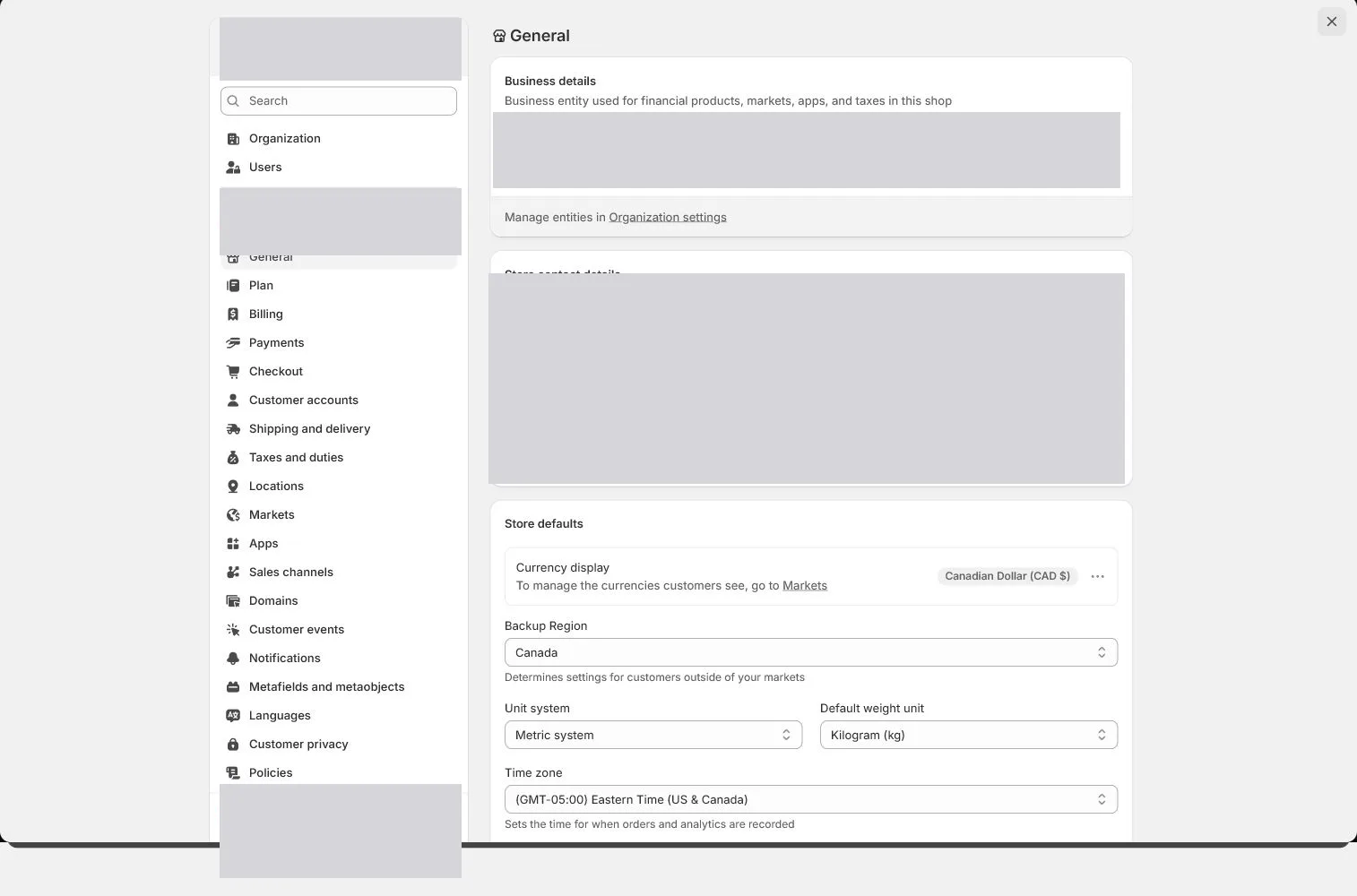
Complete Settings > General field by field, separating storefront details, legal details, billing address, timezone, units, and store currency before orders and reports depend on them.
Settings > General55 minutes
Phase 1 Account and store foundations
Why this lesson comes now
General looks like a small profile page, but its values flow into notifications, order time, shipping, tax decisions, billing, and reports. The common failure is mixing legal, warehouse, and customer-contact addresses. Currency and timezone are also treated as easy future edits even though they become costly after orders exist.
What you should have at the end
A saved General-settings record explaining who owns each address, why currency aligns with the market, and which timezone governs order reporting.
Prepare before opening the admin
- Bring the entity, launch-market, currency, and timezone draft from lesson one.
- Prepare the registered address and operating or warehouse address, and decide which one can be public.
- Confirm that no live orders exist. If they do, back up reports and assess impact before changing currency or timezone.
Follow the English admin step by step
After each step, refresh the admin or verify the storefront. A saved state in admin does not automatically prove the customer-facing result.
Open Store details
Go to Settings > General and begin with Store details. Use the customer-recognizable store name and confirm who receives the store contact email. This contact is for Shopify communication and is not automatically the customer-service address.
Verify legal name and billing information
Match the legal business name and billing information to entity documents. The brand and legal name may differ, but record the relationship so payment verification and billing can identify the same entity.
Separate address purposes
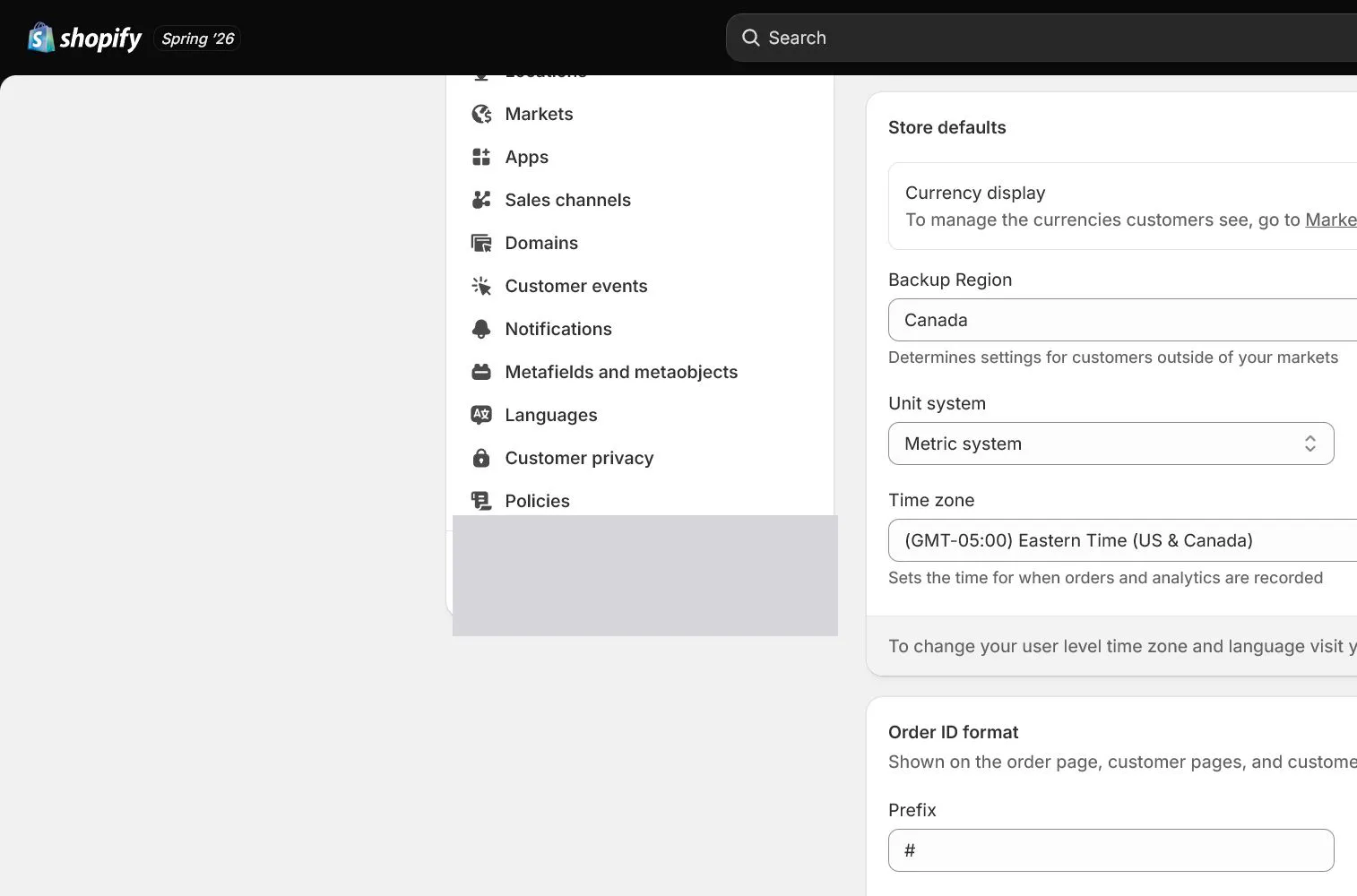
The General address can affect tax, billing, and default operational information. Warehouse shipping addresses are configured under Locations, while return and customer-visible addresses may be controlled elsewhere. Do not invent an address to hide the real one.
Set timezone and unit system
Use the actual operating timezone, such as America/New_York for the case, and record when reporting days roll over. Match weight units to supplier and carrier data. North & Pine uses lb/oz because unit mismatches can change shipping rates.
Confirm store currency
North & Pine uses USD. Store currency feeds product prices, orders, and base reports and is connected to the primary market. After orders exist, do not change it casually; check payments, Markets, and historical reporting impact first.
Set order ID format and save evidence
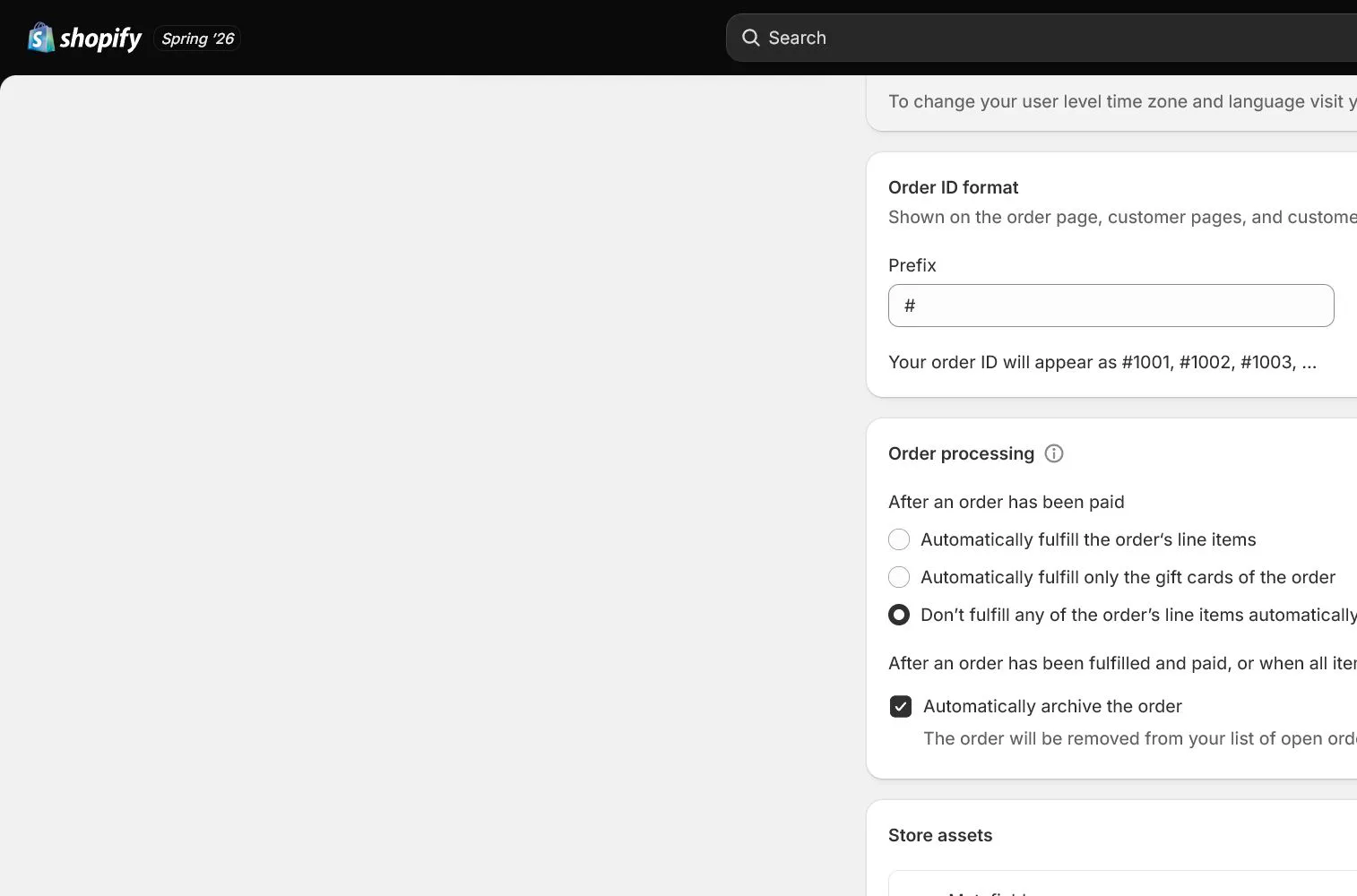
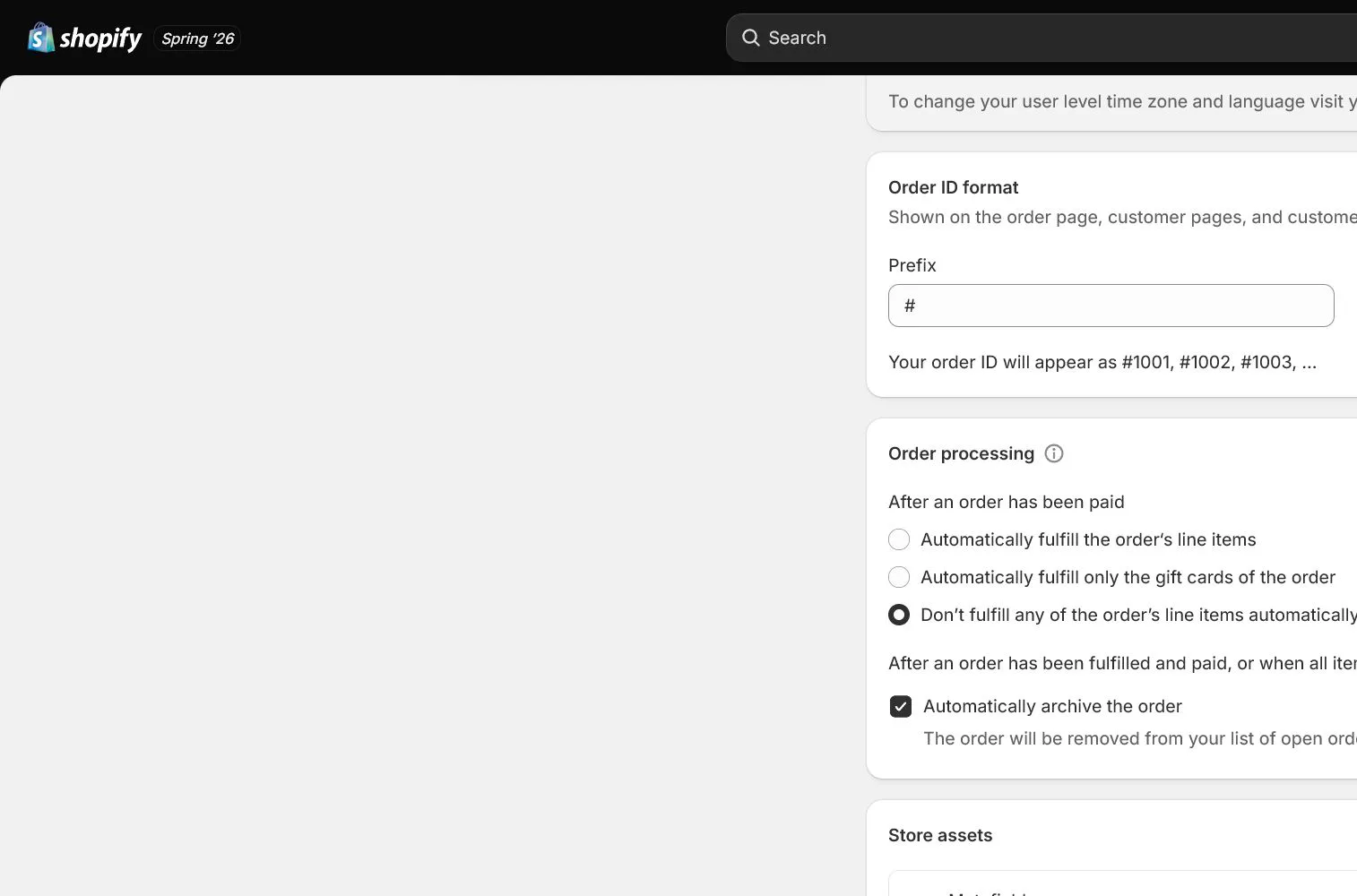
Use a short nonsensitive prefix or suffix only when useful, such as NP. Do not fake or reset sequence continuity. Save, refresh the page, and capture evidence that the values persisted.
How North & Pine configures it
North & Pine has a different brand and legal company name, so the field sheet records both plus the billing contact. Operations report in Eastern Time and the supplier provides ounces, so the admin uses lb/oz. Store currency is fixed to USD and reviewed once more before the first test order.
Decisions to make in this lesson
| Decision | Recommended setting | Why |
|---|---|---|
| Store name | North & Pine | Identifies the brand in admin and some customer touchpoints |
| Timezone | Actual operating timezone | Orders, campaigns, and daily reports need one day boundary |
| Unit system | Match carrier data | Weight and distance units affect shipping and fulfillment |
| Store currency | USD | Matches the US launch market and product pricing |
Do not change these blindly
- Do not substitute a warehouse address for the legal address unless they are actually the same.
- Do not directly change currency or timezone after live orders exist.
- Do not assume the store contact email is already the authenticated customer sender.
Completion standard
The lesson is complete only when every item below has evidence. Saying that the page was reviewed is not acceptance.
- The relationship among store name, legal name, and billing contact is recorded.
- Address purposes are separated and no address is fabricated.
- Timezone and units match operations, supplier, and carrier data.
- Currency matches the launch market and live-order impact is checked.
- All fields persist after save and refresh.
Common failures and fixes
| Symptom | What to do |
|---|---|
| Currency cannot be changed freely after saving | Check for orders and Shopify Payments, then review the official change conditions. Do not delete data to force a workaround. |
| Order time does not match the team report | Compare General, ad-platform, and export timezones and establish one business-day convention. |
| Shipping rates look wrong | Check product weight, unit system, package weight, and carrier units for consistency. |
Frequently asked questions
Can Shopify store currency change later?
Whether it can be changed directly depends on store status, orders, and payment setup. Treat it as a structural setting, not a display preference, and review official steps and reporting impact after orders exist.
Will the store address be visible to customers?
Different pages and notifications can read addresses from different places. Review General, Locations, policies, returns, and notification templates separately.
Which timezone should I choose?
Use the timezone actually used by the team handling orders, support, and daily reporting, and document conversions for ads, analytics, and finance.
Official sources
Admin labels and rules change. These official pages are the maintenance baseline, and every screenshot must be checked against the current English admin.