Text version of this lessonExpand
Phase 1 Account and store foundations
Set the owner account, store identity, business entity, target market, and setup order before changing settings. Finish with a Shopify launch worksheet that keeps the admin work in sequence.
Shopify admin home and Settings45 minutes
Phase 1 Account and store foundations
Why this lesson comes now
Many beginners install a theme, add apps, and change shipping before the owner, currency, entity, or target market is settled. Those choices affect payments, markets, tax, and order records. This lesson does not make the store look finished. It establishes ownership, scope, and the order of work so later settings do not need to be rebuilt.
What you should have at the end
A store-start card with the owner account, legal entity, working store name, target country, primary currency, timezone, contacts, recovery route, and the 20-lesson execution order.
Prepare before opening the admin
- Prepare a durable email controlled by the responsible owner. Do not use a temporary address or an employee's personal email as the store owner.
- Write down the intended business entity, registered address, and payment entity. If unresolved, mark them pending rather than inventing a temporary answer.
- Choose one launch market. The course case uses the United States, USD, and an English storefront. Additional markets wait until the core path works.
Follow the English admin step by step
After each step, refresh the admin or verify the storefront. A saved state in admin does not automatically prove the customer-facing result.
Create or enter the correct Shopify store
Create the store from Shopify's official entry point and verify the browser address and store name. One account can access multiple stores, so check the store switcher before changing anything.
Confirm the owner account and recovery route
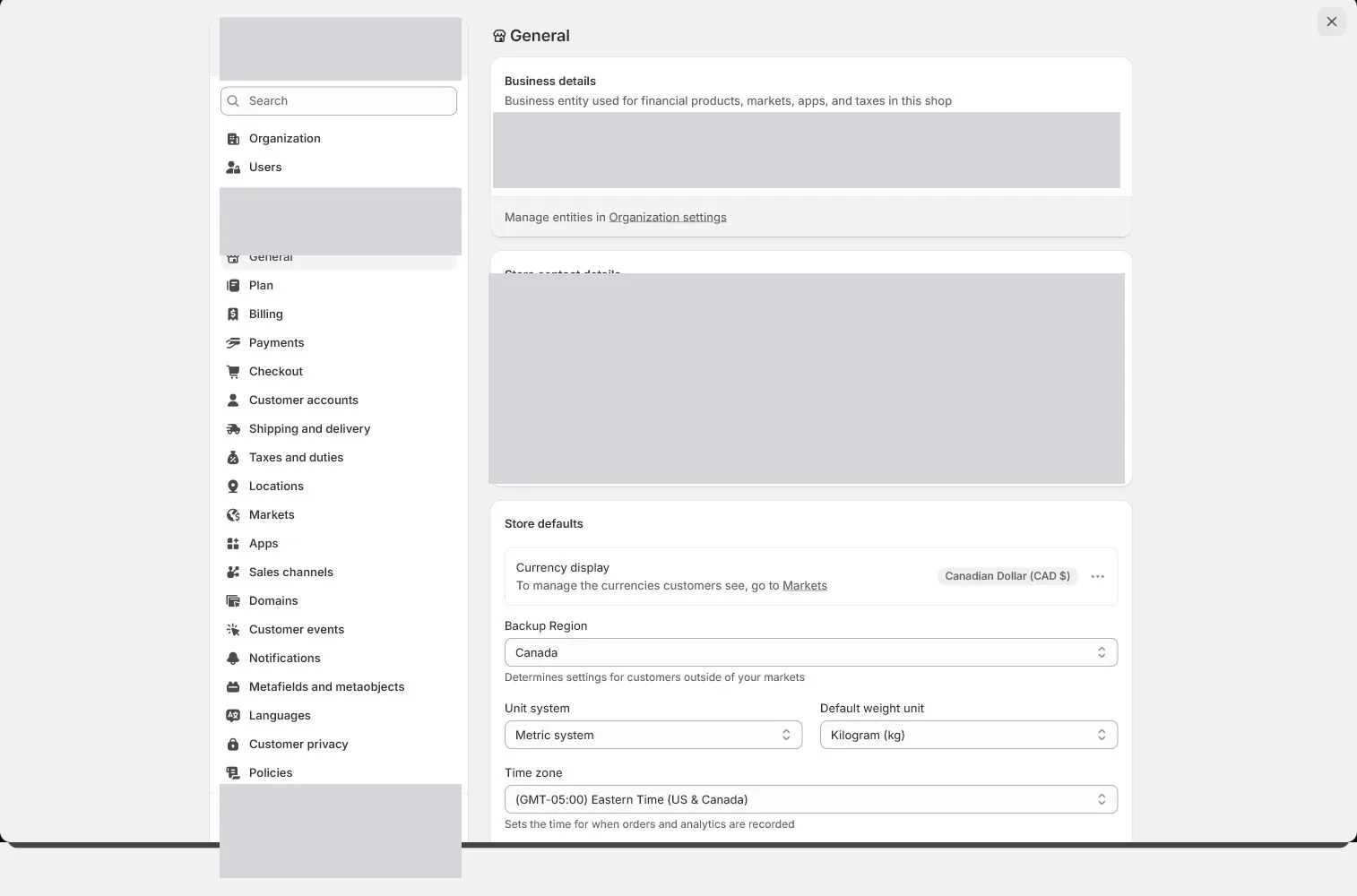
Open Settings and identify the store owner under Users or account security. Record who controls the recovery email, phone, password manager, and recovery codes. Do not share the owner login.
Draft the store identity
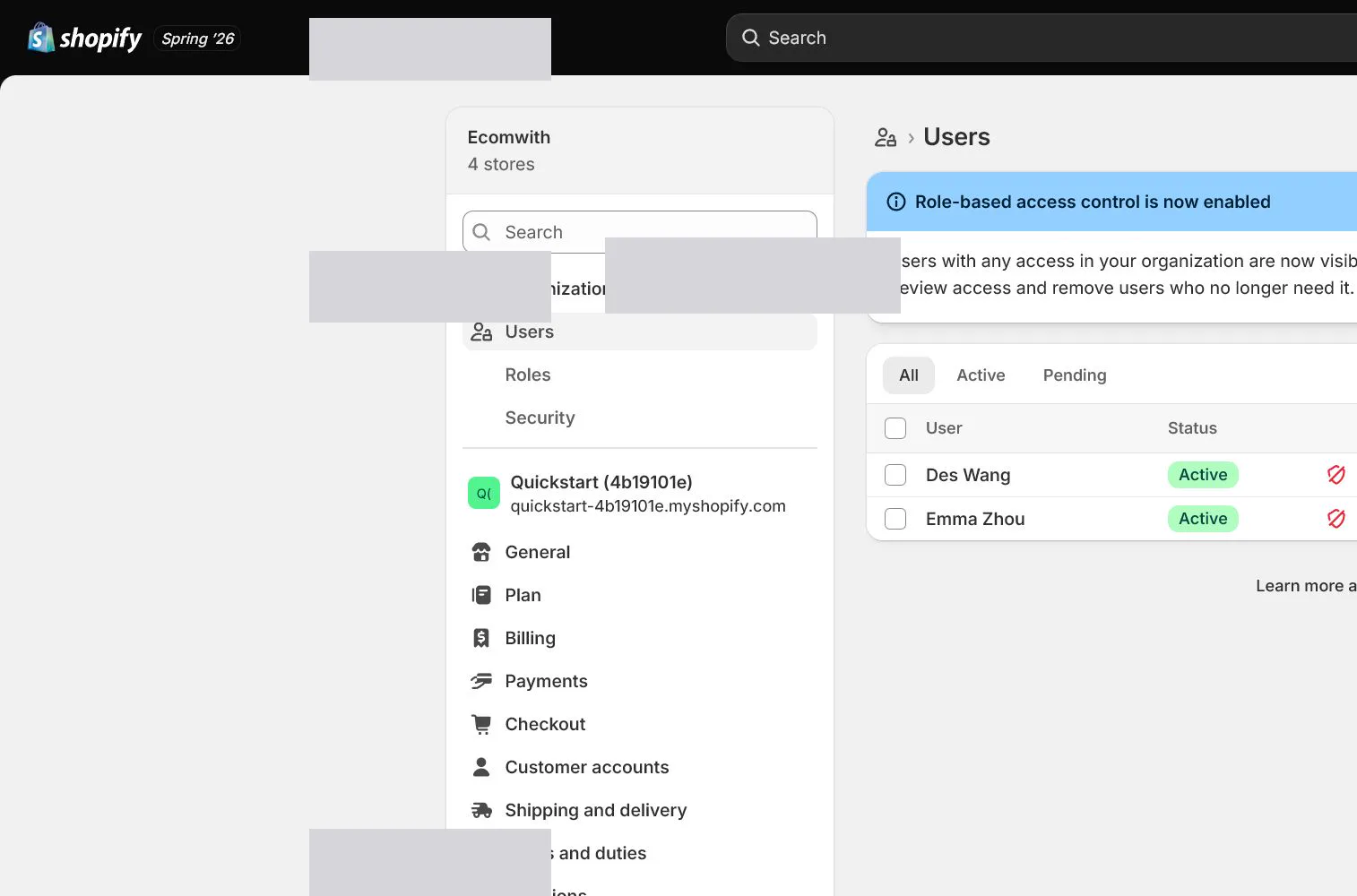
Draft the working name North & Pine, legal entity, support email, whether a phone is public, registered address, and warehouse address. The values are entered in General in the next lesson.
Fix the launch market and currency
This course starts with the United States and USD. Record the country you can actually advertise to, charge, and fulfill as the primary market. Do not activate every available market just because the menu allows it.
Learn the main English admin work areas
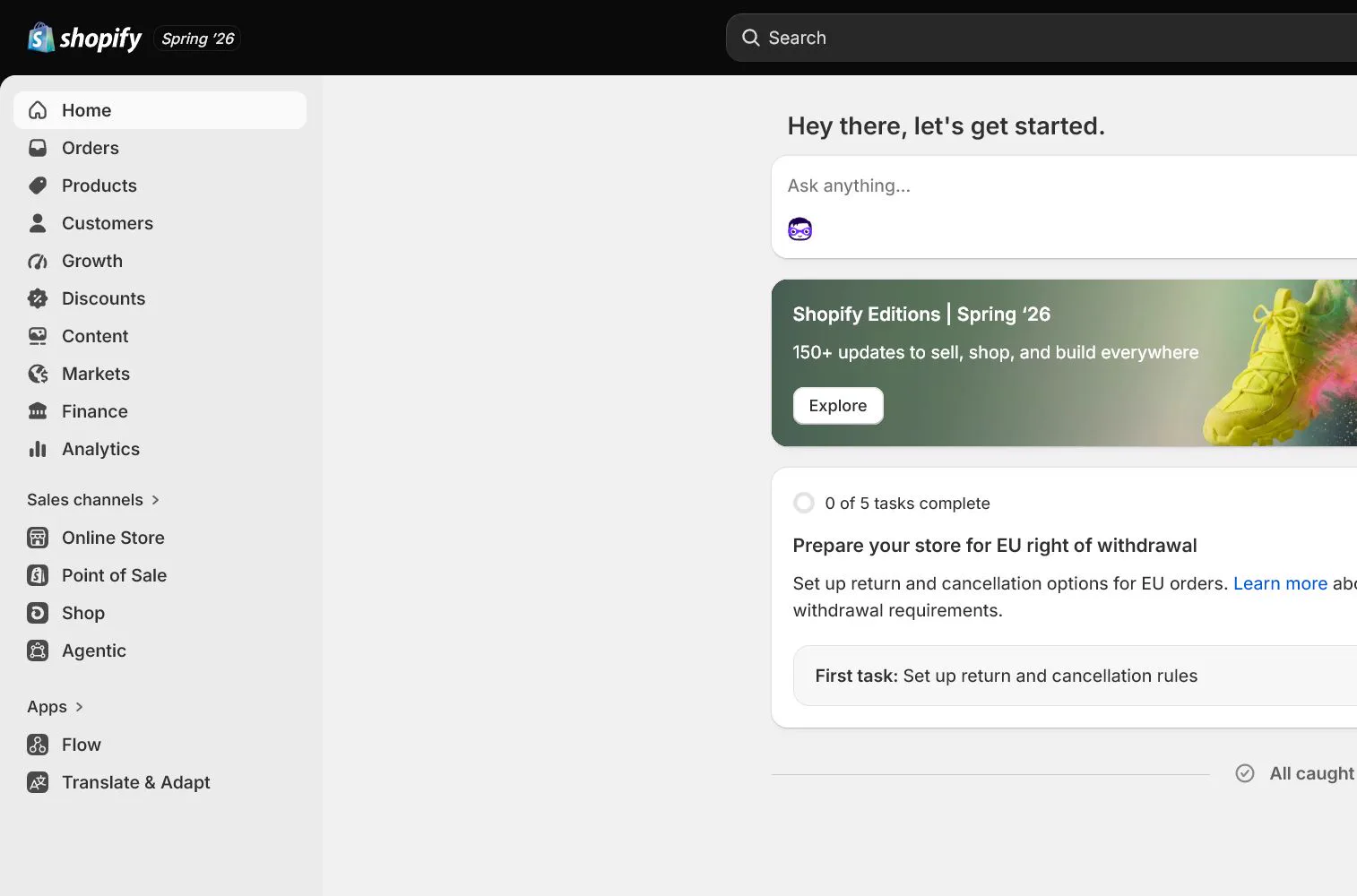
Identify Home, Products, Orders, Customers, Marketing, and Settings. Most foundational settings live in Settings, storefront pages and navigation live under Online Store, and product availability is also affected by Sales channels and Markets.
Create the execution checklist and lock the order
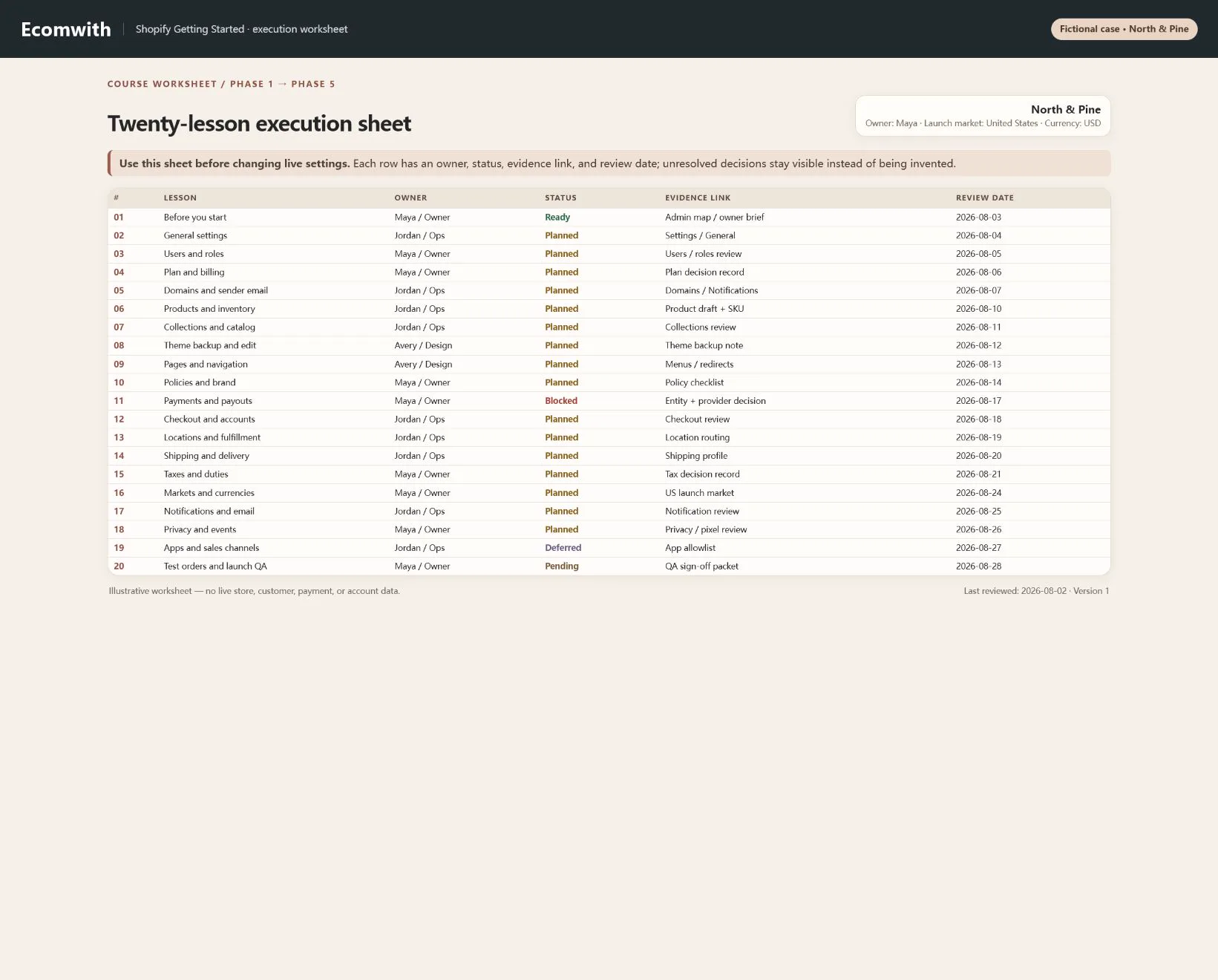
Create a task sheet for lessons 1 through 20 with owner, status, evidence link, and review date. Before installing apps or opening a market early, return to the sheet and confirm prerequisites.
How North & Pine configures it
North & Pine starts with one canvas desk organizer in Tan and Olive at USD 39. The owner account is [email protected] and the planned support address is [email protected]. The launch market is the United States. Review, email marketing, and multicurrency apps wait until the 20-lesson owner and evidence sheet exists.
Decisions to make in this lesson
| Decision | Recommended setting | Why |
|---|---|---|
| Owner account | Durable owner-controlled email | Ownership and recovery must not depend on temporary staff |
| Launch market | United States | Prove one payment and fulfillment path first |
| Store currency | USD | Keep pricing and reporting aligned with the launch market |
| Case product | Canvas Desk Organizer | Use the same SKU through product, inventory, shipping, and test-order lessons |
Do not change these blindly
- Do not share the store owner login.
- Do not connect live payments before entity and currency decisions are settled.
- Do not treat the Shopify home setup progress as launch acceptance.
Completion standard
The lesson is complete only when every item below has evidence. Saying that the page was reviewed is not acceptance.
- The correct store and owner account are confirmed.
- Recovery email, phone, and backup codes have a named custodian.
- Entity, launch market, currency, and timezone are drafted.
- The 20-lesson sheet has owner, status, and evidence columns.
- Deferred work is explicit, so unnecessary apps and markets will not be opened early.
Common failures and fixes
| Symptom | What to do |
|---|---|
| The new store is missing | Use the store switcher to verify the myshopify.com address and confirm that the current login has access. |
| Staff use the owner account every day | Create individual users and roles. Reserve the owner login for ownership, security, and high-risk settings. |
| Too many markets were opened immediately | Return to one launch market and expand only after payments, shipping, tax, and test orders pass. |
Frequently asked questions
Can the Shopify store name change later?
The display name can usually change, but domains, brand assets, payment records, and customer recognition become connected. A working name is fine early, but complete one identity review before launch.
Can the owner account use an employee email?
It is not recommended. The owner account represents final ownership and recovery. Staff should enter through individual users and roles.
Why not choose a theme first?
A theme does not settle entity, currency, payments, shipping, or account security. Set those foundations first so storefront work does not need repeated rebuilding.
Official sources
Admin labels and rules change. These official pages are the maintenance baseline, and every screenshot must be checked against the current English admin.