Text version of this lessonExpand
Phase 4 Markets and data
Configure privacy policy, cookie banner, data-sharing opt-out, and customer requests, audit app and custom pixels in Customer events, and validate events before and after consent without duplication.
Settings > Customer privacy and Settings > Customer events90 minutes
Phase 4 Markets and data
Why this lesson comes now
Privacy is not completed by publishing a policy page. The team must verify where the cookie banner appears, which pixels run after rejection, whether data-sharing opt-out is accessible, and who handles customer requests. Another common failure is sending one purchase through theme code, an app pixel, and a custom pixel, inflating data through duplicates.
What you should have at the end
A privacy and events register covering markets, banner, opt-out, policy links, request owner, each pixel owner, event list, consent behavior, and deduplication evidence.
Prepare before opening the admin
- The policy reflects actual data collection, use, and sharing.
- List all analytics, advertising, chat, review, and marketing apps.
- Prepare a private browser and event-debug tools without real customer data.
Follow the English admin step by step
After each step, refresh the admin or verify the storefront. A saved state in admin does not automatically prove the customer-facing result.
Configure Customer privacy controls
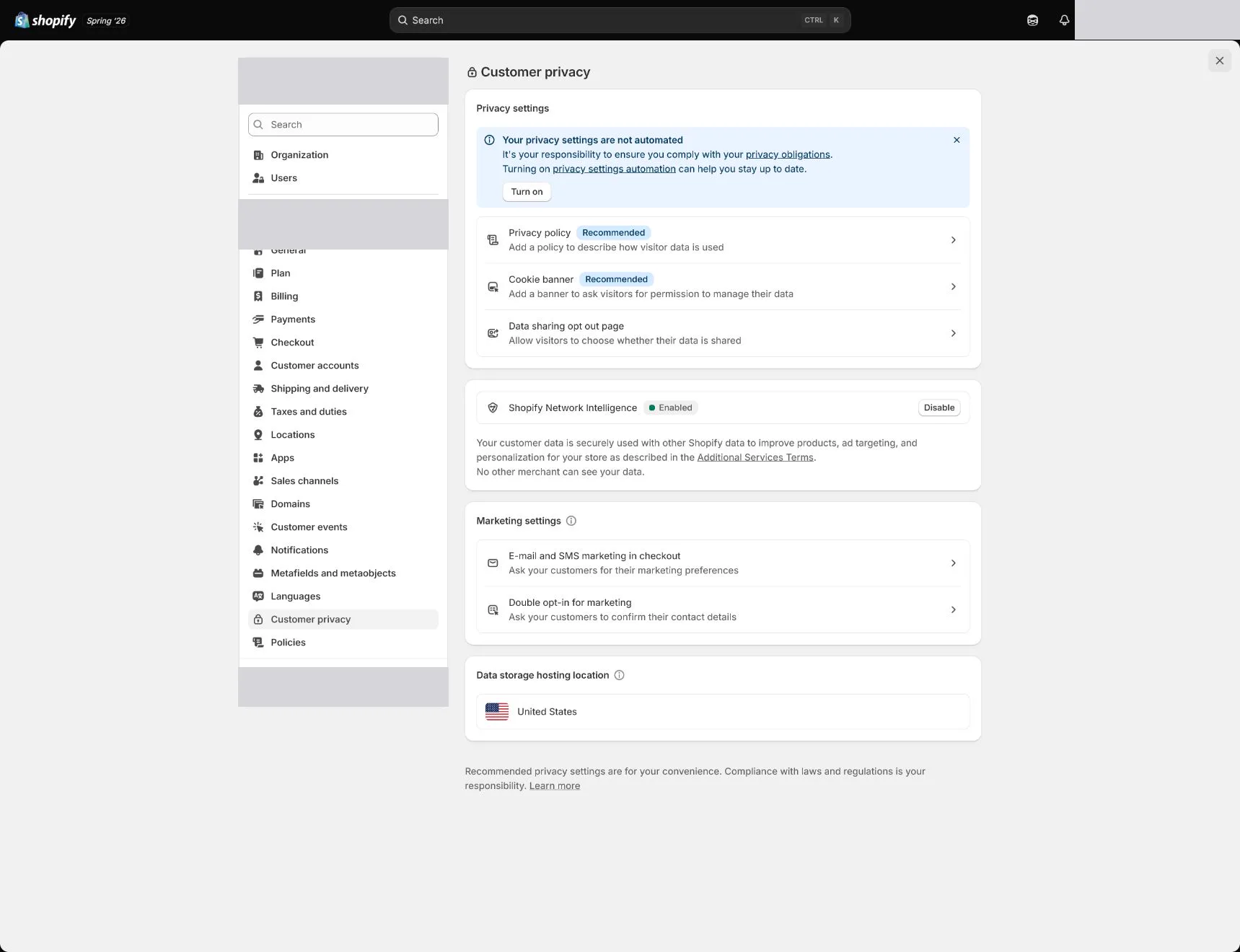
Open Settings > Customer privacy and review Privacy policy, cookie banner, data-sharing opt-out, and customer data requests. Configure for the launch market rather than disabling required controls to remove a banner.
Test cookie banner display and copy
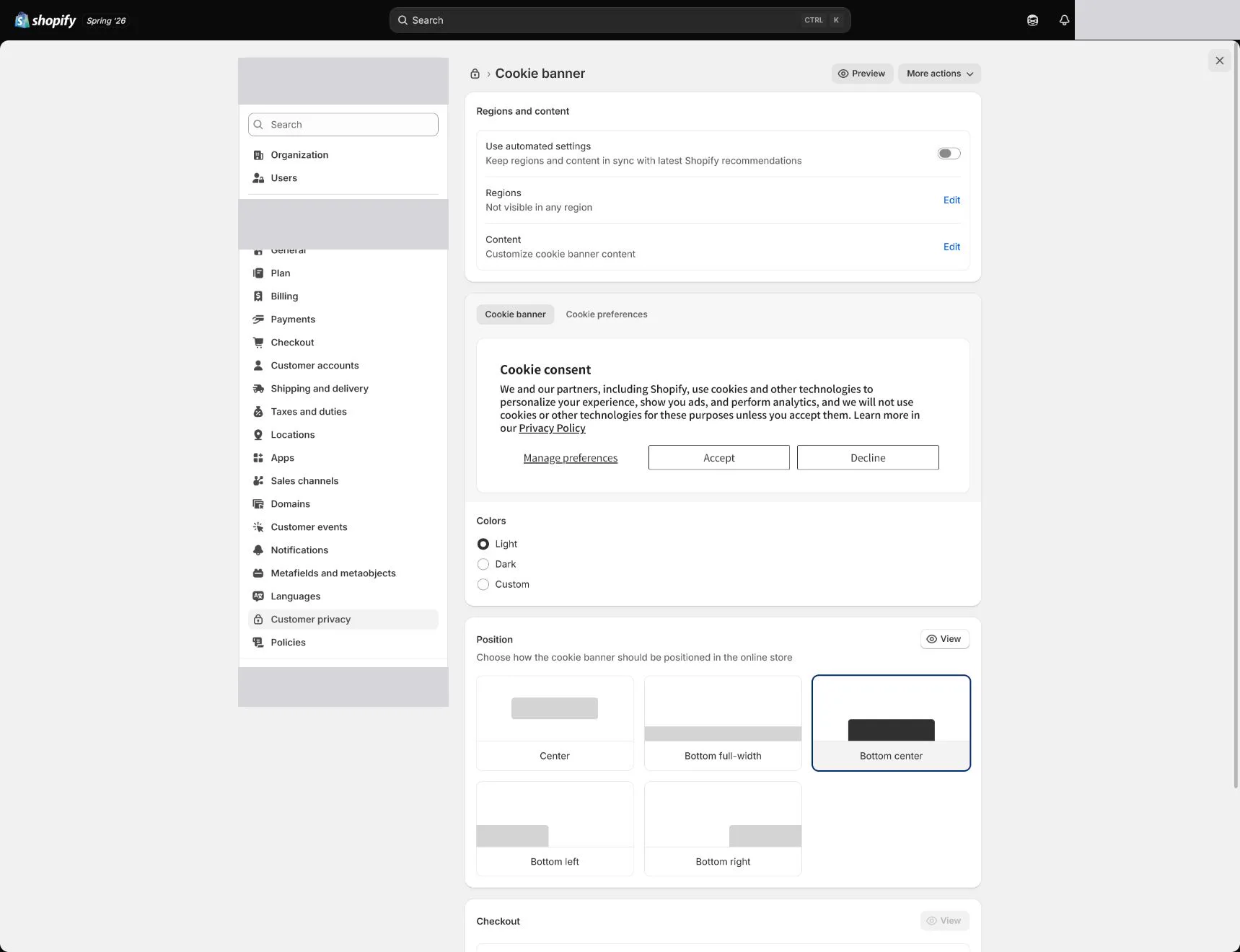
Open the storefront privately from the target-market perspective and test Accept, Decline, and preferences. Ensure the banner does not cover critical actions, language matches policy, and basic use remains possible after decline.
Configure data sharing and customer requests
Make the opt-out path discoverable and document the internal response process. Customer access, deletion, or opt-out requests need identity checks, deadlines, and records rather than relying on one person's memory.
Audit pixels in Customer events
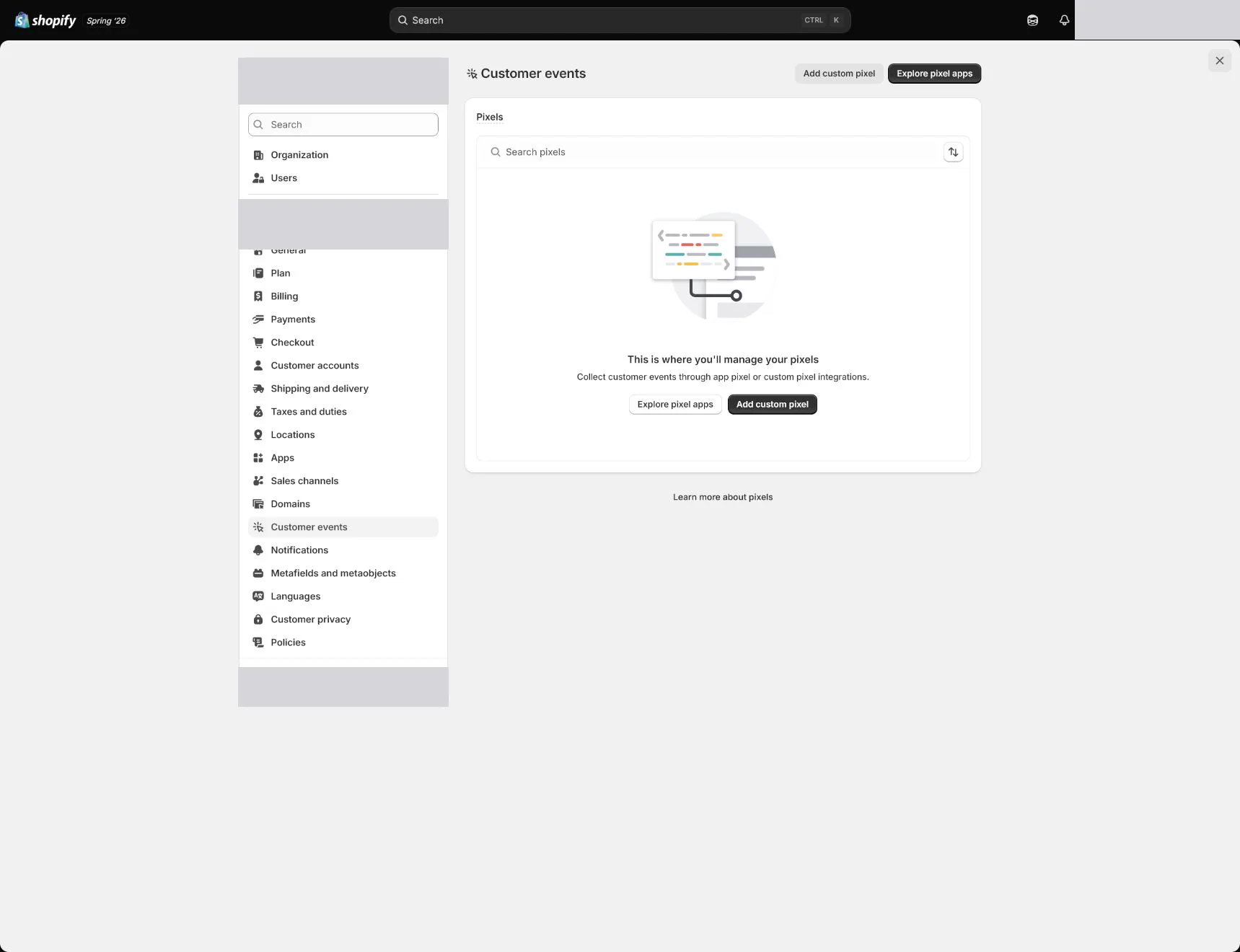
Open Settings > Customer events and list App pixels and Custom pixels. Record platform, source, events, owner, consent behavior, and current use. Pause and investigate unknown or duplicate pixels before deleting evidence.
Remove duplicate theme and app events
Check theme code, GTM, app embeds, and channel apps for duplicate platform installations. One business action should send each designed event once; browser and server paths need event IDs for deduplication.
Test before and after consent and through purchase
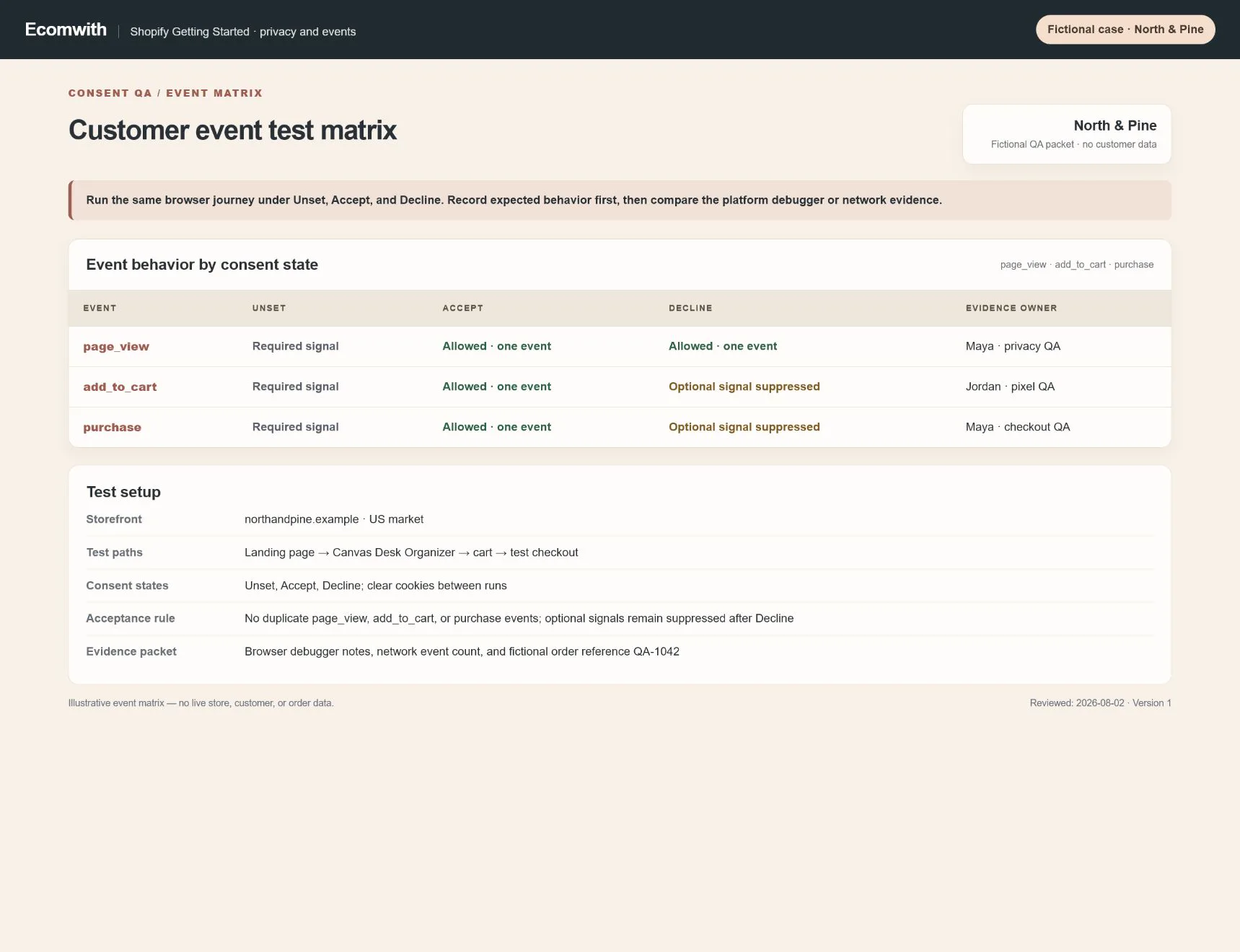
Browse, add to cart, and complete a test purchase under unset, Accept, and Decline states. Record network or platform debugger results and verify essential, optional advertising, and consent signals. Clear cookies and retest.
How North & Pine configures it
North & Pine maintains a clear privacy policy, cookie preferences, and data-sharing path for its US launch. Customer events retains one managed pixel path per platform, with old theme scripts documented before removal. The team tests decline and accept in a private session and confirms page_view, add_to_cart, and purchase are not duplicated.
Decisions to make in this lesson
| Decision | Recommended setting | Why |
|---|---|---|
| Privacy configuration | By applicable market | Requirements and experience vary by region |
| Pixel source of truth | One explicit installation per platform | Avoid theme, app, and custom duplication |
| Customer requests | Identity check and deadline | Protects customer data and creates evidence |
| Test states | Unset, Accept, Decline | Consent-positive testing alone is insufficient |
Do not change these blindly
- Do not assume a privacy policy completes privacy compliance.
- Do not duplicate one event across theme, GTM, app, and custom pixel paths.
- Do not capture or export real customer requests or identity data.
Completion standard
The lesson is complete only when every item below has evidence. Saying that the page was reviewed is not acceptance.
- Banner, preferences, and opt-out are accessible in the target market.
- Customer requests have owner, identity checks, deadlines, and records.
- Every pixel has a recorded source, event set, and owner.
- Duplicate installations are resolved or have an investigation ticket.
- Unset, Accept, Decline, and purchase tests pass.
Common failures and fixes
| Symptom | What to do |
|---|---|
| Advertising events fire after Decline | Identify app pixel, custom pixel, theme, or GTM source, inspect consent integration, then disable one path at a time and retest. |
| Purchase appears twice | Compare source, timestamp, and event ID, keep one primary installation, and configure browser/server deduplication. |
| The cookie banner is missing in a market | Check Customer privacy regions, market preview, cache, language, and third-party CMP conflicts. |
Frequently asked questions
What is the difference between an app pixel and a custom pixel?
An app pixel is managed by an installed app or channel integration, while a custom pixel contains store-added code. Both require event, data, and consent review.
Why can pixel purchases exceed orders?
Possible causes include duplicate installation, test orders, cross-domain behavior, refund definitions, or attribution windows. Start with one order's source, event ID, and timeline rather than explaining from aggregate ad totals.
Is the cookie banner the same in every country?
Not necessarily. Applicable rules and platform behavior vary by region. Configure and review by target market rather than checking only from your own location.
Official sources
Admin labels and rules change. These official pages are the maintenance baseline, and every screenshot must be checked against the current English admin.