Text version of this lessonExpand
Phase 3 Transactions and fulfillment
Configure contact method, name and address fields, marketing consent, checkout branding, order processing, and current passwordless customer accounts, then test guest and signed-in paths.
Settings > Checkout and Settings > Customer accounts70 minutes
Phase 3 Transactions and fulfillment
Why this lesson comes now
Checkout is not simply better with fewer fields or more professional with more questions. Missing carrier or tax data can break fulfillment, while unnecessary fields add friction. Current Shopify customer accounts primarily use passwordless one-time codes, so old password-account tutorials should not be treated as the only model.
What you should have at the end
A checkout field decision sheet, guest and account test records, marketing-consent evidence, branding preview, and order-processing rules.
Prepare before opening the admin
- At least one payment method has a test path.
- Define customer information actually required by carriers, tax, and support.
- Prepare checkout logo, colors, and support contact route.
Follow the English admin step by step
After each step, refresh the admin or verify the storefront. A saved state in admin does not automatically prove the customer-facing result.
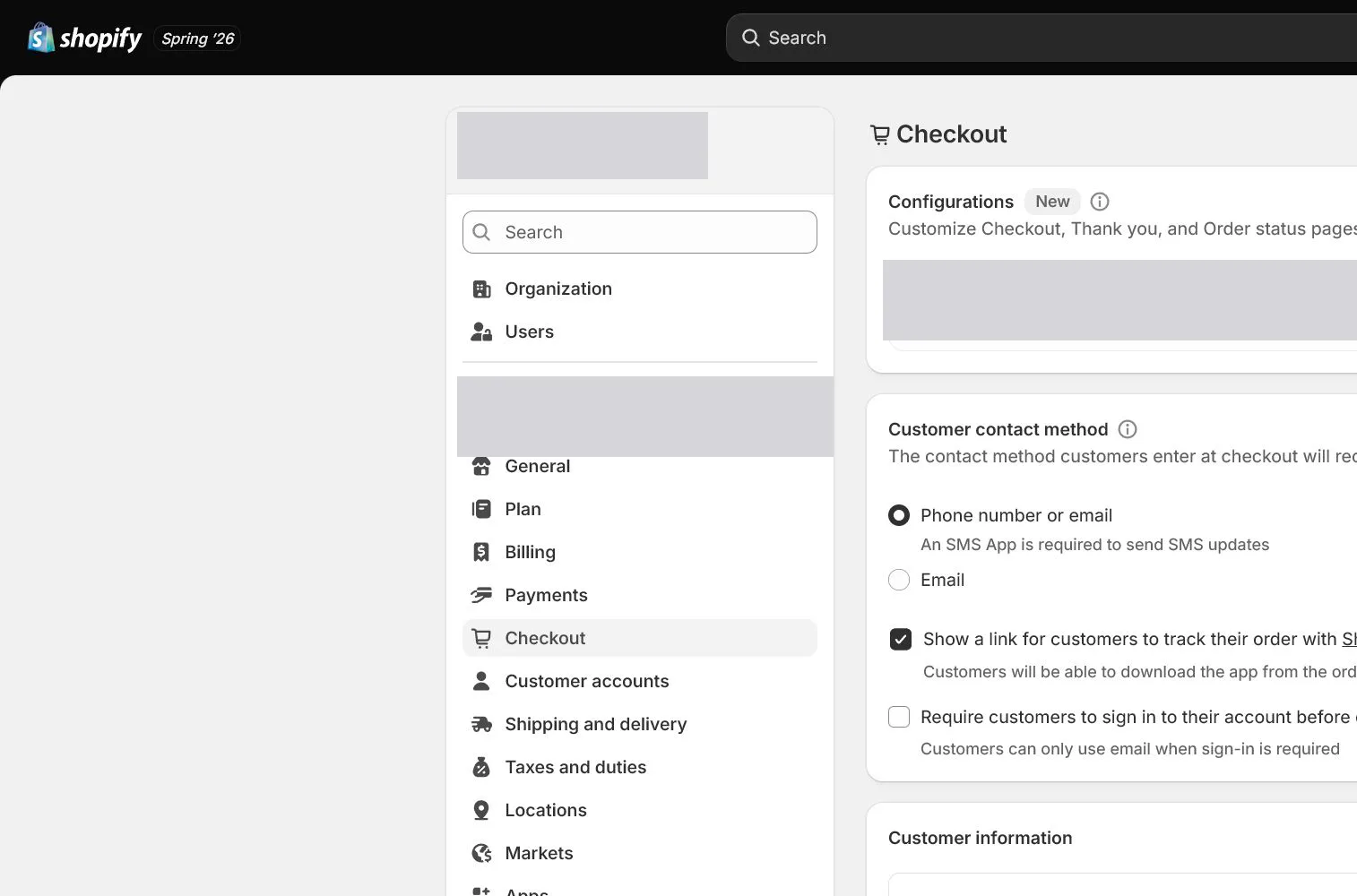
Choose customer contact method
Open Settings > Checkout and choose email or phone or email. Cross-border stores often prioritize email for notifications and support. If phone is allowed, verify SMS behavior and formatting for the target country.
Decide customer-information fields
Set Company, Address line 2, Shipping phone, and related fields to hidden, optional, or required based on actual operations. North & Pine does not need company name and requires phone only if the carrier path needs it. Do not collect unused data.
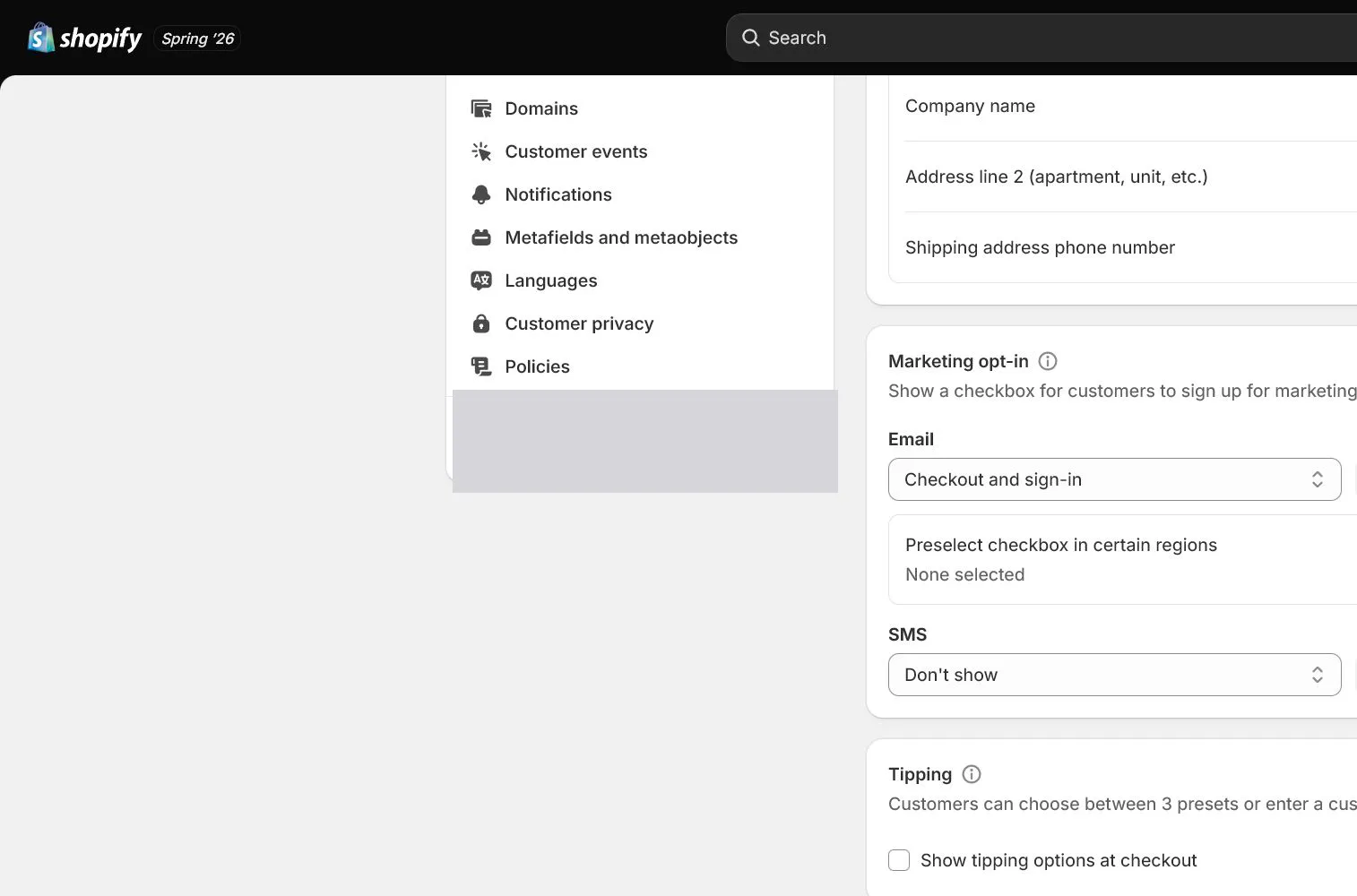
Configure marketing options and consent
Configure email and SMS marketing options with language and default state appropriate for the market. Marketing consent is separate from transactional notifications; customers who decline marketing still need order messages.
Configure order processing and address checks
Review fulfillment, archiving, address collection, and related processing settings. Automatic fulfillment is suitable only for defined digital or controlled workflows; do not auto-fulfill physical goods merely to save a click.
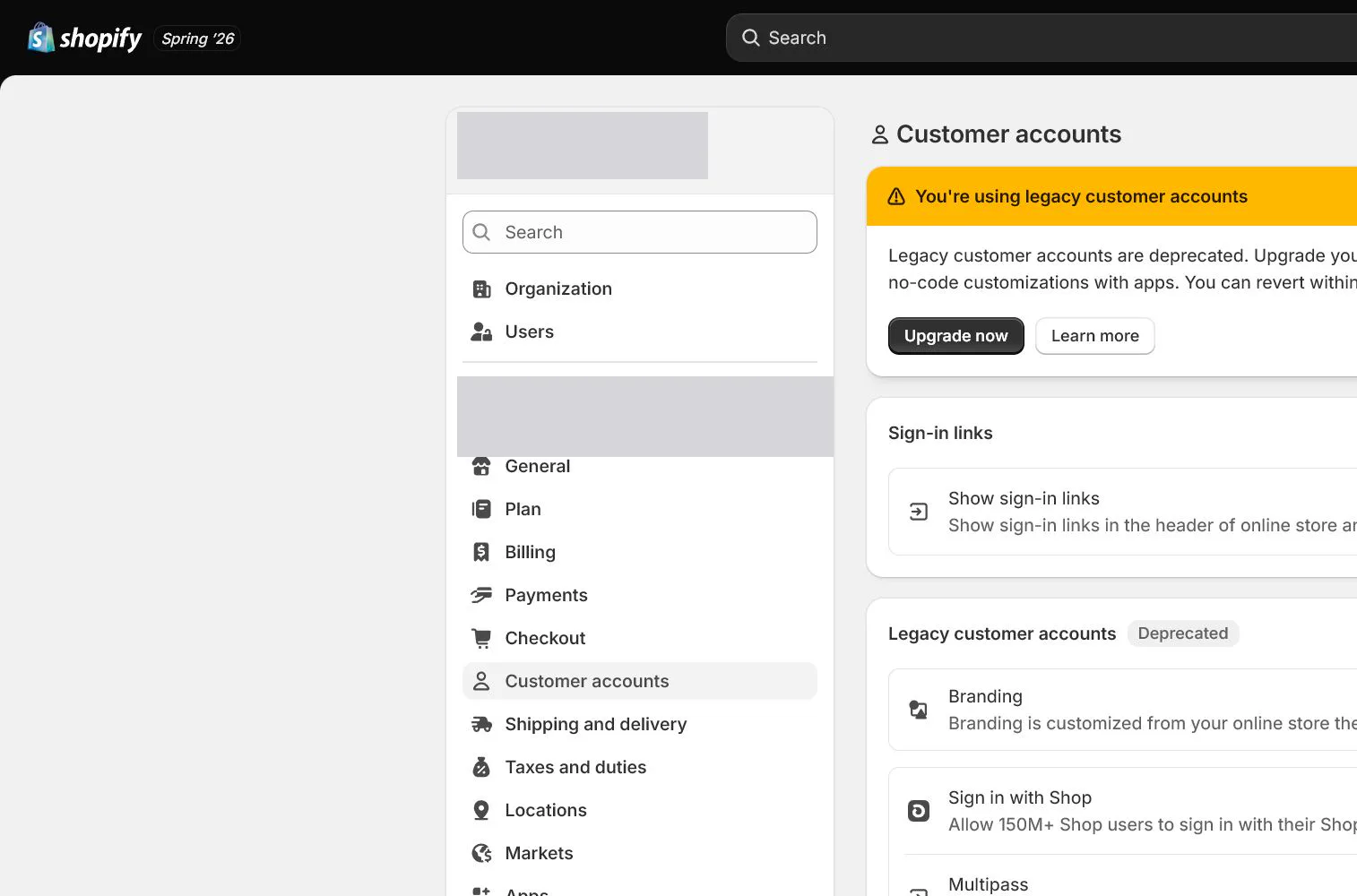
Configure Customer accounts
Open Settings > Customer accounts and choose placement and experience. Current accounts generally sign in with a one-time code sent by email rather than a customer-created password. Configure login links, menu, and branding, then test with a fresh email.
Accept guest and signed-in checkout paths
Run both guest and signed-in customer paths from product to the payment step. Check address, shipping, tax, discounts, policy links, errors, and return-to-cart behavior. Confirm that testing creates no unintended live charge.
How North & Pine configures it
North & Pine uses email as the primary contact, hides Company, and keeps Address line 2 optional. Marketing subscription is not chosen on the customer's behalf. Account links appear in header and footer, and new customers sign in by email code. The team validates cart, shipping, policy links, and pre-payment checkout as both guest and signed-in customer.
Decisions to make in this lesson
| Decision | Recommended setting | Why |
|---|---|---|
| Contact method | Email first | More reliable for order notifications and support |
| Company field | Hidden | Usually unnecessary for DTC orders |
| Marketing subscription | Explicit choice | Recorded separately from transactional messages |
| Customer accounts | Current passwordless accounts | Removes password creation and recovery friction |
Do not change these blindly
- Do not require fields unrelated to fulfillment.
- Do not confuse marketing consent with transactional notifications.
- Do not assume customers must create passwords based on older tutorials.
Completion standard
The lesson is complete only when every item below has evidence. Saying that the page was reviewed is not acceptance.
- Every checkout field has a reason to be hidden, optional, or required.
- Marketing consent and transactional notifications are separated.
- Order processing does not incorrectly auto-fulfill physical orders.
- Passwordless customer-account sign-in is tested.
- Guest and signed-in checkout paths pass.
Common failures and fixes
| Symptom | What to do |
|---|---|
| A customer does not receive the login code | Check address spelling, spam, sender email, and notification status, then test another mailbox provider. |
| Checkout requires an unnecessary phone | Return to Checkout customer information and identify whether Shopify, market requirements, or an app added the field before changing it. |
| A physical order is automatically fulfilled | Disable inappropriate auto-fulfillment and inspect digital-product apps, third-party fulfillment services, and order-processing rules. |
Frequently asked questions
Do current Shopify customer accounts require passwords?
Current customer accounts generally use a one-time code sent by email and do not require a customer-created password. Test the options and actual experience in your store.
Are fewer checkout fields always better?
Keep information genuinely required for fulfillment, tax, risk, and support. Too little can break delivery, while unused fields add friction.
Can marketing consent be preselected?
That depends on the market and consent requirements. Do not decide based on conversion instinct; review applicable rules and current platform options.
Official sources
Admin labels and rules change. These official pages are the maintenance baseline, and every screenshot must be checked against the current English admin.