Text version of this lessonExpand
Phase 5 Launch acceptance
While password protected, validate success, failure, discounts, free shipping, tax, notifications, inventory, fulfillment, tracking, cancellation, refunds, and events, then remove the password with a rollback plan.
Online Store > Preferences, Settings, Products, Orders, Analytics120 minutes
Phase 5 Launch acceptance
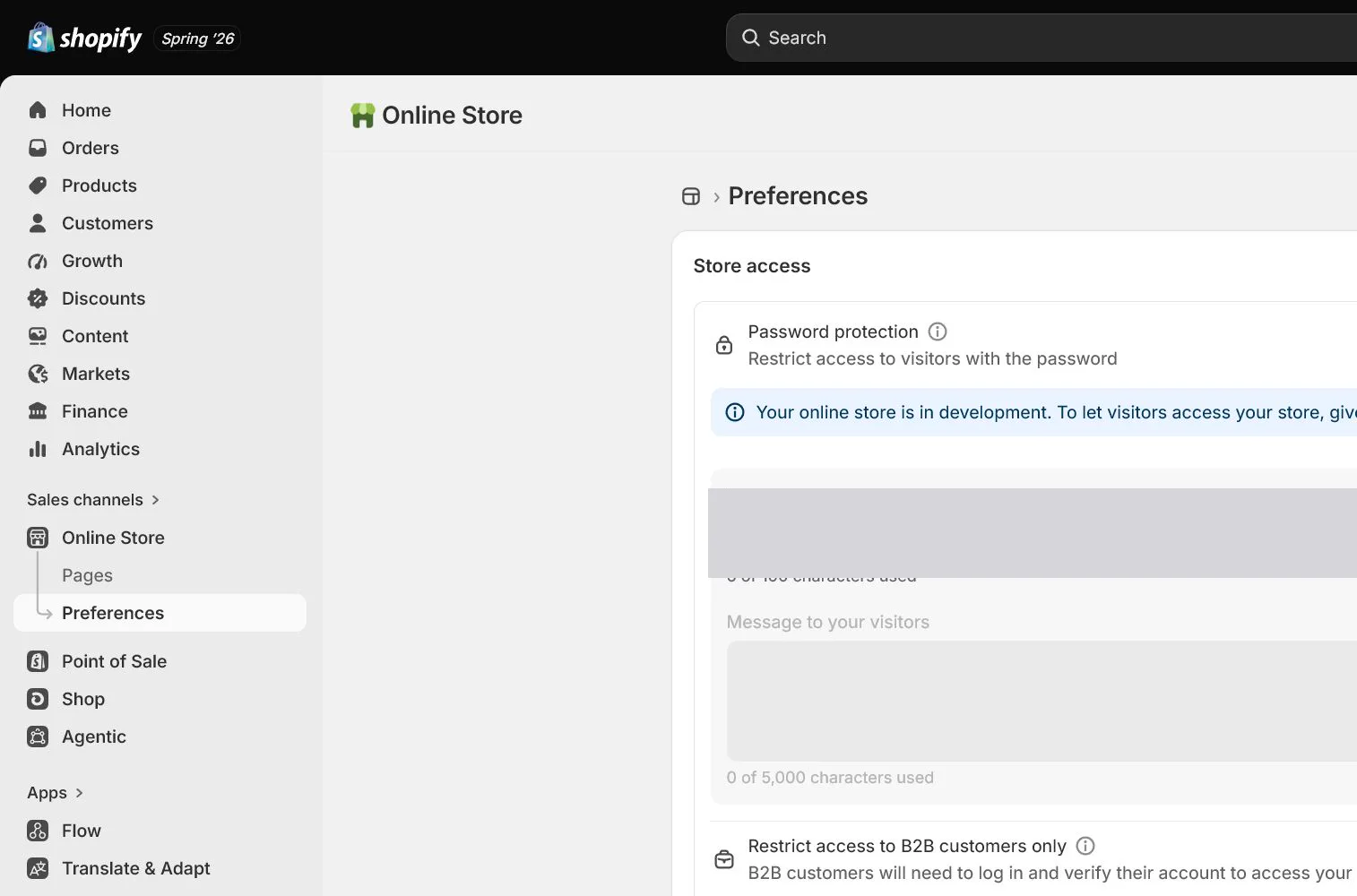
Why this lesson comes now
A storefront loading and a product adding to cart do not prove launch readiness. The evidence is one order that reconciles market, product, inventory, shipping, tax, payment, notifications, fulfillment, tracking, events, and refund. QA is not a checkbox pass; failures return to the owning setting and the affected path is retested.
What you should have at the end
A signed launch report with test cases, evidence links, blockers, fixes, retests, proof that test mode is off, password-removal time, monitoring owner, and rollback conditions.
Prepare before opening the admin
- All completion standards from lessons 1 through 19 are checked or have an explicit blocker.
- The storefront remains password protected or otherwise access controlled.
- Prepare desktop, iPhone-sized and Android-sized views, Gmail, Outlook, and at least two test addresses.
Follow the English admin step by step
After each step, refresh the admin or verify the storefront. A saved state in admin does not automatically prove the customer-facing result.
Freeze the release candidate
Record versions and time for theme, products, policies, payments, shipping, tax, and pixels. Stop parallel design changes and app installs during QA. Every fix gets a ticket and retest impact.
Test storefront browsing and cart first
On desktop and mobile, check home, menu, search, collection, product, variants, inventory, cart, discounts, and policies. Use private browsing and a slower connection so admin preview or cache does not hide issues.
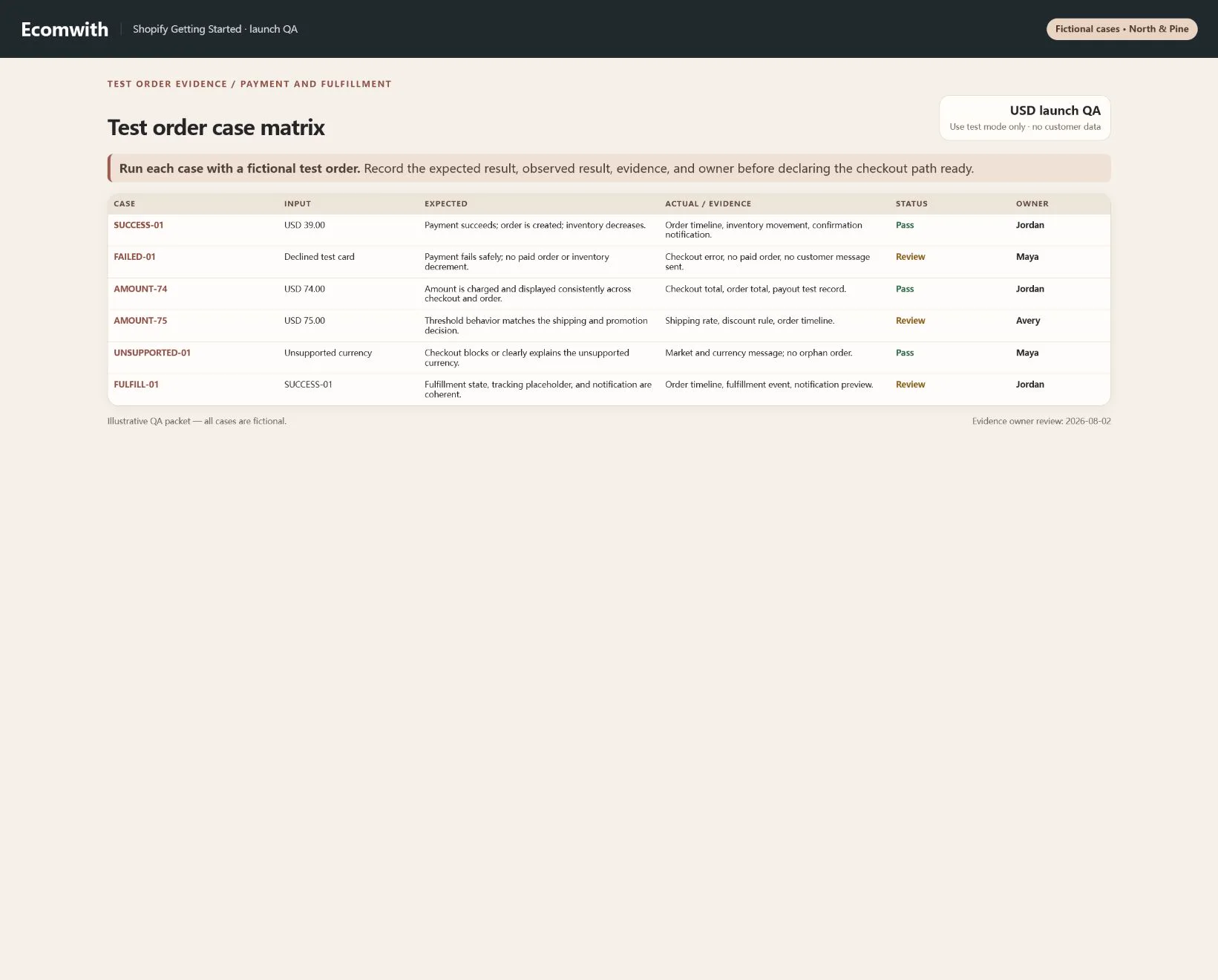
Run successful, failed, and boundary orders
Complete successful, failed, and cancelled payment, USD 74 and USD 75 shipping boundaries, discounts, different-state tax, and unsupported address. Record expected result, actual result, order identifier, and evidence.
Accept the post-order path
Check Order confirmation, committed inventory, Location assignment, staff alert, payment transaction, and events. Create fulfillment, add tracking, send the notification, and open the tracking link from customer email.
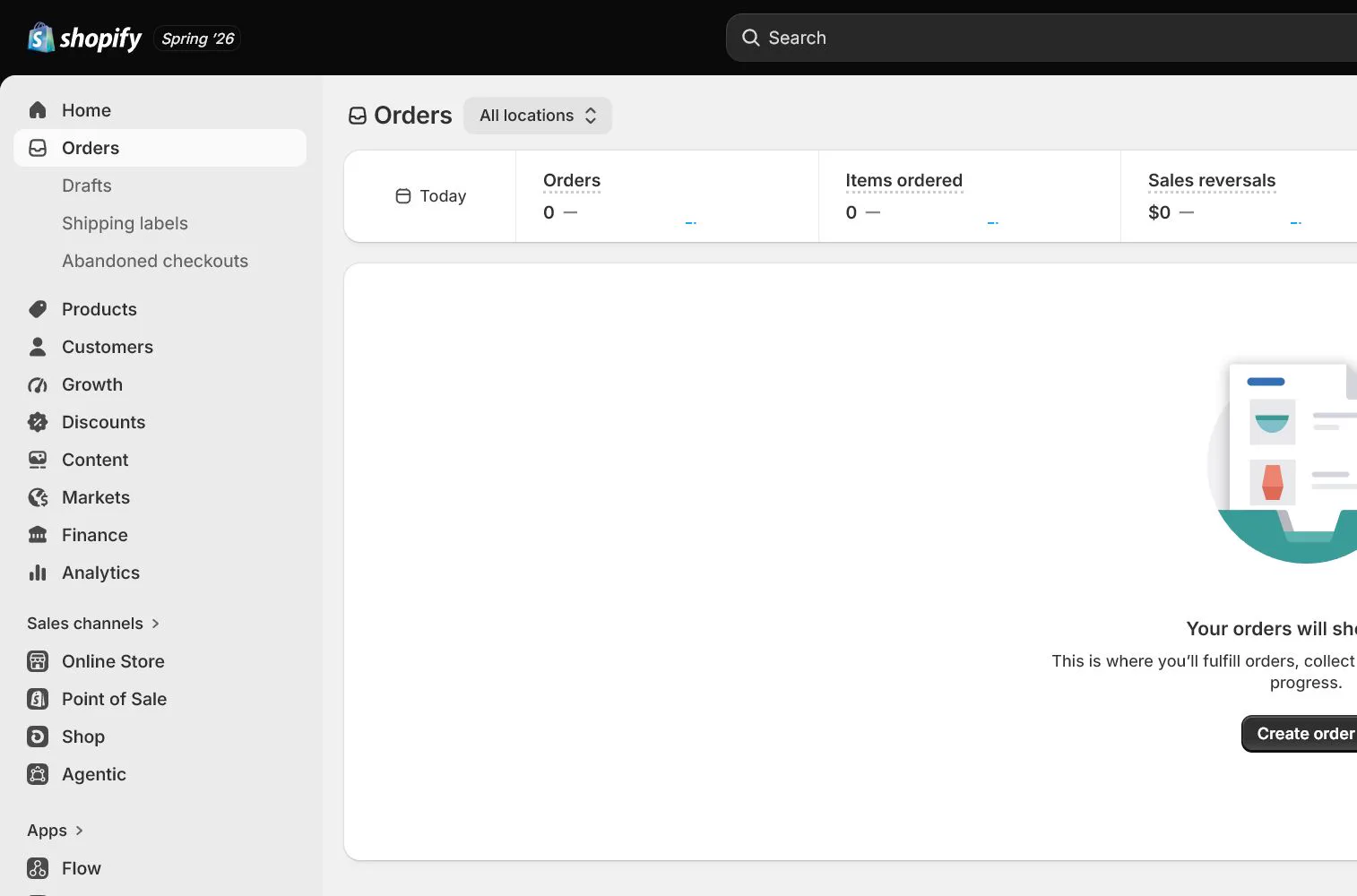
Test cancellation, refund, and restock
Cancel or refund the test order and verify payment record, email, inventory restock, tax, and analytics events. Record fee and payout boundaries without assuming test data equals live settlement.
Remove the password and start launch monitoring
After all blockers close, verify payment test mode is off and primary domain and Markets are correct, then remove protection under Online Store > Preferences or the current password setting. Monitor checkout, payments, notifications, inventory, events, and support for 24 hours, restoring protection or the prior theme when rollback criteria trigger.
How North & Pine configures it
North & Pine freezes one theme candidate and tests Tan and Olive, USD 74 and USD 75 carts, New York and California addresses, and successful and failed payments. A successful order sends notifications, commits inventory, assigns New Jersey Warehouse, and issues tracking before cancellation and restock. A second person verifies test mode is off before password removal.
Decisions to make in this lesson
| Decision | Recommended setting | Why |
|---|---|---|
| QA environment | Password-protected release candidate | Prevents testing from affecting real customers |
| Launch gate | All blockers closed | Critical issues do not wait until after launch |
| Evidence | Expected, actual, screenshot, order | Makes issues reproducible and reviewable |
| Rollback | Password or previous theme | Stops damage quickly when failures appear |
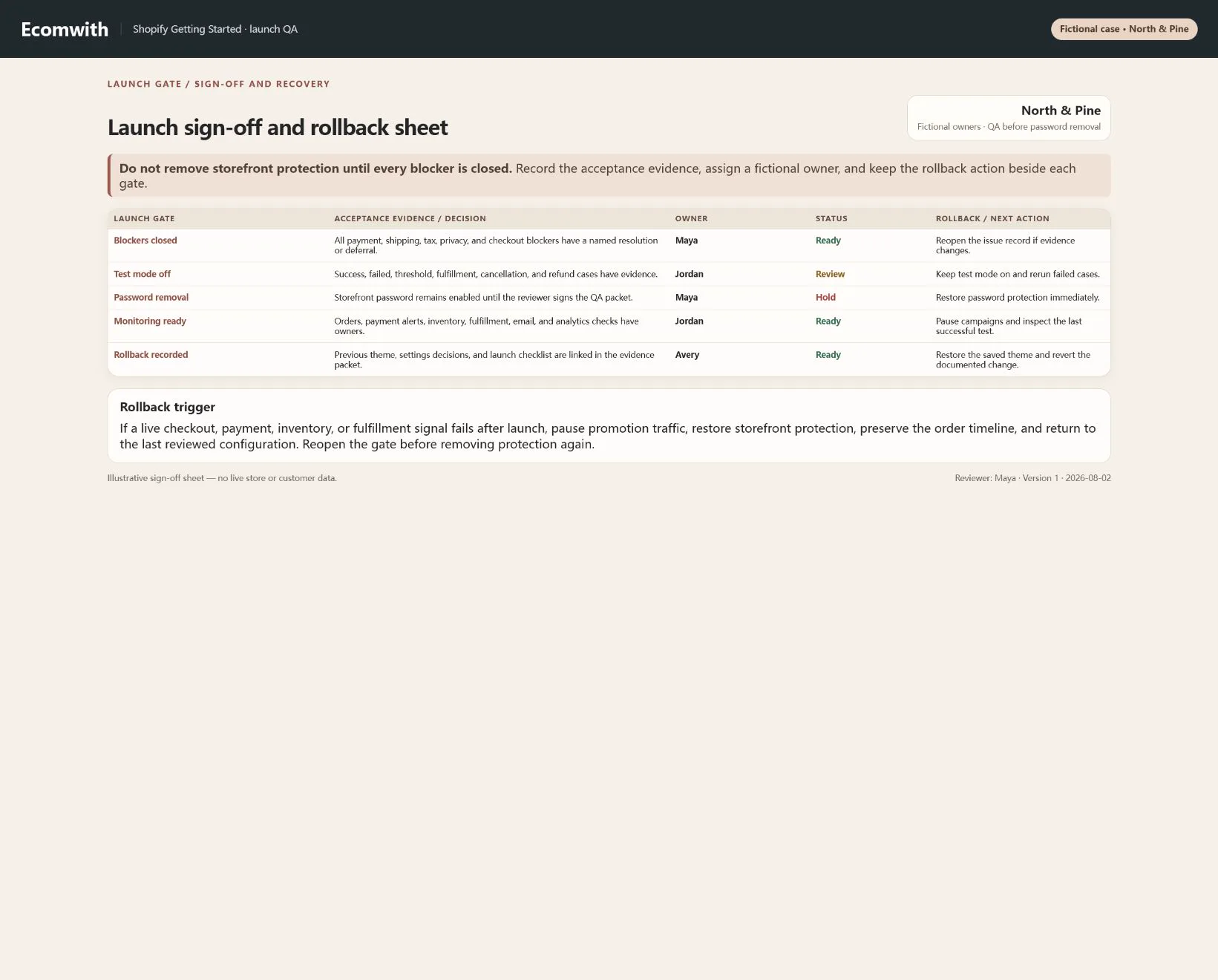
Do not change these blindly
- Do not test only successful orders.
- Do not install apps or redesign the theme during QA.
- Do not test only in admin; complete the path from customer email and mobile.
Completion standard
The lesson is complete only when every item below has evidence. Saying that the page was reviewed is not acceptance.
- Browsing, search, variants, cart, and policies pass on both devices.
- Success, failure, boundary, and unsupported-address cases match expectations.
- Payment, inventory, Location, notification, tracking, and events reconcile to one order.
- Cancellation, refund, and restock tests are complete.
- Test mode, password removal, monitoring, and rollback have two-person confirmation.
Common failures and fixes
| Symptom | What to do |
|---|---|
| Customers cannot pay after launch | Immediately inspect test mode, provider status, Markets, currency, and checkout. Restore password and roll back when the stop line is reached. |
| An order exists but notifications are missing | Inspect trigger, recipient, sender, spam, template, and order state. Contact the customer manually when needed and retain an incident record. |
| Inventory or events are duplicated | Pause the relevant app or automation, inspect Location adjustments, webhooks, and duplicate pixels by order timeline, then rerun the same case. |
Frequently asked questions
Which Shopify test-order scenarios are required?
At minimum test success, failure, cancellation, discounts, free-shipping boundary, tax jurisdictions, unsupported addresses, notifications, inventory, fulfillment, tracking, refund, and events.
When can password protection be removed?
Remove it only after all blockers close, payment test mode is off, domain and Markets are correct, evidence is complete, and a second person reviews the release.
Is testing still needed after launch?
Yes. Monitor real checkout, payments, notifications, inventory, events, and support for at least the first 24 hours and keep a rapid rollback option.
Official sources
Admin labels and rules change. These official pages are the maintenance baseline, and every screenshot must be checked against the current English admin.